

On this page
- Transport Layer TCP and UDP
- Port Numbers
- Port Numbers
- Port Numbers
- Port Numbers
- User Datagram Protocol (UDP)
- Addressing with Ports
- Use Cases of UDP
- Example of UDP Communication
- Example of UDP Communication
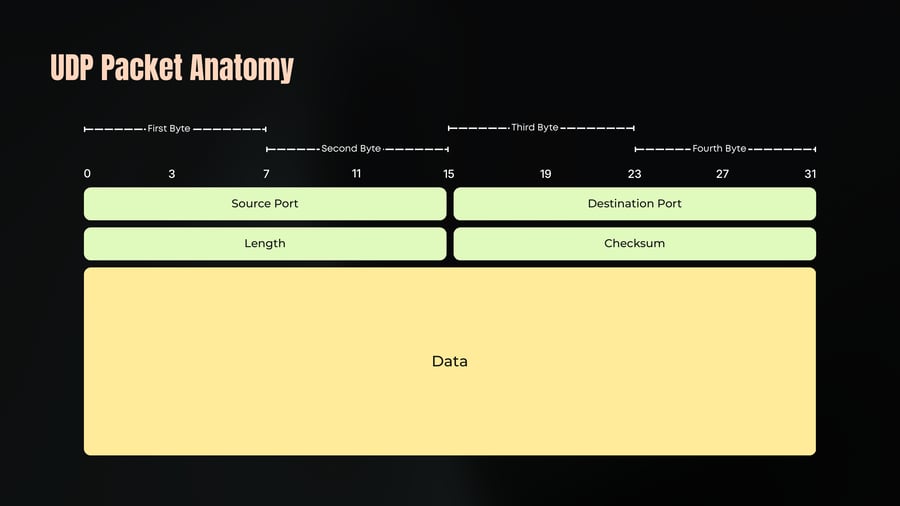
- UDP Datagram Anatomy
- UDP Datagram Anatomy
- UDP Packet Anatomy
- UDP Pros
- UDP Pros
- UDP Cons
- UDP Cons
- Transmission Control Protocol
- TCP Connection
- Three-Way Handshake
- Sequence Numbers and ANK
- Error Handling
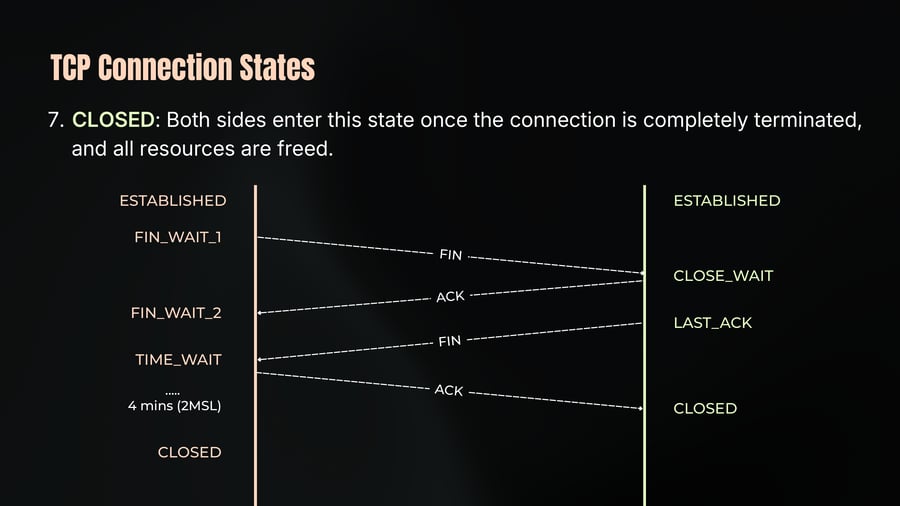
- Connection Termination (Four-way handshake)
- TCP Use Case
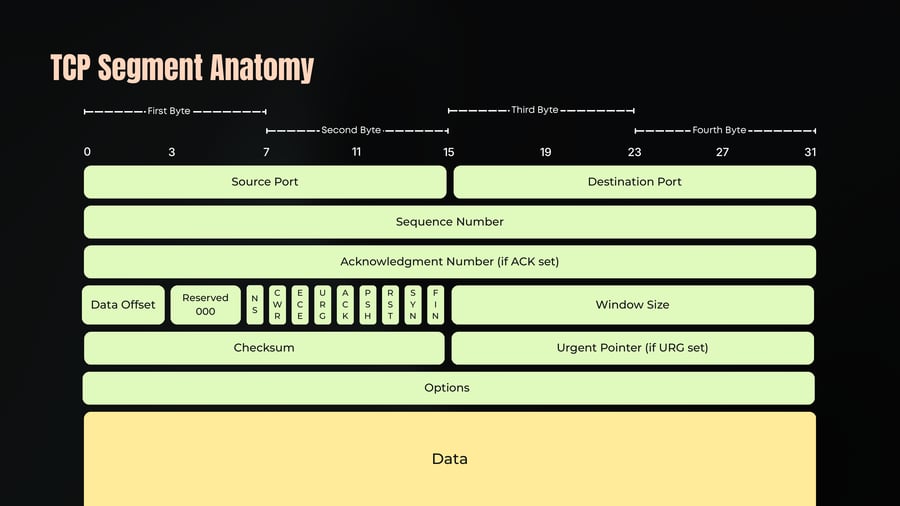
- TCP Segment Anatomy
- TCP Segment Anatomy
- TCP Segment Anatomy
- TCP Segment Anatomy
- TCP Segment Anatomy
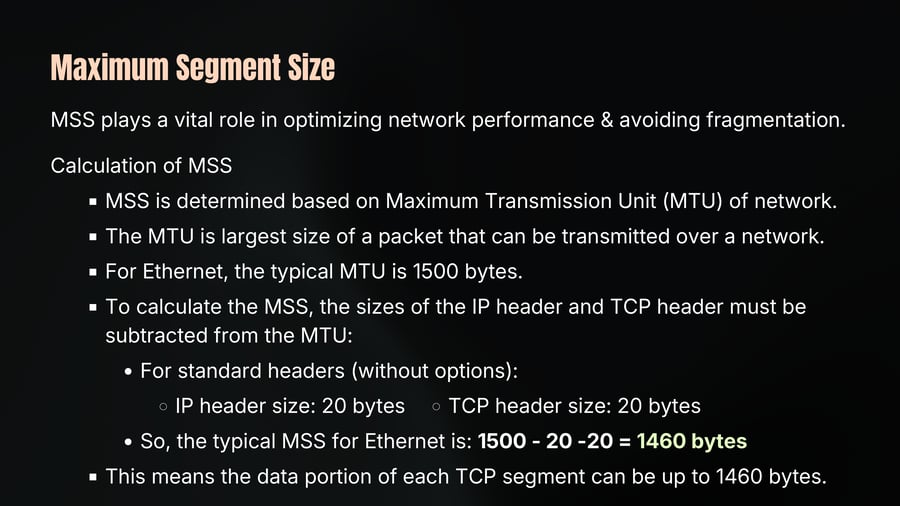
- Maximum Segment Size
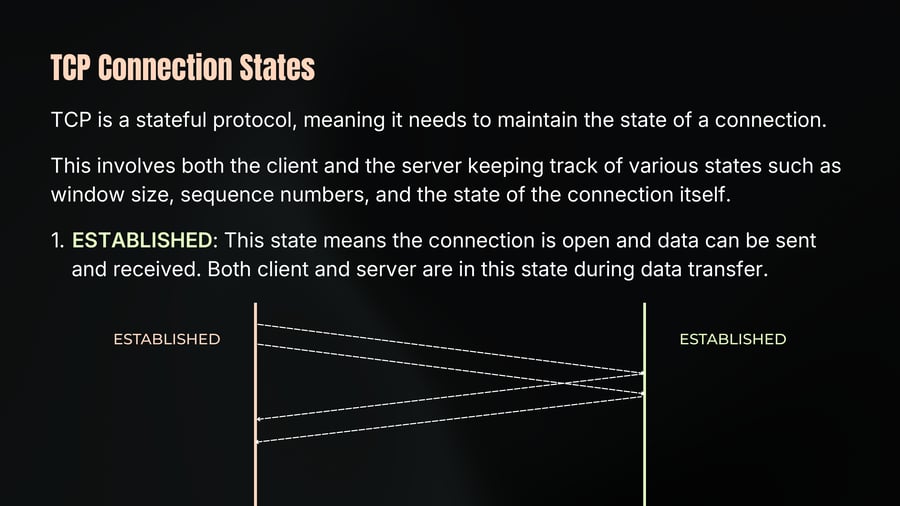
- TCP Connection States
- TCP Connection States
- TCP Connection States
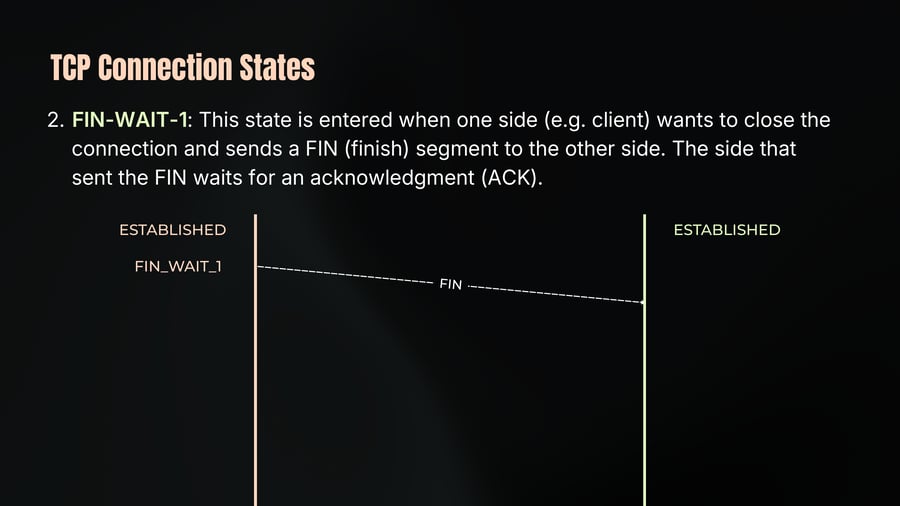
- TCP Connection States
- TCP Connection States
- TCP Connection States
- TCP Connection States
- TCP Flow Control
- TCP Flow Control
- TCP Flow Control
- TCP Flow Control
- TCP Flow Control
- TCP Congestion Control
- TCP Congestion Control
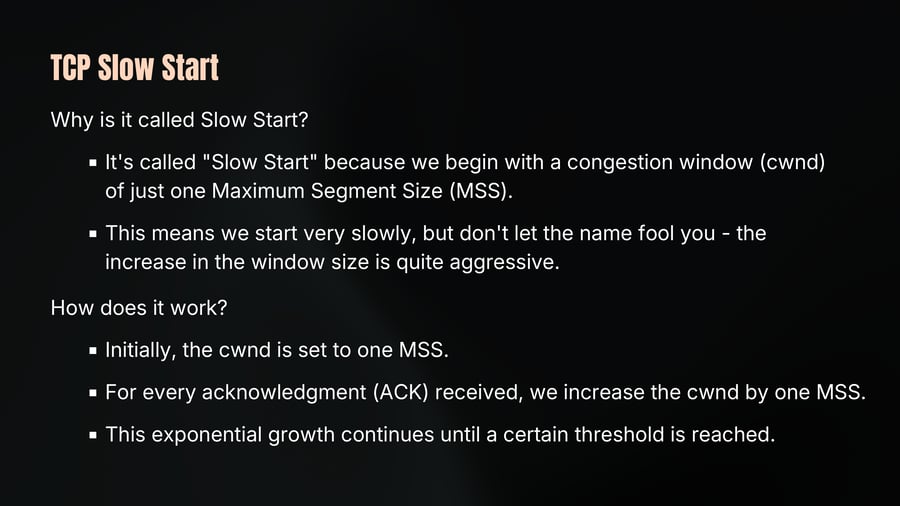
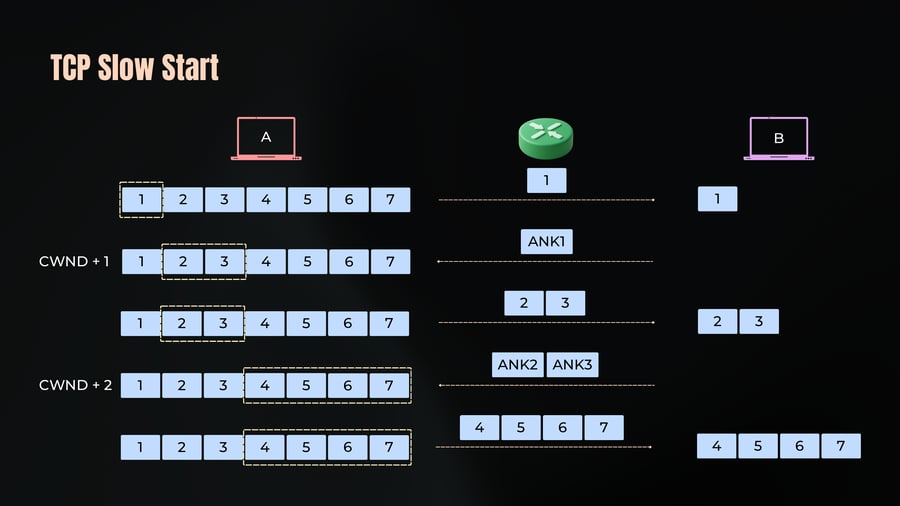
- TCP Slow Start
- TCP Slow Start
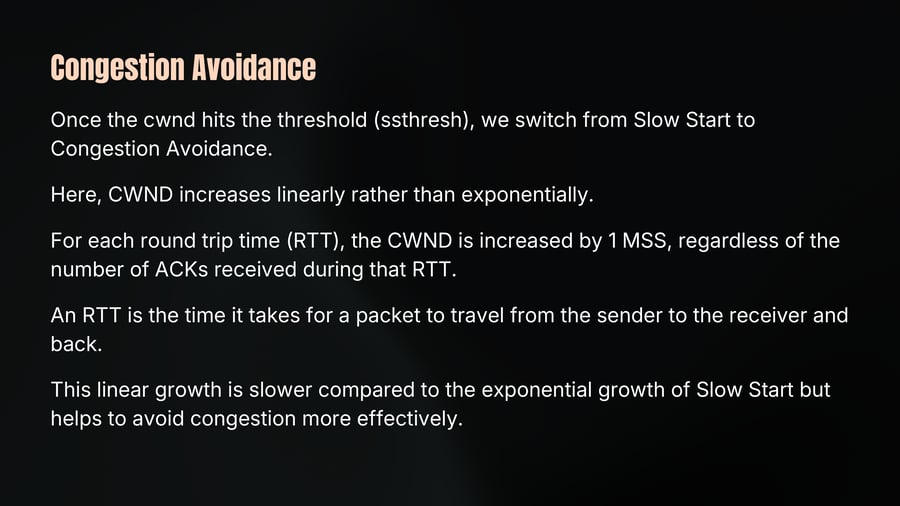
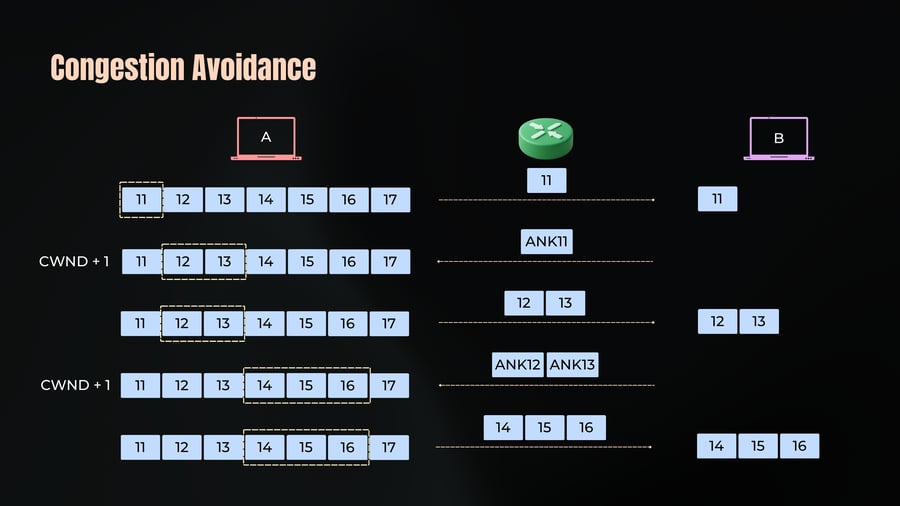
- Congestion Avoidance
- Congestion Avoidance
- Congestion Notification
- Congestion Detection
- Slow Start & Congestion Avoidance
- TCP Pros
- TCP Pros
- TCP Cons
- TCP Cons
- Addressing TCP Limitations
- The Transport Layer - TCP, UDP
Transport Layer TCP and UDP
01
Notes
Chap 5
Two Workhorses of the Internet.
Port Numbers
02
Notes
Port Numbers are like special codes that help devices know which specific application or service to send data to.
Just like a house has a unique address, an application or service has its special port number.
When you send data to someone, you include their IP address and a port number. It's like telling the postal service not just which house to deliver to but also which person inside the house should receive the package.
PORT is 16-bit number.
So the total PORT Numbers possible are = 2^16 = 65535.
Port Numbers
03
Notes
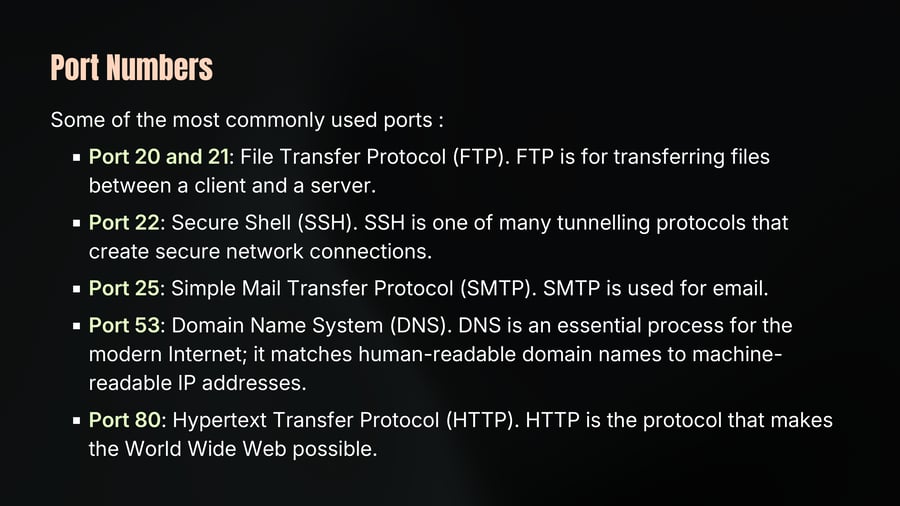
Some of the most commonly used ports :
Port 20 and 21: File Transfer Protocol (FTP). FTP is for transferring files between a client and a server.
Port 22: Secure Shell (SSH). SSH is one of many tunnelling protocols that create secure network connections.
Port 25: Simple Mail Transfer Protocol (SMTP). SMTP is used for email.
Port 53: Domain Name System (DNS). DNS is an essential process for the modern Internet; it matches human-readable domain names to machine-readable IP addresses.
Port 80: Hypertext Transfer Protocol (HTTP). HTTP is the protocol that makes the World Wide Web possible.
Port Numbers
04
Notes
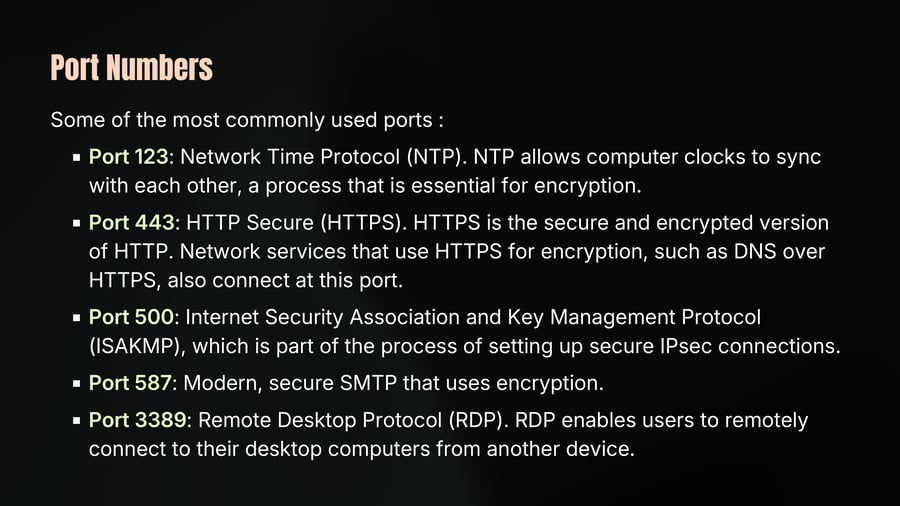
Some of the most commonly used ports :
Port 123: Network Time Protocol (NTP). NTP allows computer clocks to sync with each other, a process that is essential for encryption.
Port 443: HTTP Secure (HTTPS). HTTPS is the secure and encrypted version of HTTP. Network services that use HTTPS for encryption, such as DNS over HTTPS, also connect at this port.
Port 500: Internet Security Association and Key Management Protocol (ISAKMP), which is part of the process of setting up secure IPsec connections.
Port 587: Modern, secure SMTP that uses encryption.
Port 3389: Remote Desktop Protocol (RDP). RDP enables users to remotely connect to their desktop computers from another device.
Port Numbers
05
Notes
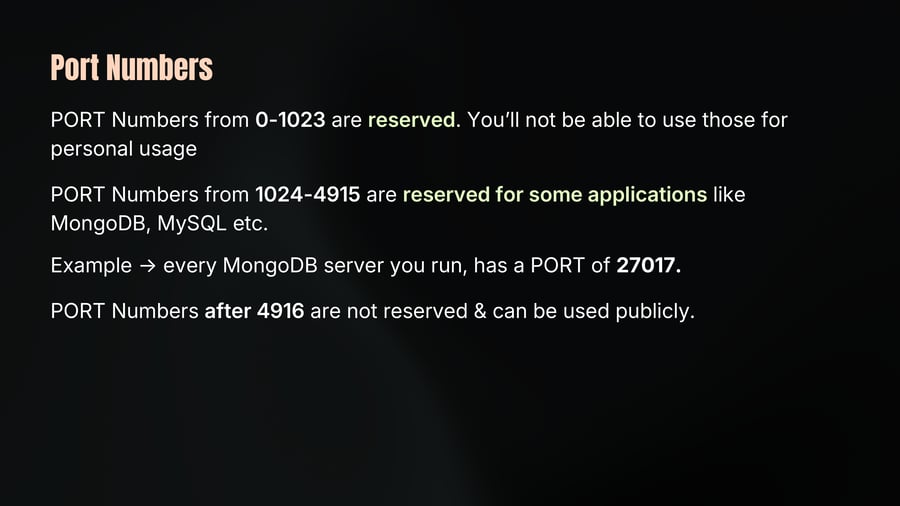
PORT Numbers from 0-1023 are reserved. You’ll not be able to use those for personal usage
PORT Numbers from 1024-4915 are reserved for some applications like MongoDB, MySQL etc.
Example → every MongoDB server you run, has a PORT of 27017.
PORT Numbers after 4916 are not reserved & can be used publicly.
User Datagram Protocol (UDP)
06
Notes
UDP is a fundamental protocol used widely in network communications. It operates at Layer 4 of the OSI model, sitting directly on top of the Internet Protocol (IP) layer.
Stateless Protocol: UDP is stateless, meaning that it doesn't maintain a connection between the sender and receiver. Each datagram (packet) is sent independently, without knowing if the destination is ready or even exists.
No Prior Communication Required: Since it’s stateless, UDP doesn’t require any prior communication before sending data. This allows for faster transmission compared to connection-oriented protocols like TCP.
Simple and Minimal Header: UDP's header is only 8 bytes long, much smaller than TCP's header. This simplicity contributes to its low overhead and efficiency.
Addressing with Ports
07
Notes
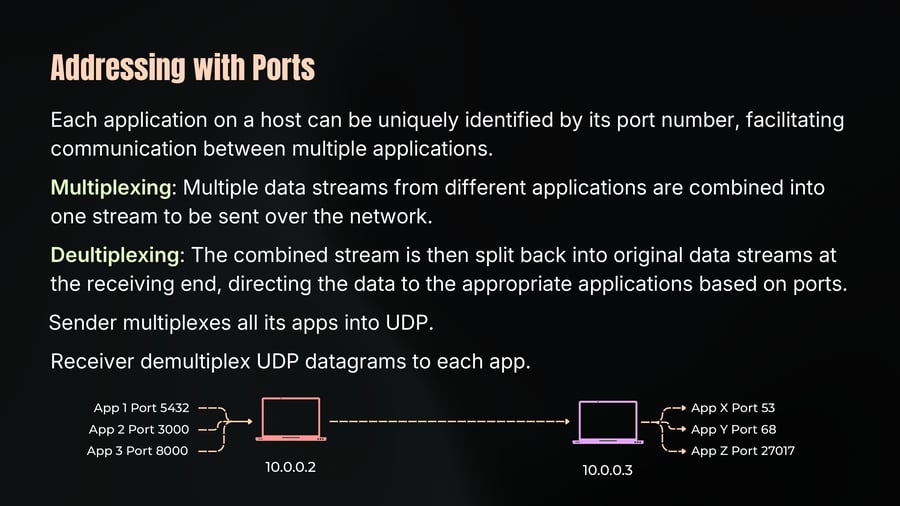
Each application on a host can be uniquely identified by its port number, facilitating communication between multiple applications.
Multiplexing: Multiple data streams from different applications are combined into one stream to be sent over the network.
Deultiplexing: The combined stream is then split back into original data streams at the receiving end, directing the data to the appropriate applications based on ports.
Sender multiplexes all its apps into UDP.
Receiver demultiplex UDP datagrams to each app.
Use Cases of UDP
08
Notes
Video Streaming: Ideal for streaming where occasional data loss is acceptable. The protocol's efficiency outweighs the need for guaranteed delivery.
VPN (Virtual Private Networks): Many VPN protocols use UDP for its efficiency and lower latency.
DNS (Domain Name System): DNS uses UDP for quick, simple query-response communication.
WebRTC (Web Real-Time Communication): Enables direct peer-to-peer communication for video and voice calls in web browsers.
Example of UDP Communication
09
Notes
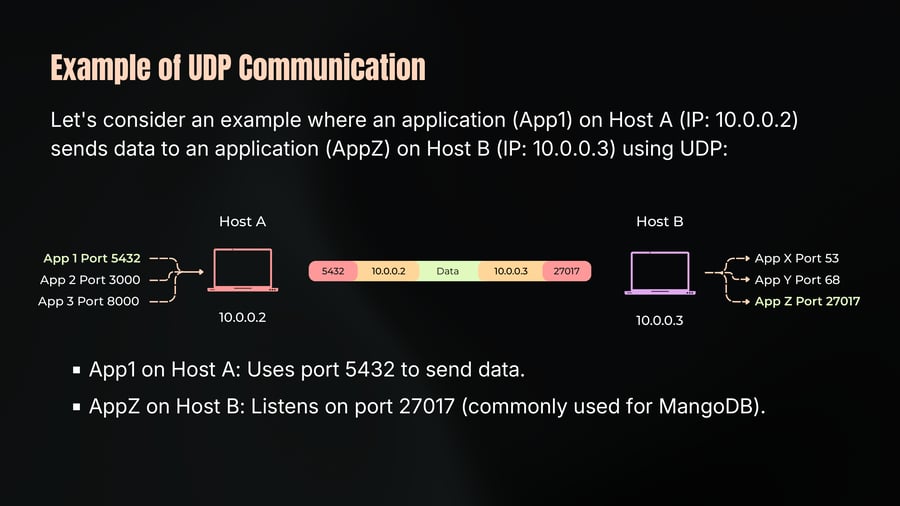
Let's consider an example where an application (App1) on Host A (IP: 10.0.0.2) sends data to an application (AppZ) on Host B (IP: 10.0.0.3) using UDP:
App1 on Host A: Uses port 5432 to send data.
AppZ on Host B: Listens on port 27017 (commonly used for MangoDB).
Example of UDP Communication
10
Notes
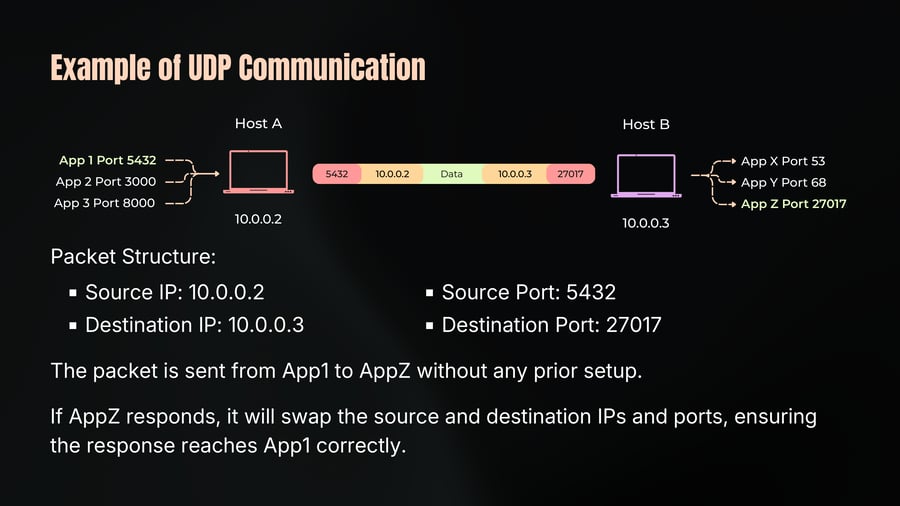
Packet Structure:
Source IP: 10.0.0.2
Source Port: 5432
Destination IP: 10.0.0.3
Destination Port: 27017
The packet is sent from App1 to AppZ without any prior setup.
If AppZ responds, it will swap the source and destination IPs and ports, ensuring the response reaches App1 correctly.
UDP Datagram Anatomy
11
Notes
A UDP header is simple and compact, consisting of only 8 bytes (64 bits) for IPv4.
Source Port (16 bits): Identifies the port of the sending application. This is used by the recipient to know where to send a response.
Destination Port (16 bits): Identifies the port of the receiving application. This tells the recipient's system which application should process incoming datagram.
Length (16 bits): Specifies the total length of the UDP datagram, including both the header and the data. This helps in determining the boundaries of the datagram
Checksum (16 bits): Used for error-checking of the header and data. This ensures the integrity of the data during transmission.
Data Section: The actual payload of the message. This is the information being transported, such as a DNS query or a video stream packet.
UDP Datagram Anatomy
12
Notes
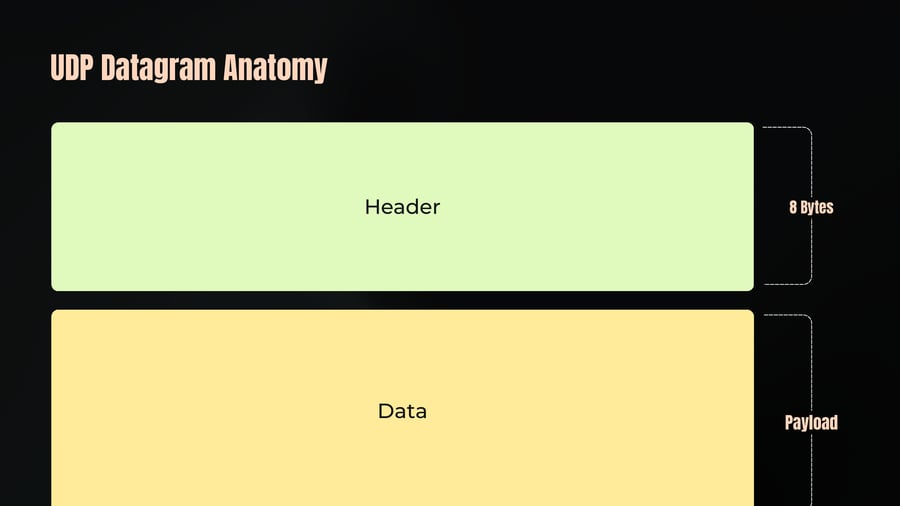
Header
8 Bytes
Data
Payload
UDP Packet Anatomy
13
Notes
First Byte
Third Byte
Second Byte
Fourth Byte
0 3 7 11 15 19 23 27 31
Source Port
Destination Port
Length
Checksum
Data
UDP Pros
14
Notes
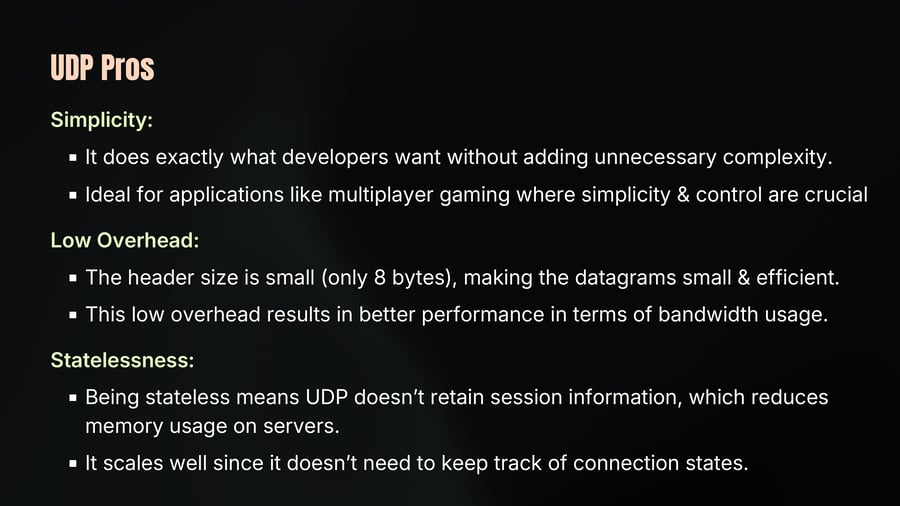
Simplicity:
It does exactly what developers want without adding unnecessary complexity.
Ideal for applications like multiplayer gaming where simplicity & control are crucial
Low Overhead:
The header size is small (only 8 bytes), making the datagrams small & efficient.
This low overhead results in better performance in terms of bandwidth usage.
Statelessness:
Being stateless means UDP doesn’t retain session information, which reduces memory usage on servers.
It scales well since it doesn’t need to keep track of connection states.
UDP Pros
15
Notes
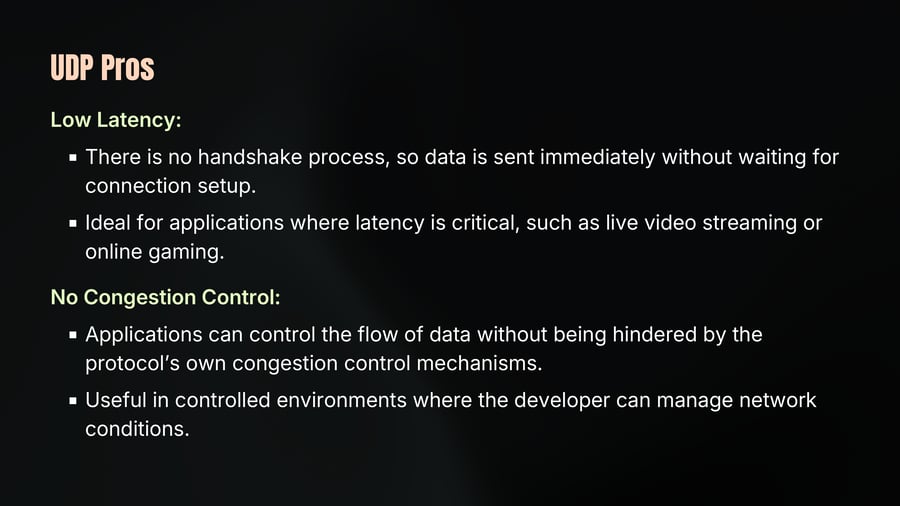
Low Latency:
There is no handshake process, so data is sent immediately without waiting for connection setup.
Ideal for applications where latency is critical, such as live video streaming or online gaming.
No Congestion Control:
Applications can control the flow of data without being hindered by the protocol’s own congestion control mechanisms.
Useful in controlled environments where the developer can manage network conditions.
UDP Cons
16
Notes
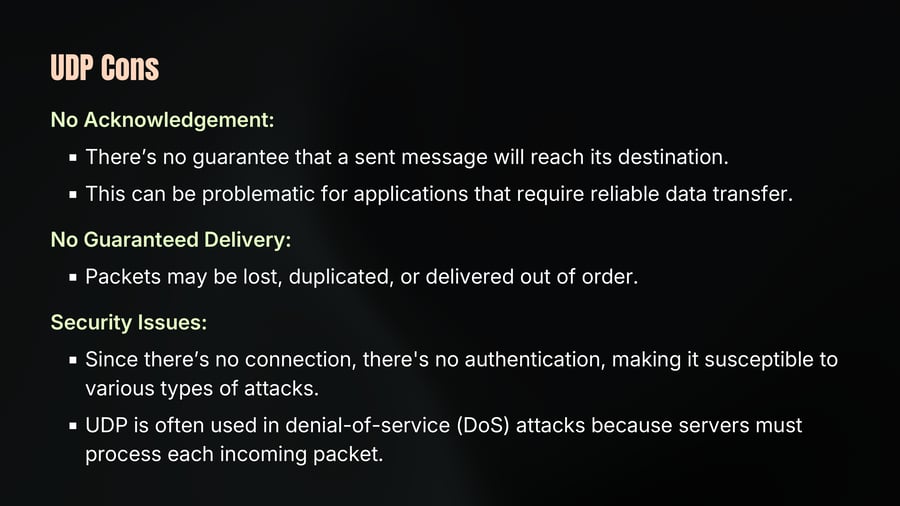
No Acknowledgement:
There’s no guarantee that a sent message will reach its destination.
This can be problematic for applications that require reliable data transfer.
No Guaranteed Delivery:
Packets may be lost, duplicated, or delivered out of order.
Security Issues:
Since there’s no connection, there's no authentication, making it susceptible to various types of attacks.
UDP is often used in denial-of-service (DoS) attacks because servers must process each incoming packet.
UDP Cons
17
Notes
No Flow Control:
There’s no mechanism to manage the rate of data transmission based on network conditions.
This can lead to network congestion and packet loss, as the sending application has no feedback on the network’s capacity.
No Congestion Control:
Unlike TCP, UDP doesn’t adjust its transmission rate based on network congestion.
This can exacerbate congestion problems, particularly in shared or congested networks.
Transmission Control Protocol
18
Notes
TCP is one of the most widely used protocols in networking, essential for reliable communication.
Reliable: Ensures that data is delivered accurately and in order. Uses checksums to detect errors and mechanisms like retransmission to correct them.
Connection-Oriented: Establishes a connection using SYN, SYN-ACK, and ACK packets to synchronize and acknowledge the connection between client and server. Maintains the state of the connection, allowing for consistent and reliable communication.
Port-Based Communication: Uses ports to identify different applications on the same host, enabling multiple concurrent connections.
TCP Connection
19
Notes
Connection is an agreement between client and server. Must create a connection to send data.
Connection is identified by 4 properties
SourceIP-SourcePort
DestinationIP-DestinationPort
Sometimes called socket or file descriptor.
Requires a 3-way TCP handshake
Segments are sequenced and ordered.
Segments are acknowledged and Lost segments are retransmitted
Three-Way Handshake
20
Notes
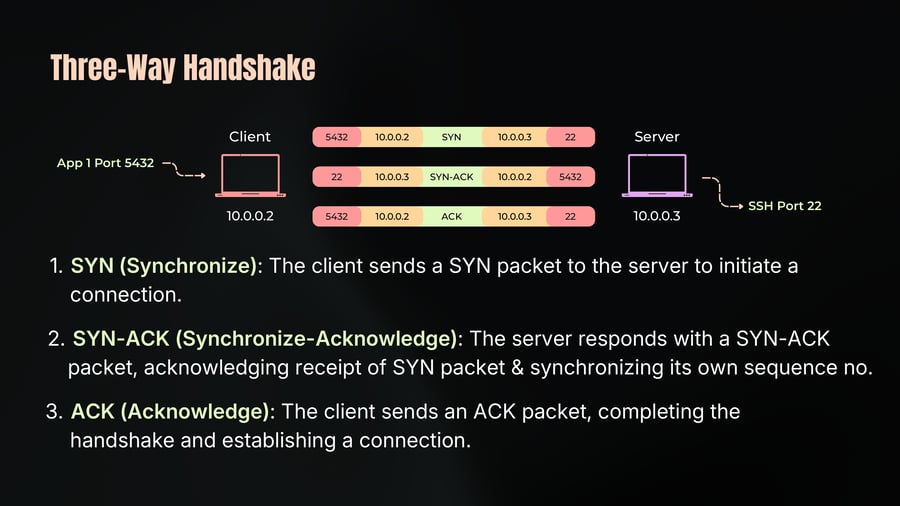
1. SYN (Synchronize): The client sends a SYN packet to the server to initiate a connection.
2. SYN-ACK (Synchronize-Acknowledge): The server responds with a SYN-ACK packet, acknowledging receipt of SYN packet & synchronizing its own sequence no.
3. ACK (Acknowledge): The client sends an ACK packet, completing the handshake and establishing a connection.
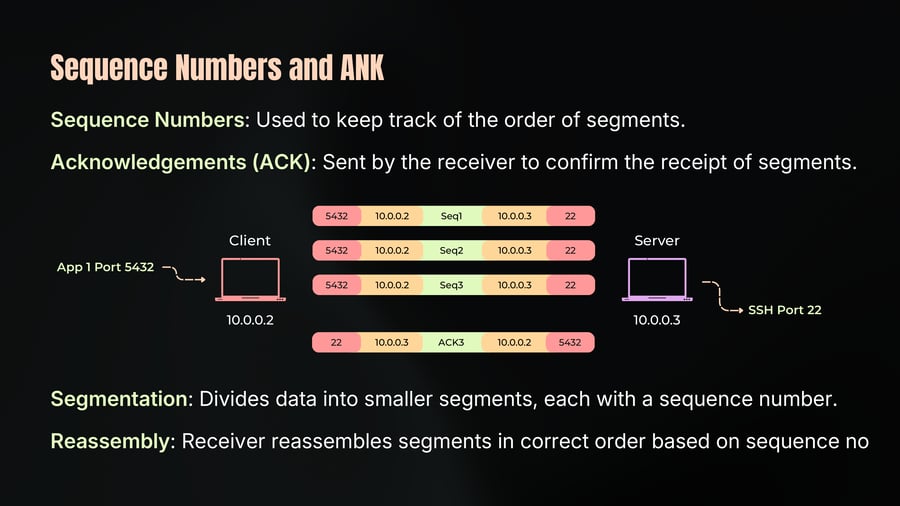
Sequence Numbers and ANK
21
Notes
Sequence Numbers: Used to keep track of the order of segments.
Acknowledgements (ACK): Sent by the receiver to confirm the receipt of segments.
Segmentation: Divides data into smaller segments, each with a sequence number.
Reassembly: Receiver reassembles segments in correct order based on sequence no
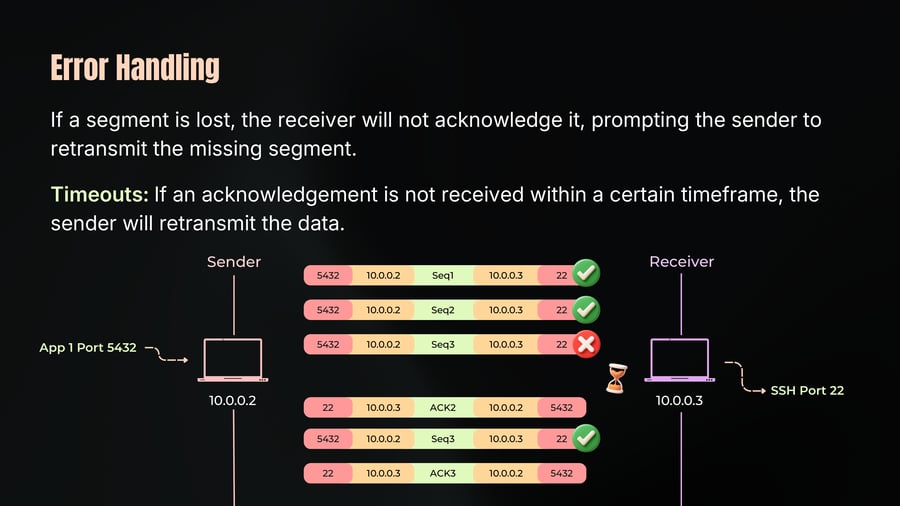
Error Handling
22
Notes
If a segment is lost, the receiver will not acknowledge it, prompting the sender to retransmit the missing segment.
Timeouts: If an acknowledgement is not received within a certain timeframe, the sender will retransmit the data.
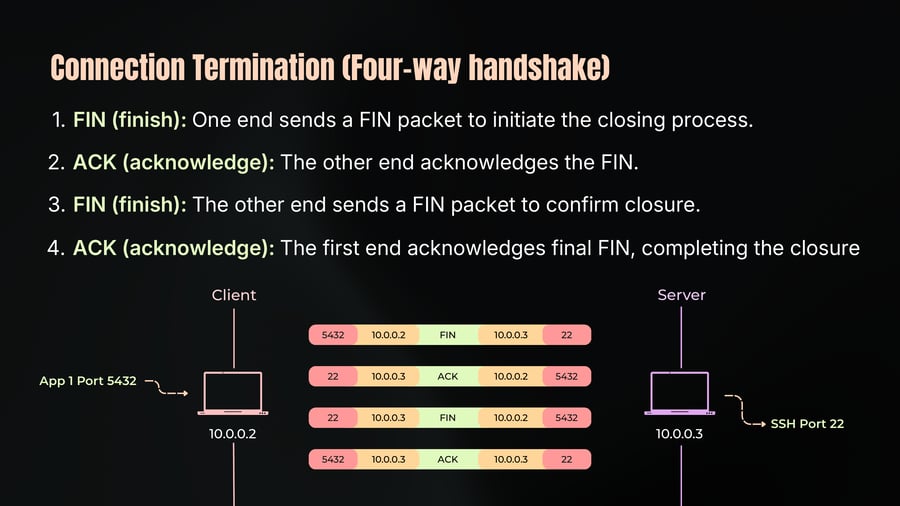
Connection Termination (Four-way handshake)
23
Notes
1. FIN (finish): One end sends a FIN packet to initiate the closing process.
2. ACK (acknowledge): The other end acknowledges the FIN.
3. FIN (finish): The other end sends a FIN packet to confirm closure.
4. ACK (acknowledge): The first end acknowledges final FIN, completing the closure
TCP Use Case
24
Notes
Chat Applications: Ensures messages are delivered in correct order without errors.
Remote Shells and Database Connections: Guarantees the integrity of commands and queries.
Web Communication
HTTP/1.1 and HTTP/2: Both protocols rely on TCP for reliable data transfer.
HTTP/3, however, uses QUIC, which is built on UDP for enhanced performance.
Any bidirectional communication.
TCP Segment Anatomy
25
Notes
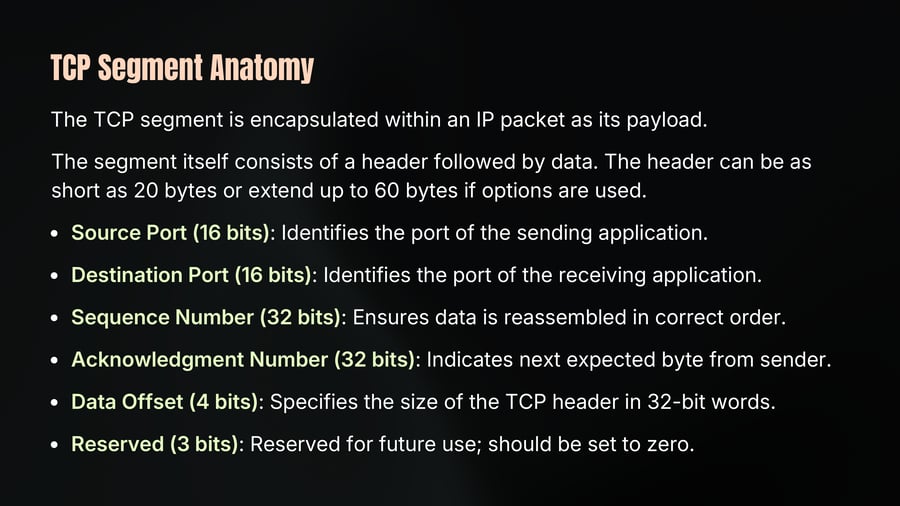
The TCP segment is encapsulated within an IP packet as its payload.
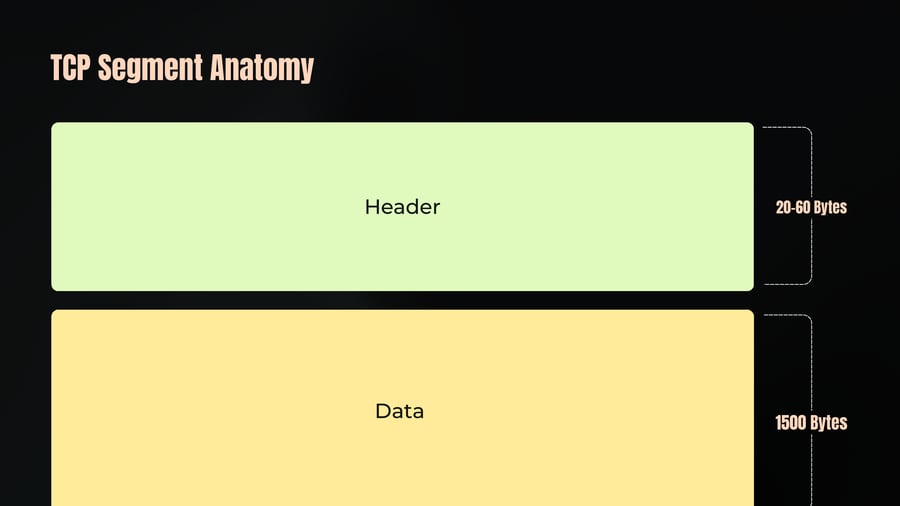
The segment itself consists of a header followed by data. The header can be as short as 20 bytes or extend up to 60 bytes if options are used.
Source Port (16 bits): Identifies the port of the sending application.
Destination Port (16 bits): Identifies the port of the receiving application.
Sequence Number (32 bits): Ensures data is reassembled in correct order.
Acknowledgment Number (32 bits): Indicates next expected byte from sender.
Data Offset (4 bits): Specifies the size of the TCP header in 32-bit words.
Reserved (3 bits): Reserved for future use; should be set to zero.
TCP Segment Anatomy
26
Notes
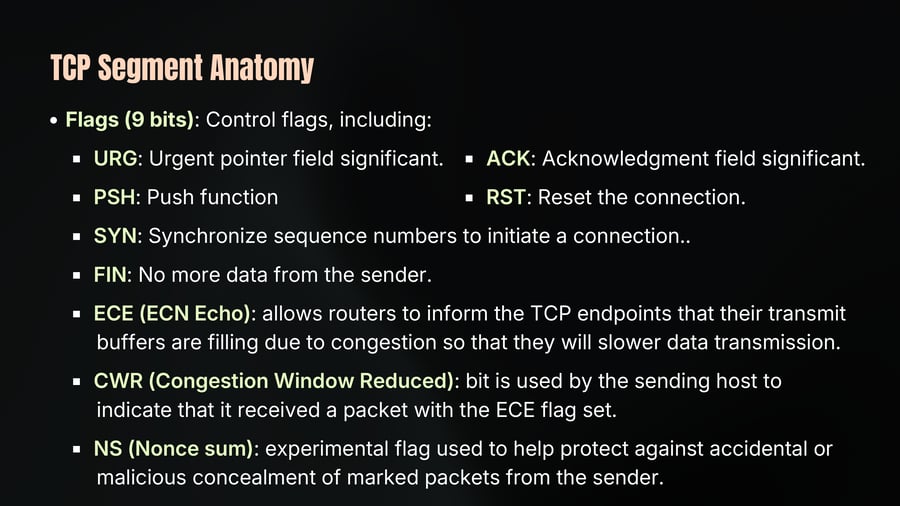
Flags (9 bits): Control flags, including:
URG: Urgent pointer field significant.
ACK: Acknowledgment field significant.
PSH: Push function
RST: Reset the connection.
SYN: Synchronize sequence numbers to initiate a connection..
FIN: No more data from the sender.
ECE (ECN Echo): allows routers to inform the TCP endpoints that their transmit buffers are filling due to congestion so that they will slower data transmission.
CWR (Congestion Window Reduced): bit is used by the sending host to indicate that it received a packet with the ECE flag set.
NS (Nonce sum): experimental flag used to help protect against accidental or malicious concealment of marked packets from the sender.
TCP Segment Anatomy
27
Notes
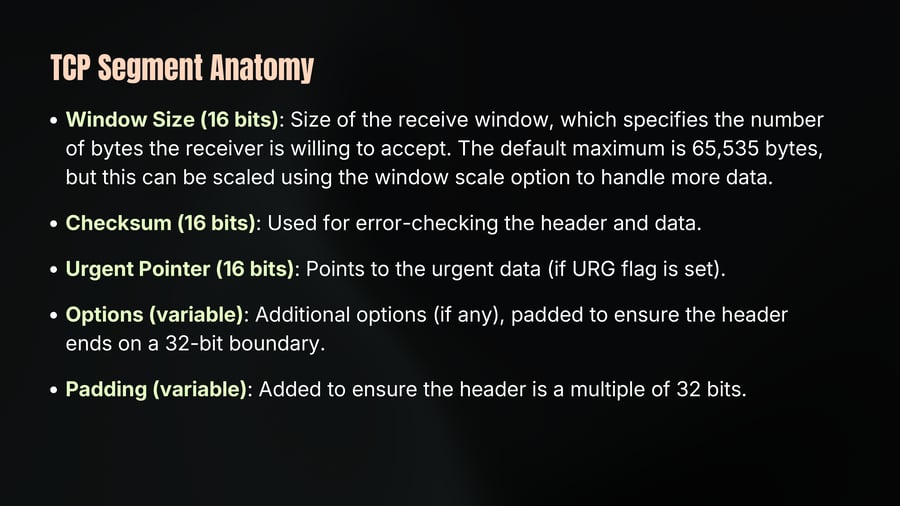
Window Size (16 bits): Size of the receive window, which specifies the number of bytes the receiver is willing to accept. The default maximum is 65,535 bytes, but this can be scaled using the window scale option to handle more data.
Checksum (16 bits): Used for error-checking the header and data.
Urgent Pointer (16 bits): Points to the urgent data (if URG flag is set).
Options (variable): Additional options (if any), padded to ensure the header ends on a 32-bit boundary.
Padding (variable): Added to ensure the header is a multiple of 32 bits.
TCP Segment Anatomy
28
Notes
Header
20-60 Bytes
Data
1500 Bytes
TCP Segment Anatomy
29
Notes
First Byte
Second Byte
Third Byte
Fourth Byte
0
3
7
11
15
19
23
27
31
Source Port
Destination Port
Sequence Number
Acknowledgment Number (if ACK set)
Data Offset
Reserved 000
NS
CWR
ECE
URG
ACK
PSH
RST
SYN
FIN
Window Size
Checksum
Urgent Pointer (if URG set)
Options
Data
Maximum Segment Size
30
Notes
MSS plays a vital role in optimizing network performance & avoiding fragmentation.
Calculation of MSS
MSS is determined based on Maximum Transmission Unit (MTU) of network.
The MTU is largest size of a packet that can be transmitted over a network.
For Ethernet, the typical MTU is 1500 bytes.
To calculate the MSS, the sizes of the IP header and TCP header must be subtracted from the MTU:
For standard headers (without options):
IP header size: 20 bytes
TCP header size: 20 bytes
So, the typical MSS for Ethernet is: 1500 - 20 -20 = 1460 bytes
This means the data portion of each TCP segment can be up to 1460 bytes.
TCP Connection States
31
Notes
TCP is a stateful protocol, meaning it needs to maintain the state of a connection.
This involves both the client and the server keeping track of various states such as window size, sequence numbers, and the state of the connection itself.
1. ESTABLISHED: This state means the connection is open and data can be sent and received. Both client and server are in this state during data transfer.
ESTABLISHED
ESTABLISHED
TCP Connection States
32
Notes
2. FIN-WAIT-1: This state is entered when one side (e.g. client) wants to close the connection and sends a FIN (finish) segment to the other side. The side that sent the FIN waits for an acknowledgment (ACK).
TCP Connection States
33
Notes
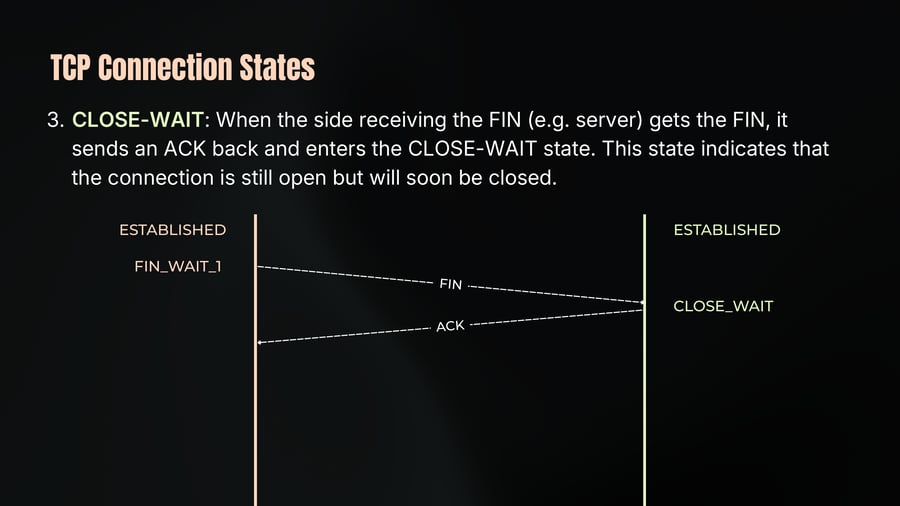
3. CLOSE-WAIT: When the side receiving the FIN (e.g. server) gets the FIN, it sends an ACK back and enters the CLOSE-WAIT state. This state indicates that the connection is still open but will soon be closed.
TCP Connection States
34
Notes
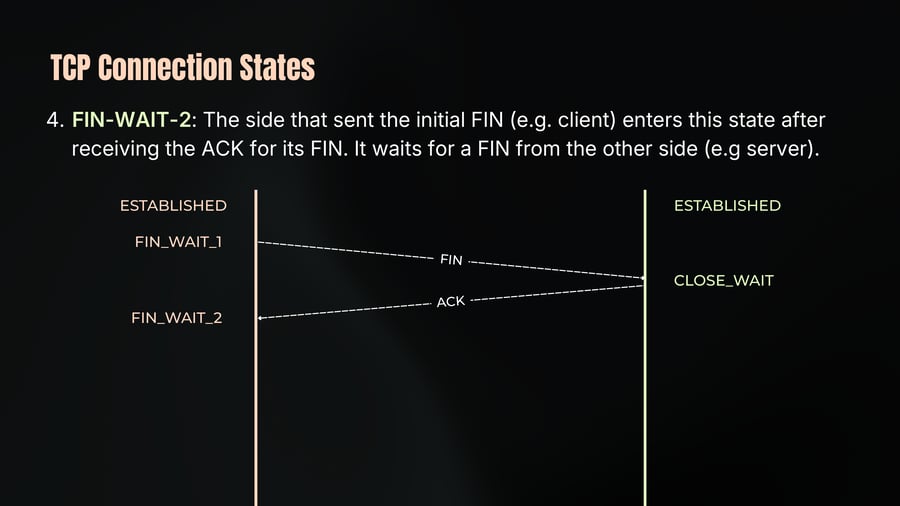
4. FIN-WAIT-2: The side that sent the initial FIN (e.g. client) enters this state after receiving the ACK for its FIN. It waits for a FIN from the other side (e.g server).
TCP Connection States
35
Notes
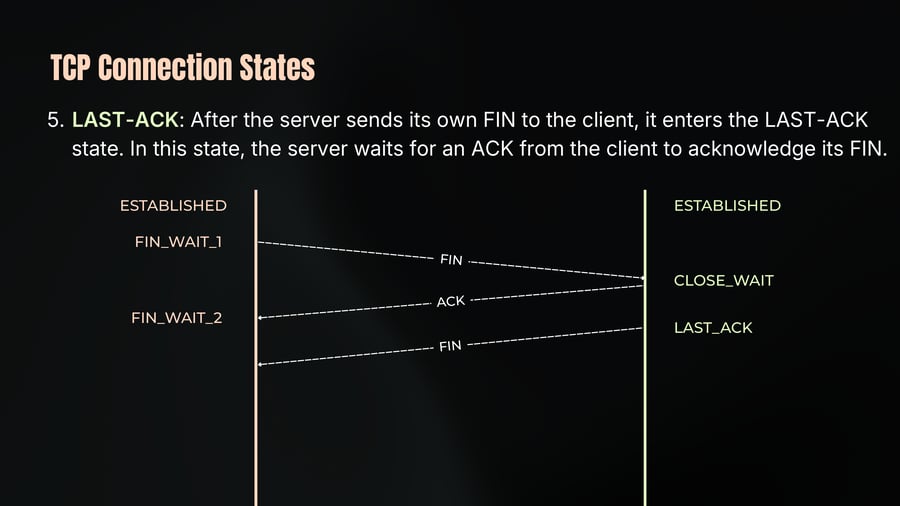
5. LAST-ACK: After the server sends its own FIN to the client, it enters the LAST-ACK state. In this state, the server waits for an ACK from the client to acknowledge its FIN.
TCP Connection States
36
Notes
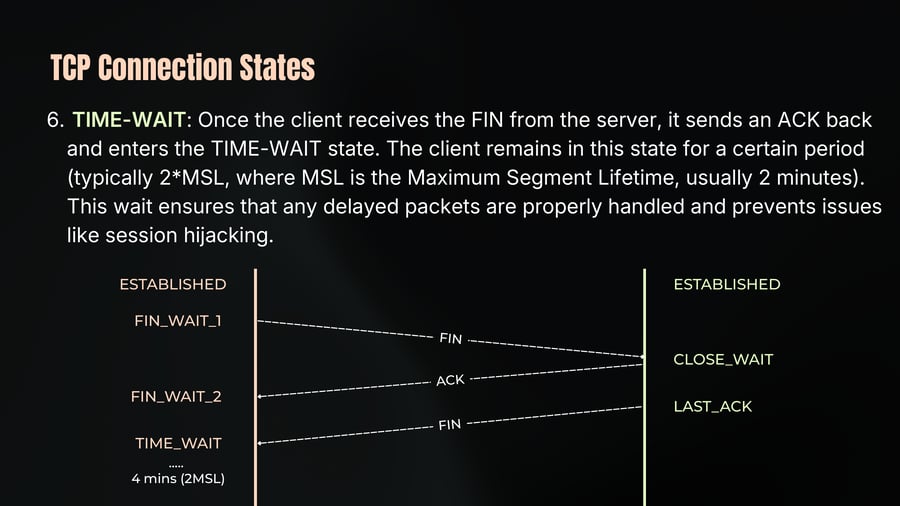
6. TIME-WAIT: Once the client receives the FIN from the server, it sends an ACK back and enters the TIME-WAIT state. The client remains in this state for a certain period (typically 2*MSL, where MSL is the Maximum Segment Lifetime, usually 2 minutes). This wait ensures that any delayed packets are properly handled and prevents issues like session hijacking.
TCP Connection States
37
Notes
7. CLOSED: Both sides enter this state once the connection is completely terminated, and all resources are freed.
TCP Flow Control
38
Notes
Flow control in TCP ensures that the sender does not overwhelm the receiver with more data than it can handle at a time.
It's distinct from congestion control, which deals with managing data transmission across the network to avoid congestion and ensure smooth communication.
Receiver’s Capacity: Flow control answers the question: How much data can the receiver handle at a time? The receiver's capacity can vary based on its processing power, memory, and current load.
TCP Segments: Data in TCP is sent in units called segments. The sender needs to manage how many segments it sends before waiting for an acknowledgment from the receiver.
TCP Flow Control
39
Notes
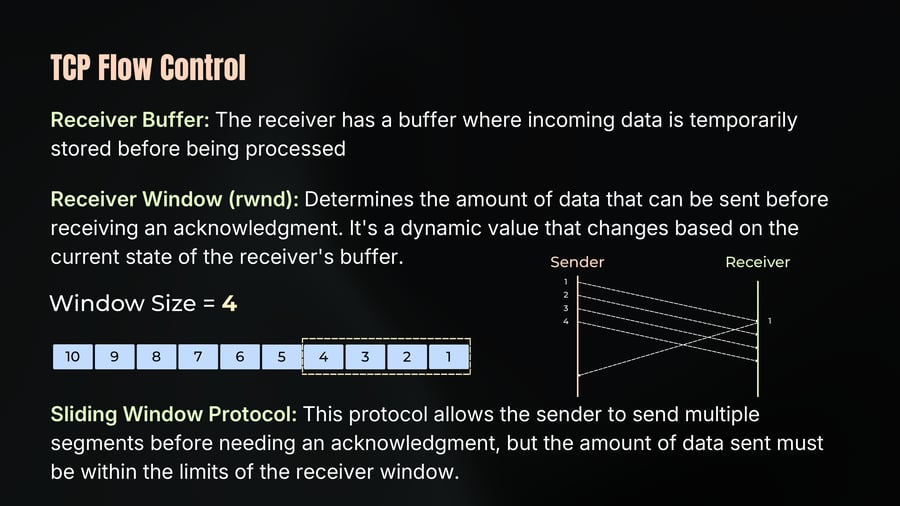
Receiver Buffer: The receiver has a buffer where incoming data is temporarily stored before being processed
Receiver Window (rwnd): Determines the amount of data that can be sent before receiving an acknowledgment. It's a dynamic value that changes based on the current state of the receiver's buffer.
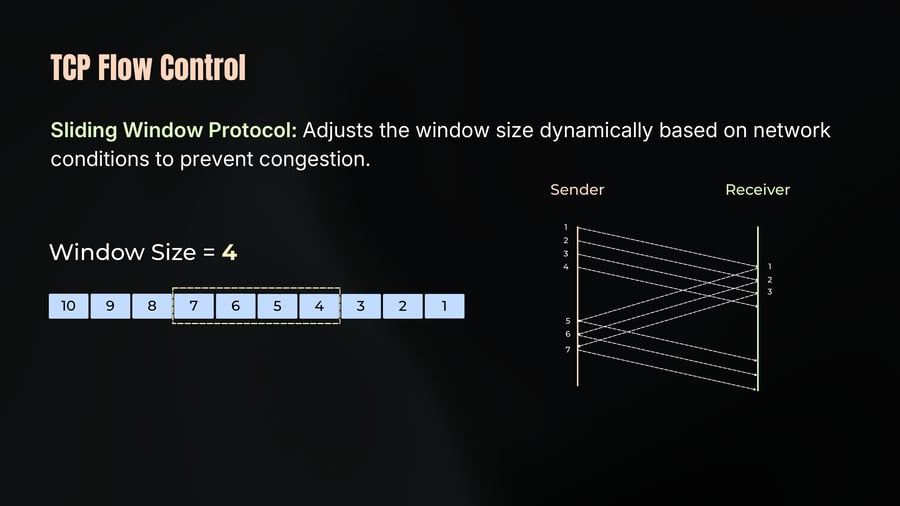
Window Size = 4
Sliding Window Protocol: This protocol allows the sender to send multiple segments before needing an acknowledgment, but the amount of data sent must be within the limits of the receiver window.
TCP Flow Control
40
Notes
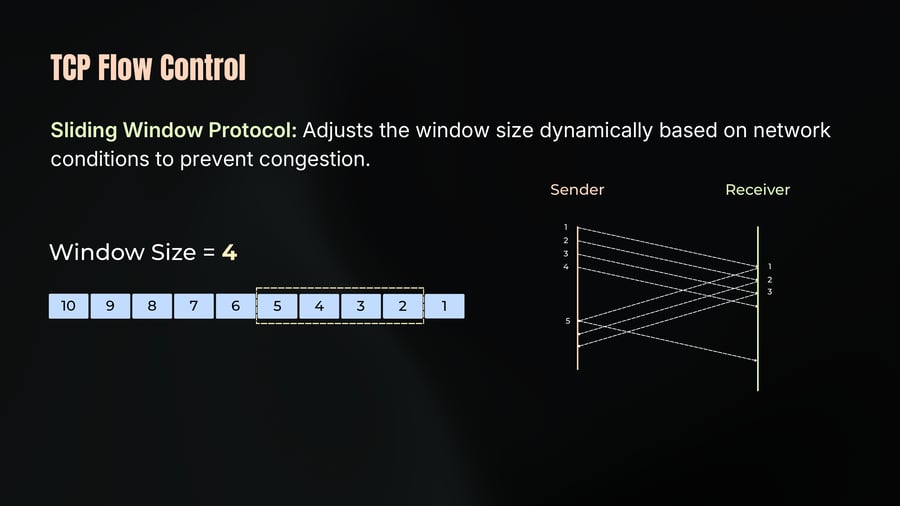
Sliding Window Protocol: Adjusts the window size dynamically based on network conditions to prevent congestion.
Window Size = 4
TCP Flow Control
41
Notes
Sliding Window Protocol: Adjusts the window size dynamically based on network conditions to prevent congestion.
Window Size = 4
TCP Flow Control
42
Notes
To accommodate larger data transfers, TCP includes a Window Scaling option, which allows for a much larger receiver window size.
Scaling Factor is between 0-14.
So Window Size can go up to 1 GB [(2^16-1) * 2^14]
This scaling factor is negotiated during the TCP handshake.
TCP Congestion Control
43
Notes
Congestion control is about how much the network can handle and how fast data can be sent through the network.
This involves considering the capacity of middleboxes (like routers) that IP packets pass through.
We can't send a single segment and wait, because that's inefficient due to latency. Instead, it's better to send as much data as the receiver and network can handle at once to maximize data flow and reduce the impact of roundtrip times.
While the receiver might handle the load, the middleboxes might not. Think of it as flow control for the routers.
TCP Congestion Control
44
Notes
We need to avoid congesting the network with data, and this is managed using a congestion window (CWND), which is a property of the sender.
If you send too much data, routers might drop it, leading to retransmissions and reduced network performance.
There are two primary congestion control algorithms:
TCP Slow Start
Congestion Avoidance
TCP Slow Start
45
Notes
Why is it called Slow Start?
It's called "Slow Start" because we begin with a congestion window (cwnd) of just one Maximum Segment Size (MSS).
This means we start very slowly, but don't let the name fool you - the increase in the window size is quite aggressive.
How does it work?
Initially, the cwnd is set to one MSS.
For every acknowledgment (ACK) received, we increase the cwnd by one MSS.
This exponential growth continues until a certain threshold is reached.
TCP Slow Start
46
Notes
CWND + 1
CWND + 2
Congestion Avoidance
47
Notes
Once the cwnd hits the threshold (ssthresh), we switch from Slow Start to Congestion Avoidance.
Here, CWND increases linearly rather than exponentially.
For each round trip time (RTT), the CWND is increased by 1 MSS, regardless of the number of ACKs received during that RTT.
An RTT is the time it takes for a packet to travel from the sender to the receiver and back.
This linear growth is slower compared to the exponential growth of Slow Start but helps to avoid congestion more effectively.
Congestion Avoidance
48
Notes
CWND + 1
CWND + 1
Congestion Notification
49
Notes
We don’t want routers dropping packets
Can Routers let us know when congestion hit?
Meet ECN (Explicit Congestion Notification)
Routers and middle boxes can tag IP packets with ECN
The receiver will copy this bit back to the sender
CN is IP Header bit
So Routers don’t drop packets just let me know you are reaching your limit
Congestion Detection
50
Notes
Congestion is usually detected by packet loss, indicated by a timeout or by receiving duplicate ACKs.
Actions Taken:
▪ Reduce ssthresh: The ssthresh is set to half of the current flight size (the number of unacknowledged packets).
▪ Reset cwnd: The cwnd is reset to one MSS.
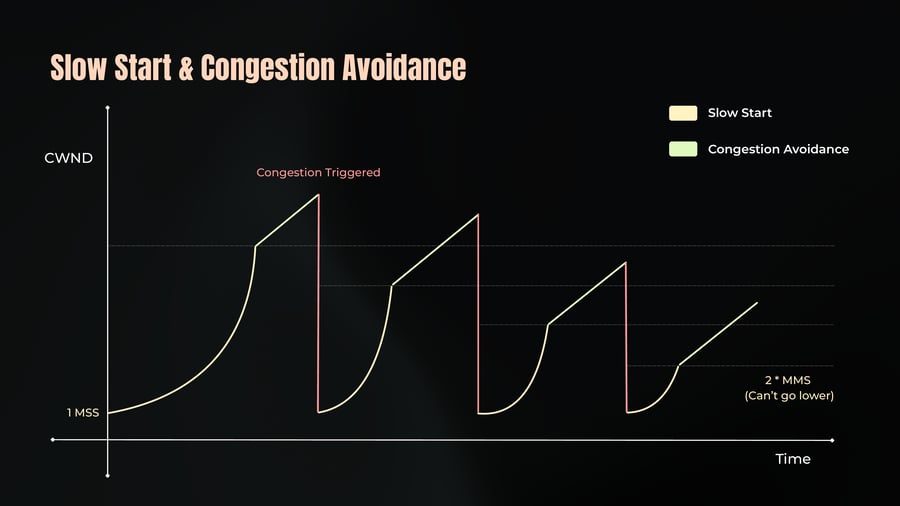
This means we start over, but since the ssthresh is now lower, we’ll hit the threshold quicker than before, transitioning back to Congestion Avoidance sooner.
It's important to note that the minimum value for ssthresh is two MSS. This ensures that the cwnd doesn’t shrink to zero, which would halt communication.
Slow Start & Congestion Avoidance
51
Notes
Slow Start
Congestion Avoidance
CWND
Congestion Triggered
1 MSS
2 * MMS
(Can’t go lower)
Time
TCP Pros
52
Notes
Guaranteed Delivery:
TCP ensures that data packets are delivered reliably. If packets are lost, TCP will retransmit them until they are successfully received.
Connection Establishment:
Before any data is sent, a connection must be established, preventing spoofing and ensuring that both parties are ready to communicate.
Flow Control and Congestion Control:
TCP uses mechanisms to control the flow of data and manage network congestion, making sure the network isn't overwhelmed with too much data at once.
TCP Pros
53
Notes
Ordered Packets:
Data packets are delivered in the same order they were sent, eliminating the need for reordering at the application level.
Security:
TCP's requirement for connection establishment and its built-in checks make it more resistant to certain types of attacks, such as IP spoofing.
TCP Cons
54
Notes
Large Header Overhead:
TCP headers can be quite large (20 to 60 bytes), consuming more bandwidth compared to UDP, which has a smaller header.
Stateful Nature:
TCP connections maintain state information, which consumes memory and system resources.
The TIME-WAIT state, for example, keeps connections open for a while to prevent old packets from causing issues, but this can use up a lot of resources.
TCP Cons
55
Notes
Latency:
TCP's mechanisms, like slow start and congestion control, can introduce latency. Each data packet needs to be acknowledged, which can slow down communication, especially in high-latency networks.
Head-of-Line Blocking:
In TCP, if a single packet is lost, subsequent packets must wait until the lost packet is retransmitted and received. This can delay the entire stream of data, even if the missing packet is not crucial.
Complexity:
TCP's complexity can be a drawback. Managing connections, ordering packets, and handling retransmissions add overhead to the network stack.
Addressing TCP Limitations
56
Notes
Head-of-Line Blocking:
TCP can block subsequent packets if one is lost, which can delay processing. This is known as head-of-line blocking.
In protocols like QUIC, this issue is addressed by allowing multiple streams within a single connection, each stream independently retransmitting lost packets without blocking others.
Single Connection Limitations:
Using a single TCP connection for multiple streams of data can lead to inefficiencies. If one packet is lost, it can delay all streams.
To avoid this, you can use techniques like connection pooling, where multiple connections are used to manage different streams independently.
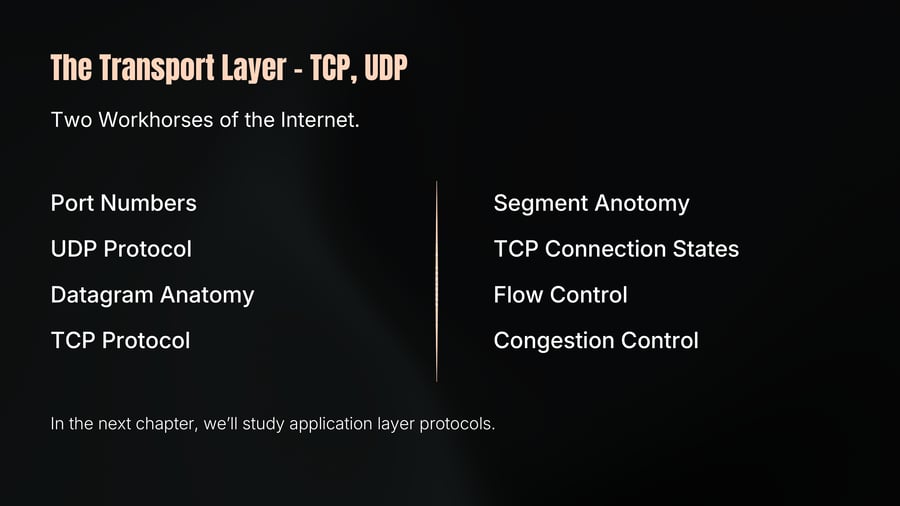
The Transport Layer - TCP, UDP
57
Notes
Two Workhorses of the Internet.
Port Numbers
UDP Protocol
Datagram Anatomy
TCP Protocol
Segment Anotomy
TCP Connection States
Flow Control
Congestion Control
In the next chapter, we’ll study application layer protocols.