

On this page
- Application Layer
- Introduction to the Application Layer
- Domain Name System
- Why Do We Need DNS?
- Structure of a Domain
- Working of DNS
- Working of DNS
- DNS Packet Anotomy
- DNS Packet Anotomy
- DNS Header
- DNS Header
- DNS Payload
- DNS Records
- DNS Records
- DNS Records
- DNS Records
- DNS Records Summary
- Recursive vs Iterative DNS Query
- SSL
- TLS Successor To SSL
- TLS Certificate
- TLS Working
- TLS Working
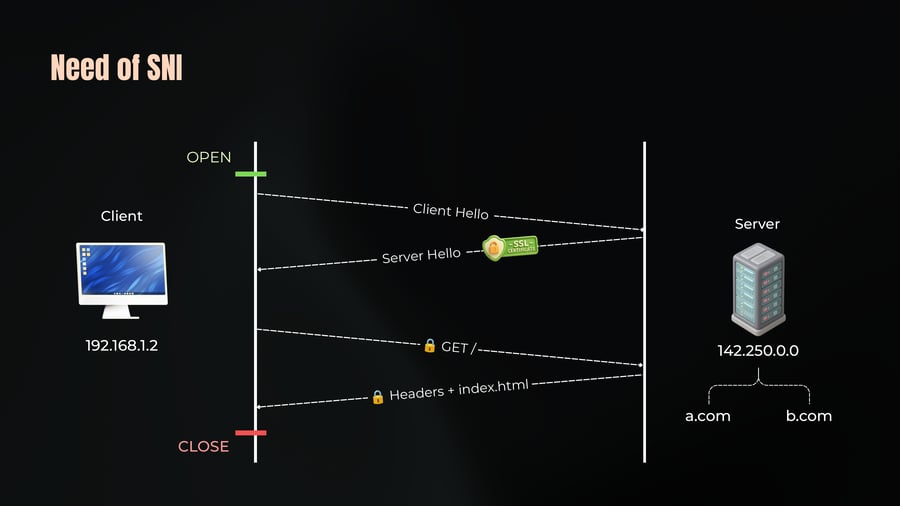
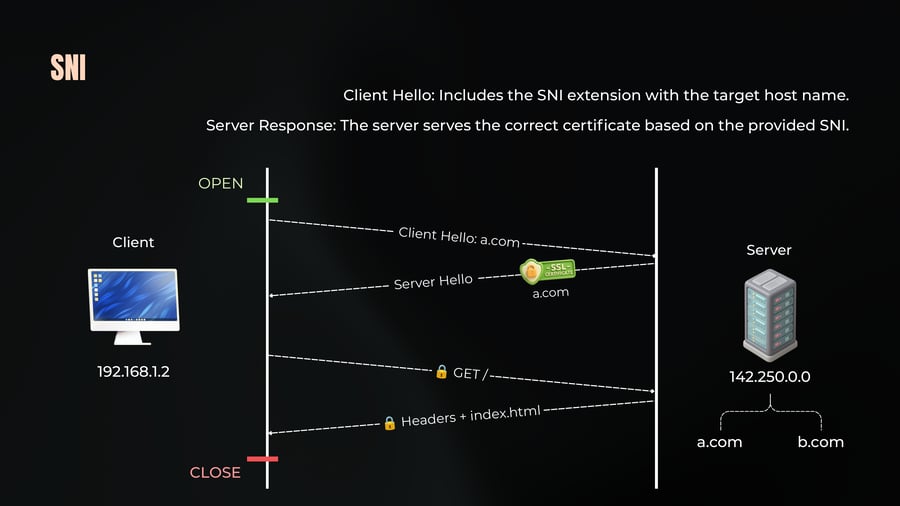
- SNI
- Secure Communication
- Need of SNI
- SNI
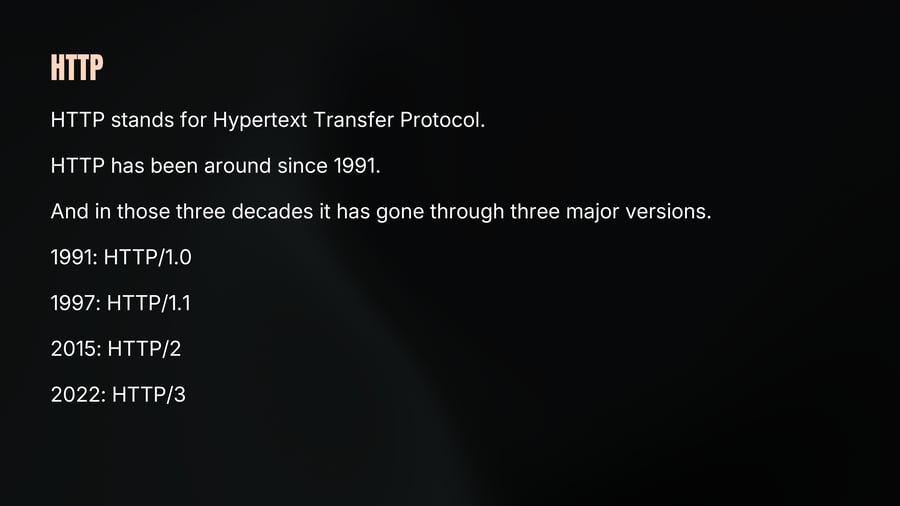
- HTTP
- HTTP /1.1
- HTTP /1.0
- HTTP /1.1
- HTTP Request Structure
- HTTP Request Structure
- HTTP Response Structure
- HTTP Response Structure
- HTTP Pipelining
- HTTP Pipelining
- HTTP /2
- HTTP 1.1 vs 2
- HTTP /2
- HTTP /3
- HTTP /3
- HTTP /3
- HTTP /3
- HTTP Summary
- Ways of Communication
- Websocket
- Websocket
- Websocket Working
- Websocket Working
- Websocket Working
- Websocket Usecase
- Websocket Implementation
- The Application Layer
Application Layer
01

Notes
Chap 6
What Most Developers Interact with Daily
Introduction to the Application Layer
02
Notes
We have covered a lot of ground. Physical devices,
network models, IP addressing, NAT, transport protocols.
All of that was infrastructure.
Now we will look into layer that most engineers actually
live in every day - The Application Layer.
Domain Name System
03
Notes
DNS is a crucial protocol that we use almost every day when working with computers. Build on top of UDP - Default port 53.
You type chaicode.com into your browser and hit enter. But your browser does not actually know what chaicode.com is.
Computers do not understand names they understand numbers, IP addresses. And chaicode.com is not an IP address.
So before your browser can send a request to Chaicode, it needs to find out what IP address hides behind that name.
That translation from human-readable domain name to machine-readable IP address is called DNS resolution.
Why Do We Need DNS?
04
Notes
Human Readability:
People can't remember IP addresses easily. Imagine having to remember the IP addresses for every website you visit. This would be impractical, especially since IP addresses can change frequently.
DNS solves this by mapping domain names (which are easy to remember) to IP addresses.
Load Balancing:
DNS allows for load balancing by pointing a single domain name to multiple IP addresses.
For example, a query to a domain like example.com can return multiple IP addresses, enabling round-robin distribution of traffic among multiple servers.
Structure of a Domain
05
Notes
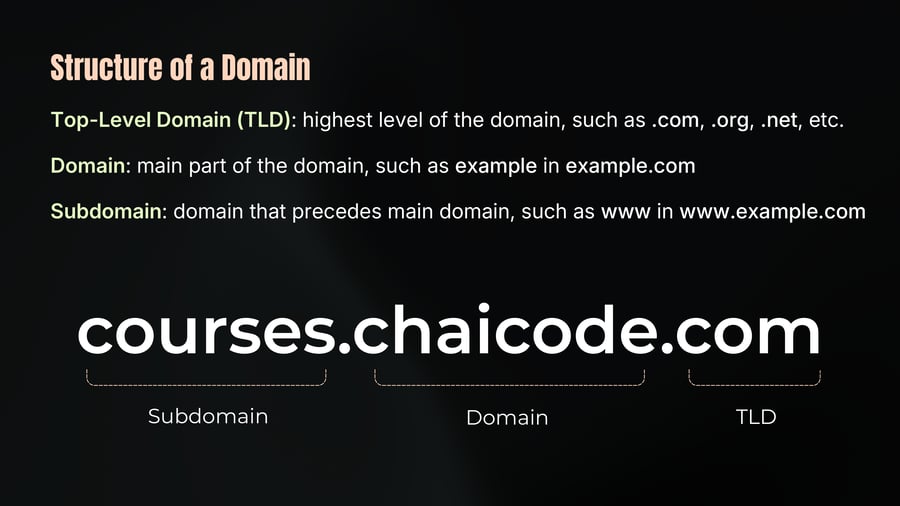
Top-Level Domain (TLD): highest level of the domain, such as .com, .org, .net, etc.
Domain: main part of the domain, such as example in example.com
Subdomain: domain that precedes main domain, such as www in www.example.com
courses.chaicode.com
Subdomain
Domain
TLD
Working of DNS
06
Notes
The DNS resolver is configured when you connect to any network.
Typically, your router acts as the default DNS resolver, but you can override this.
Popular resolvers include 8.8.8.8 from Google and 1.1.1.1 from Cloudflare. These resolvers have caches everywhere, so they often have the answers.
But what happens if they don't? Let's dive into the process of resolving a domain name to an IP address.
1. Initial Query:
When you type a URL like google.com, your DNS resolver checks its cache. If it doesn't have the answer, it needs to go through a multi-step process.
Working of DNS
07
Notes
2. Root Server:
The resolver queries a root server. The root server doesn't provide the IP address but directs the resolver to the top-level domain (TLD) server (like .com).
3. Top-Level Domain (TLD) Server:
The resolver then asks the TLD server for the authoritative name server of the domain (google.com). The TLD server knows which server holds the authoritative records.
4. Authoritative Name Server:
The resolver contacts the authoritative name server for google.com, which finally provides the IP address of the requested domain.
DNS Packet Anotomy
08
Notes
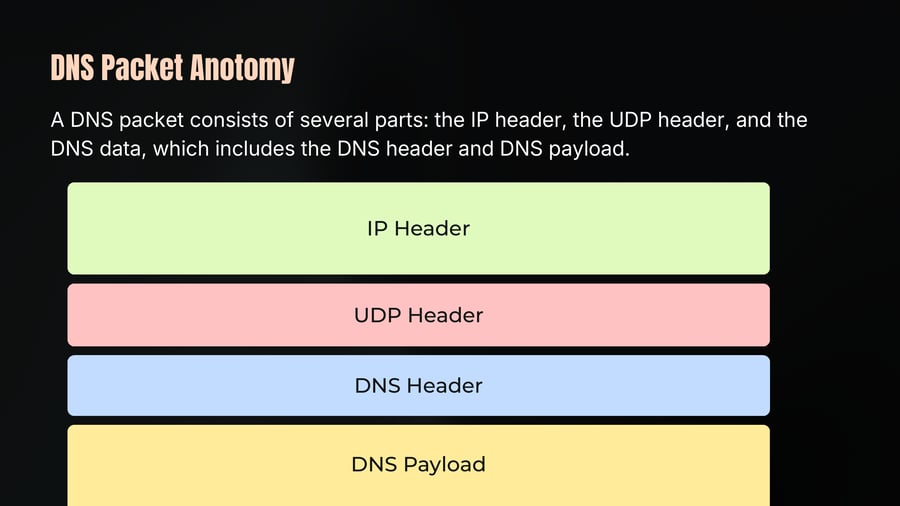
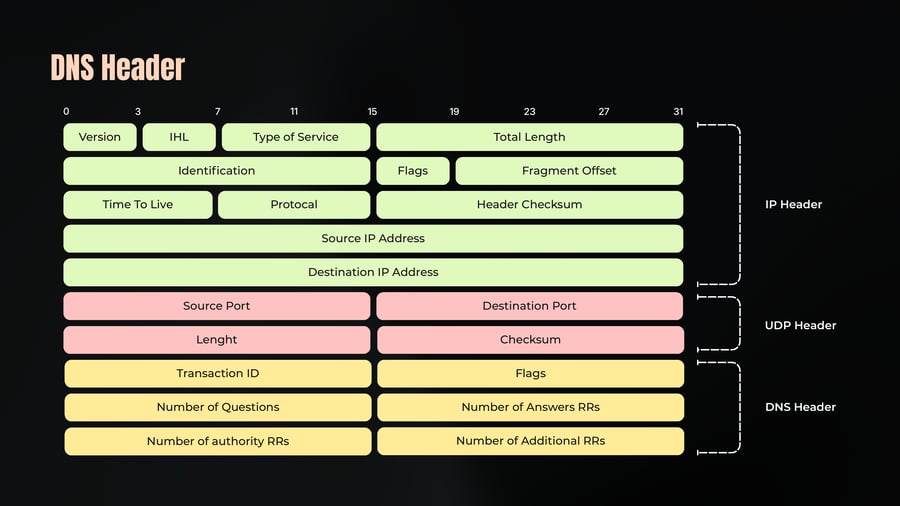
A DNS packet consists of several parts: the IP header, the UDP header, and the DNS data, which includes the DNS header and DNS payload.
DNS Packet Anotomy
09
Notes
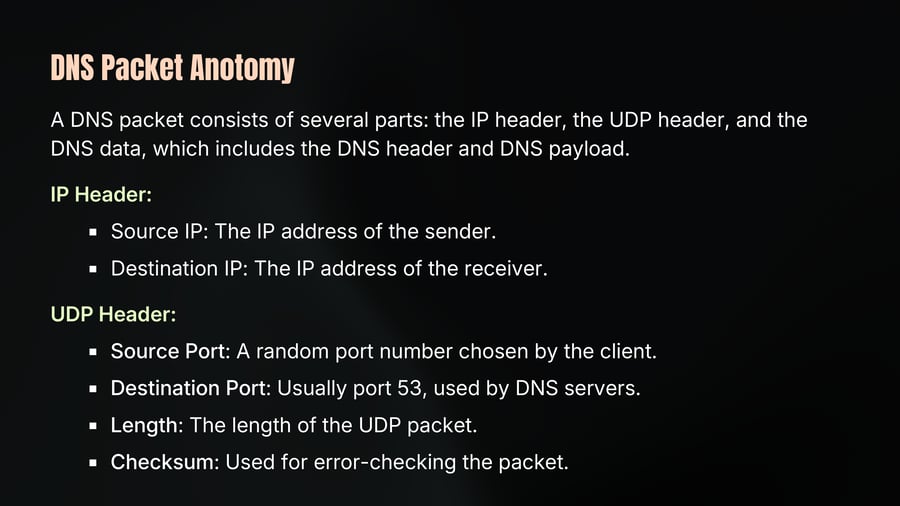
A DNS packet consists of several parts: the IP header, the UDP header, and the DNS data, which includes the DNS header and DNS payload.
IP Header:
Source IP: The IP address of the sender.
Destination IP: The IP address of the receiver.
UDP Header:
Source Port: A random port number chosen by the client.
Destination Port: Usually port 53, used by DNS servers.
Length: The length of the UDP packet.
Checksum: Used for error-checking the packet.
DNS Header
10
Notes
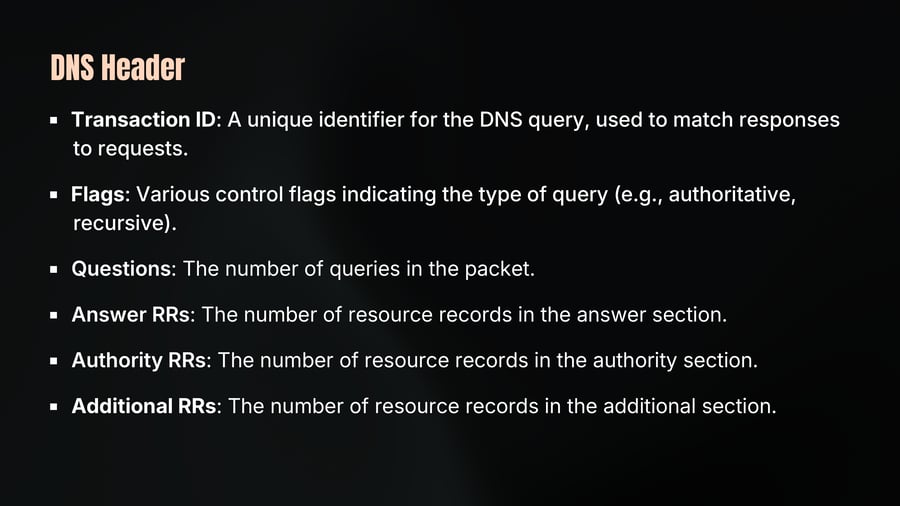
Transaction ID: A unique identifier for the DNS query, used to match responses to requests.
Flags: Various control flags indicating the type of query (e.g., authoritative, recursive).
Questions: The number of queries in the packet.
Answer RRs: The number of resource records in the answer section.
Authority RRs: The number of resource records in the authority section.
Additional RRs: The number of resource records in the additional section.
DNS Header
11
DNS Payload
12
Notes
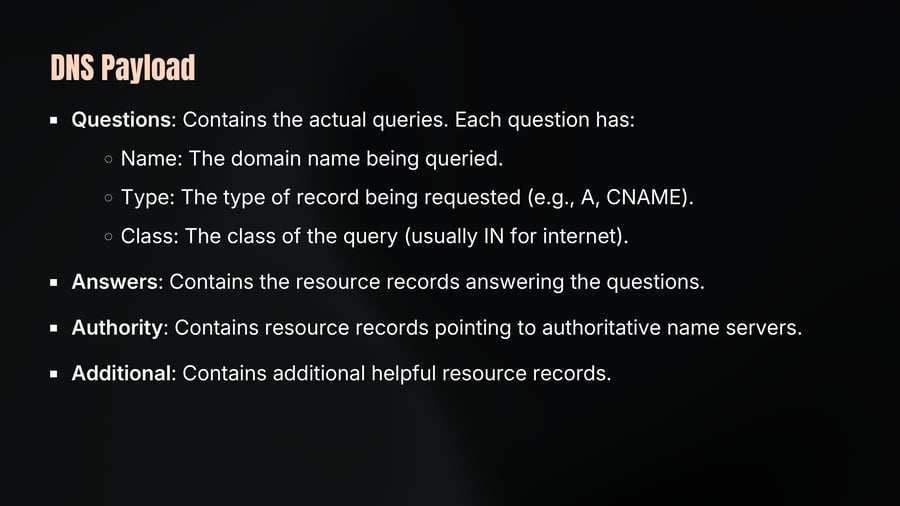
Questions: Contains the actual queries. Each question has:
Name: The domain name being queried.
Type: The type of record being requested (e.g., A, CNAME).
Class: The class of the query (usually IN for internet).
Answers: Contains the resource records answering the questions.
Authority: Contains resource records pointing to authoritative name servers.
Additional: Contains additional helpful resource records.
DNS Records
13
Notes
We know DNS translates domain names to IP addresses. But DNS is actually a much richer system than just that one job.
Think about everything a domain needs to handle a website, emails, subdomains, verification for third-party services, redundancy. All of that is configured through different types of DNS records.
Each record type serves a specific purpose.
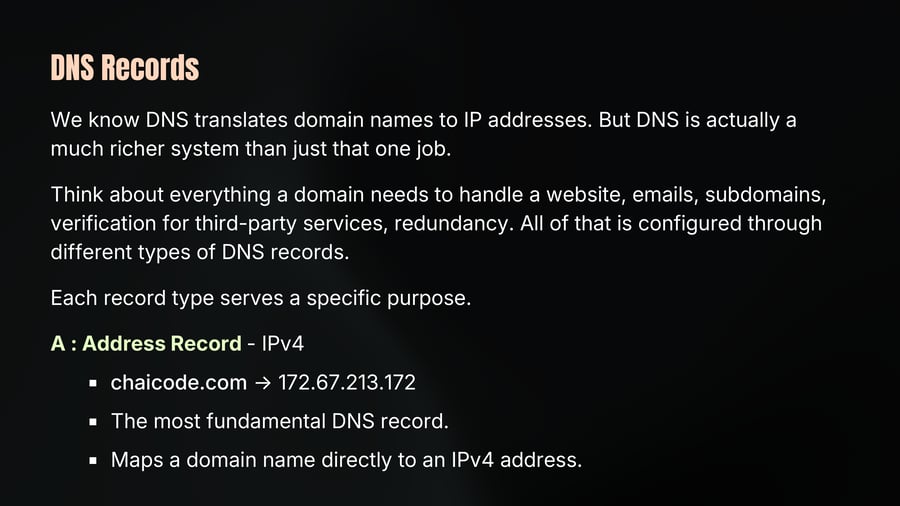
A : Address Record - IPv4
chaicode.com → 172.67.213.172
The most fundamental DNS record.
Maps a domain name directly to an IPv4 address.
DNS Records
14
Notes
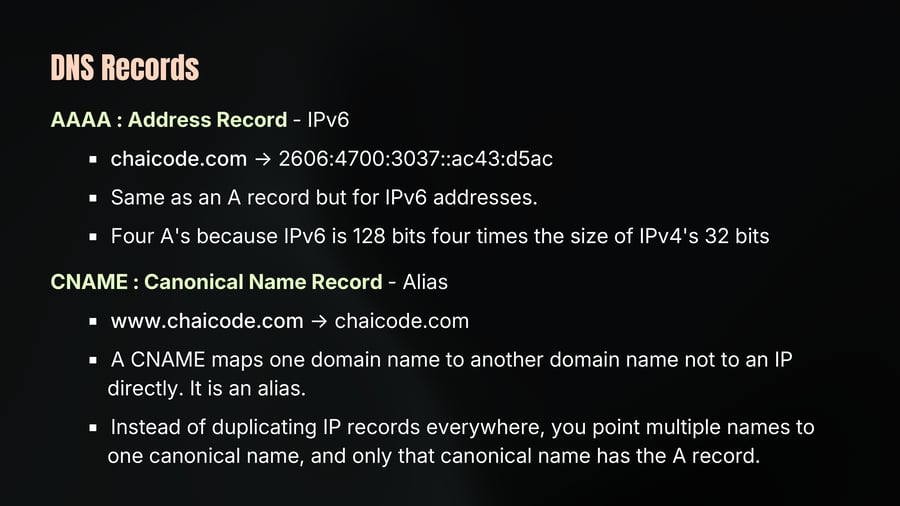
AAAA : Address Record - IPv6
chaicode.com → 2606:4700:3037::ac43:d5ac
Same as an A record but for IPv6 addresses.
Four A's because IPv6 is 128 bits four times the size of IPv4's 32 bits
CNAME : Canonical Name Record - Alias
www.chaicode.com → chaicode.com
A CNAME maps one domain name to another domain name not to an IP directly. It is an alias.
Instead of duplicating IP records everywhere, you point multiple names to one canonical name, and only that canonical name has the A record.
DNS Records
15
Notes
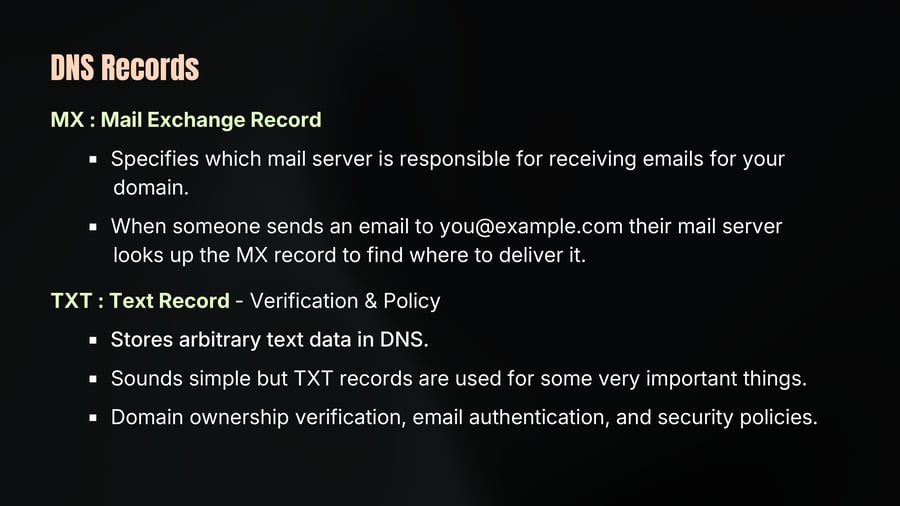
MX : Mail Exchange Record
Specifies which mail server is responsible for receiving emails for your domain.
When someone sends an email to you@example.com their mail server looks up the MX record to find where to deliver it.
TXT : Text Record - Verification & Policy
Stores arbitrary text data in DNS.
Sounds simple but TXT records are used for some very important things.
Domain ownership verification, email authentication, and security policies.
DNS Records
16
Notes
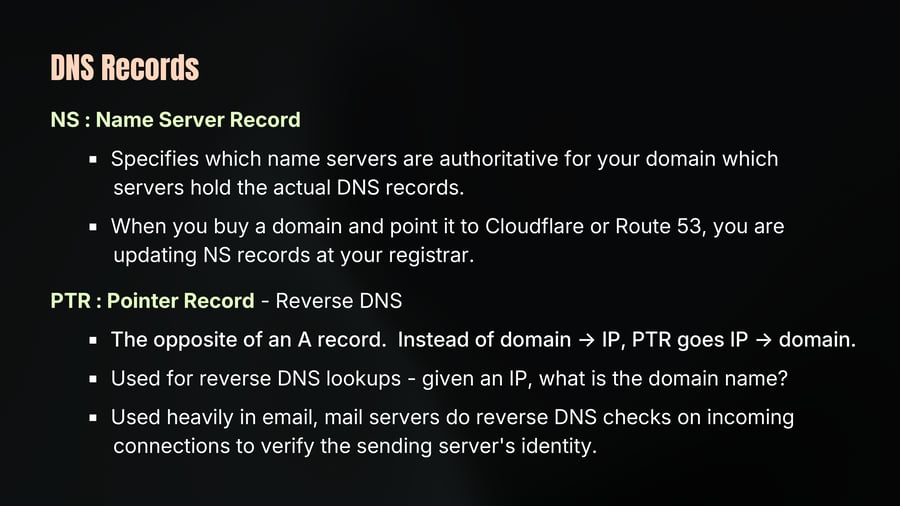
NS : Name Server Record
Specifies which name servers are authoritative for your domain which servers hold the actual DNS records.
When you buy a domain and point it to Cloudflare or Route 53, you are updating NS records at your registrar.
PTR : Pointer Record - Reverse DNS
The opposite of an A record. Instead of domain → IP, PTR goes IP → domain.
Used for reverse DNS lookups - given an IP, what is the domain name?
Used heavily in email, mail servers do reverse DNS checks on incoming connections to verify the sending server's identity.
DNS Records Summary
17
Notes
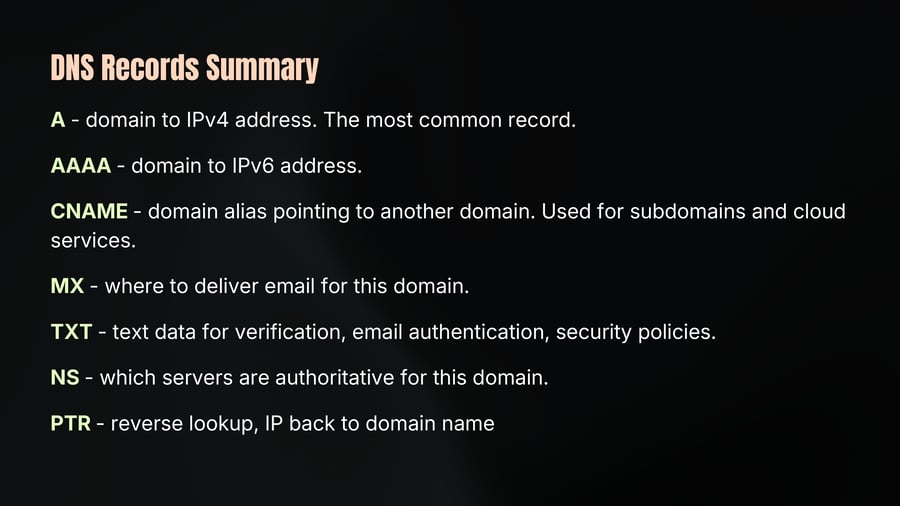
A - domain to IPv4 address. The most common record.
AAAA - domain to IPv6 address.
CNAME - domain alias pointing to another domain. Used for subdomains and cloud services.
MX - where to deliver email for this domain.
TXT - text data for verification, email authentication, security policies.
NS - which servers are authoritative for this domain.
PTR - reverse lookup, IP back to domain name
Recursive vs Iterative DNS Query
18
Notes
Both query types work together in every single DNS resolution.
They are two different roles in the same process.
Your device sends a recursive query to the resolver - "give me the full answer."
The resolver then sends iterative queries to each server in the chain root, TLD, authoritative - collecting referrals until it reaches the final answer.
The resolver is the one doing all the recursive work on your behalf.
This separation of responsibility is what makes DNS scalable. Thirteen root server clusters handle the entire internet because they only return referrals they never do the heavy lifting themselves.
SSL
19
Notes
Imagine you are at a cafe, connected to their public Wi-Fi. You open your banking app and log in. You type your username and password and hit submit.
Without encryption that username and password travel across the cafe's Wi-Fi network as plain text.
Anyone on the same network with the right tool can intercept that traffic and read it. Your credentials Exposed.
This was the reality of the early internet. HTTP sent everything in plain text. No encryption. No verification.
The early solution was SSL - Secure Sockets Layer. But SSL protocol had security vulnerabilities and are now considered broken and deprecated.
TLS Successor To SSL
20
Notes
Transport Layer Security 1.0, 1.1, 1.2 and the current standard is TLS 1.3. This is what actually runs when you see HTTPS in your browser today.
So why do people still say SSL? Habit. Legacy naming. The industry got used to the term SSL and it stuck even though the underlying protocol has been TLS for decades.
TLS does three fundamental things. Encryption, Authentication and Integrity.
Encryption protects your privacy. Authentication protects you from impersonation. Integrity protects you from tampering.
For authentication to work your browser needs a way to verify that the server it is talking to is genuinely who it claims to be. This is done through digital certificate.
TLS Certificate
21
Notes
A TLS certificate is a digital document issued to a website that contains the domain name, the server's public key, who issued the certificate, and when it expires.
But who issues these certificates? And why should your browser trust them?
This is where Certificate Authorities come in.
CAs are trusted organisations that verify domain ownership and issue certificates.
When a CA signs a certificate it is saying "we verified this server owns this domain you can trust it."
TLS Working
22
Notes
TLS employs both symmetric and asymmetric encryption.
Symmetric encryption is faster and used for data encryption, while asymmetric encryption, involving a public key and a private key, is used for key exchange.
During the TLS handshake, the server sends its public key to the client. The client generates a symmetric key, encrypts it with the server's public key, and sends it to the server.
The server decrypts this message using its private key, establishing the shared symmetric key for the session.
TLS Working
23
Notes
TLS 1.2 and earlier versions had vulnerabilities, such as the lack of forward secrecy.
If an attacker recorded encrypted sessions and later obtained the server's private key (e.g., via the Heartbleed bug), they could decrypt all past communications.
To mitigate this, TLS 1.2 and 1.3 use Diffie-Hellman key exchange (or its variant, elliptic curve Diffie-Hellman), ensuring forward secrecy.
This method allows the client and server to independently generate a shared symmetric key without directly exchanging it, making it impossible for an attacker to decrypt past sessions even if they obtain the private key.
SNI
24
Notes
Server Name Indication is a technology that allows multiple websites to share a single public IP address, particularly important when using HTTPS.
SNI identifies the correct website (host) during the initial TLS handshake, which is necessary to present the correct SSL certificate.
Without SNI, only one certificate could be presented per IP address, limiting the number of secure websites hosted on the same server.
HTTPs adds encryption to the communication between client and server.
The server needs to know which website (e.g., a.com or b.com) to serve during the TLS handshake, but this information isn't available in the initial client hello message.
SNI is a TLS extension that allows the client to specify the target host during the TLS handshake.
Secure Communication
25
Notes
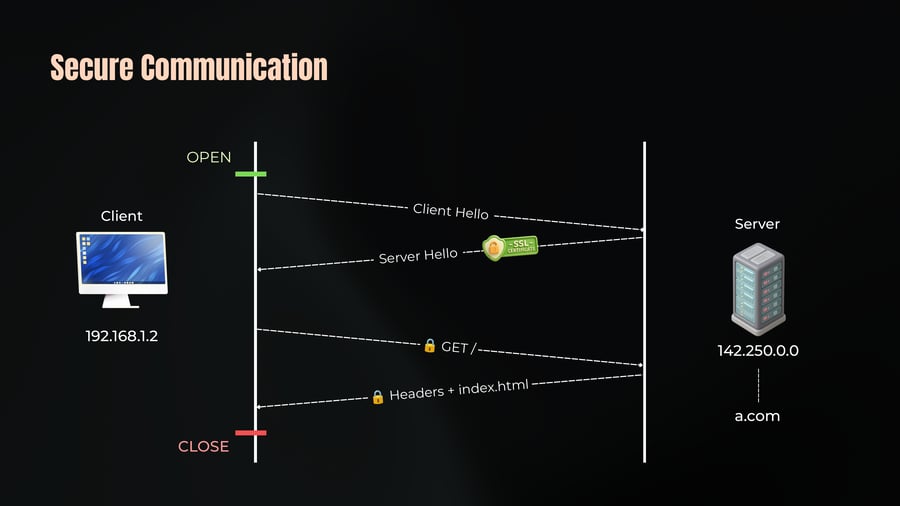
OPEN
Client
192.168.1.2
Server
Client Hello
-SSL- CERTIFICATE
Server Hello
GET /
142.250.0.0
Headers + index.html
a.com
CLOSE
Need of SNI
26
Notes
OPEN
Client
Client Hello
Server
Server Hello
-SSL- CERTIFICATE
192.168.1.2
142.250.0.0
GET /
Headers + index.html
a.com
b.com
CLOSE
SNI
27
Notes
Client Hello: Includes the SNI extension with the target host name.
Server Response: The server serves the correct certificate based on the provided SNI.
HTTP
28
Notes
HTTP stands for Hypertext Transfer Protocol.
HTTP has been around since 1991.
And in those three decades it has gone through three major versions.
1991: HTTP/1.0
1997: HTTP/1.1
2015: HTTP/2
2022: HTTP/3
HTTP /1.1
29
Notes
It builds on the foundation of HTTP/1.0 and introduces significant improvements in efficiency, performance, and flexibility.
HTTP operates on a client-server model where a client (like a web browser or app) makes requests to a server, which then responds.
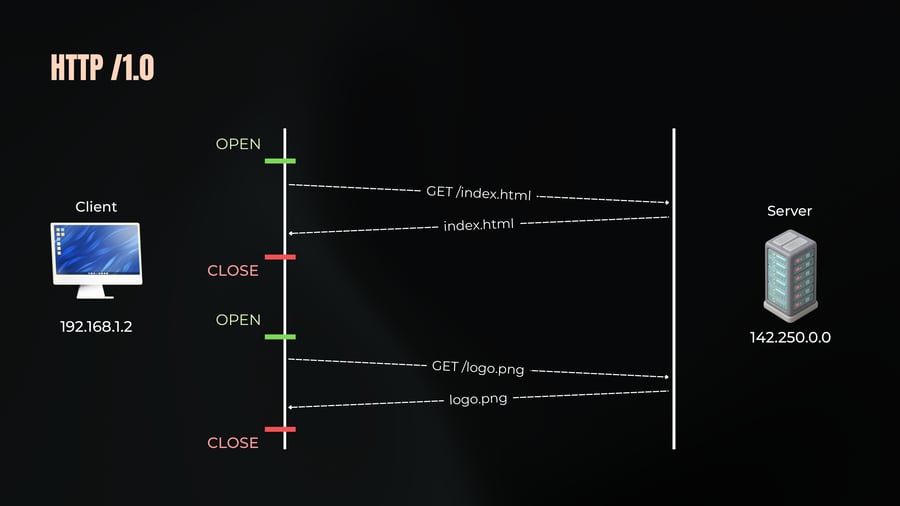
Problem in HTTP/1.0: Each request/response cycle required a new TCP connection, which was inefficient and slow.
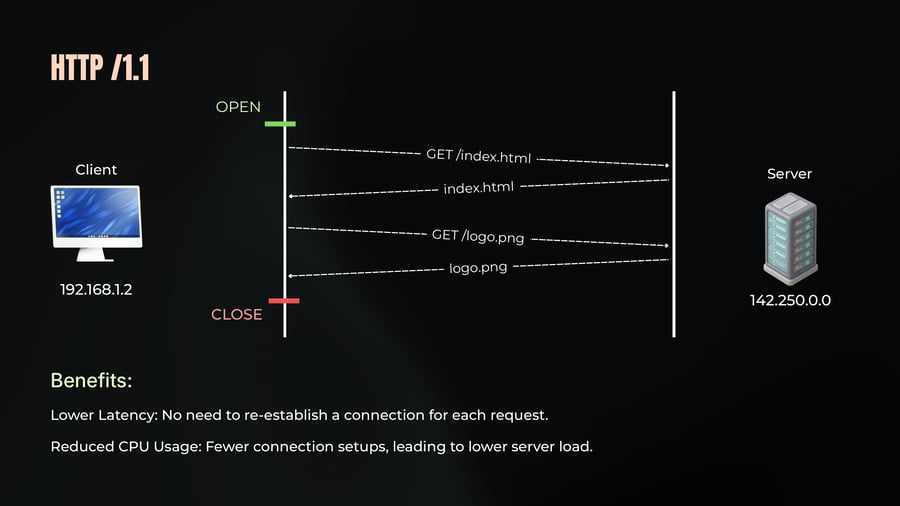
Solution in HTTP/1.1: Persistent connections (Keep-Alive) allow the TCP connection to remain open for multiple request/response cycles, reducing the overhead of opening and closing connections.
HTTP /1.0
30
Notes
OPEN
Client
Server
GET /index.html
index.html
CLOSE
OPEN
192.168.1.2
142.250.0.0
GET /logo.png
logo.png
CLOSE
HTTP /1.1
31
Notes
Benefits:
Lower Latency: No need to re-establish a connection for each request.
Reduced CPU Usage: Fewer connection setups, leading to lower server load.
HTTP Request Structure
32
Notes
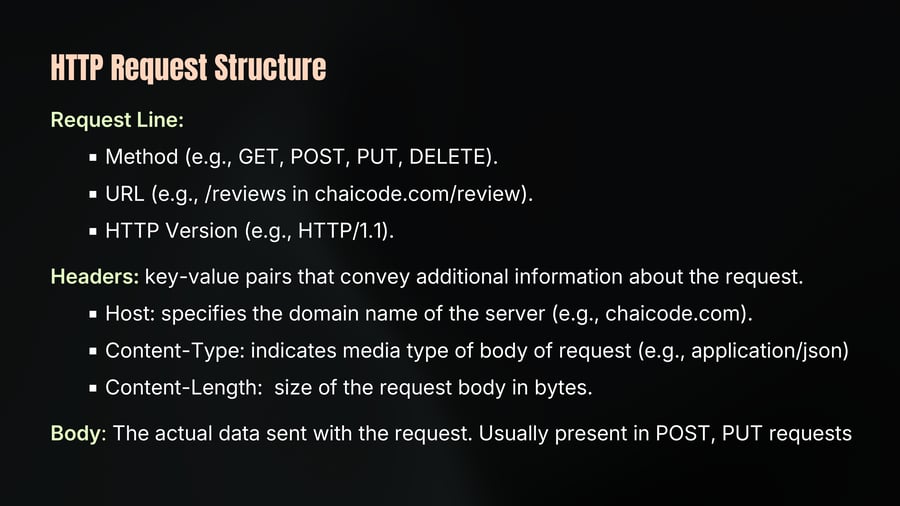
Request Line:
Method (e.g., GET, POST, PUT, DELETE).
URL (e.g., /reviews in chaicode.com/review).
HTTP Version (e.g., HTTP/1.1).
Headers: key-value pairs that convey additional information about the request.
Host: specifies the domain name of the server (e.g., chaicode.com).
Content-Type: indicates media type of body of request (e.g., application/json)
Content-Length: size of the request body in bytes.
Body: The actual data sent with the request. Usually present in POST, PUT requests
HTTP Request Structure
33
Notes
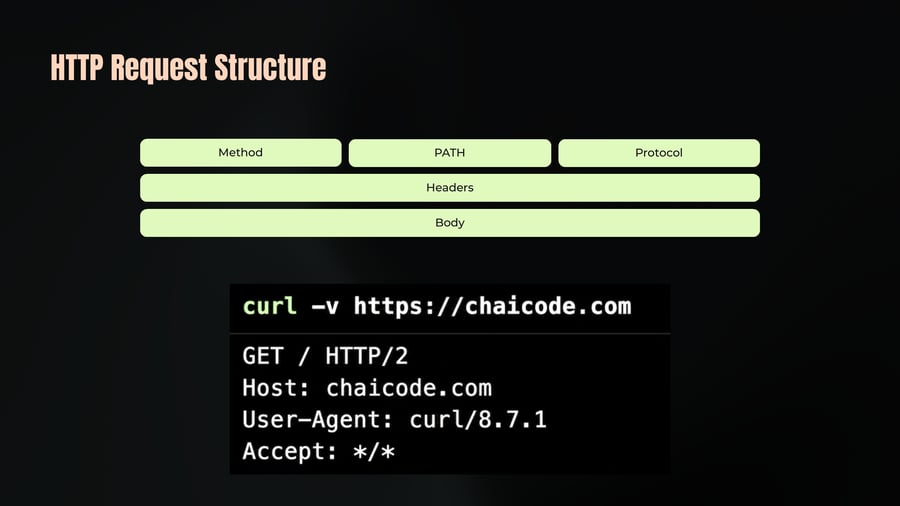
Method
PATH
Protocol
Headers
Body
curl -v https://chaicode.com
GET / HTTP/2
Host: chaicode.com
User-Agent: curl/8.7.1
Accept: */*
HTTP Response Structure
34
Notes
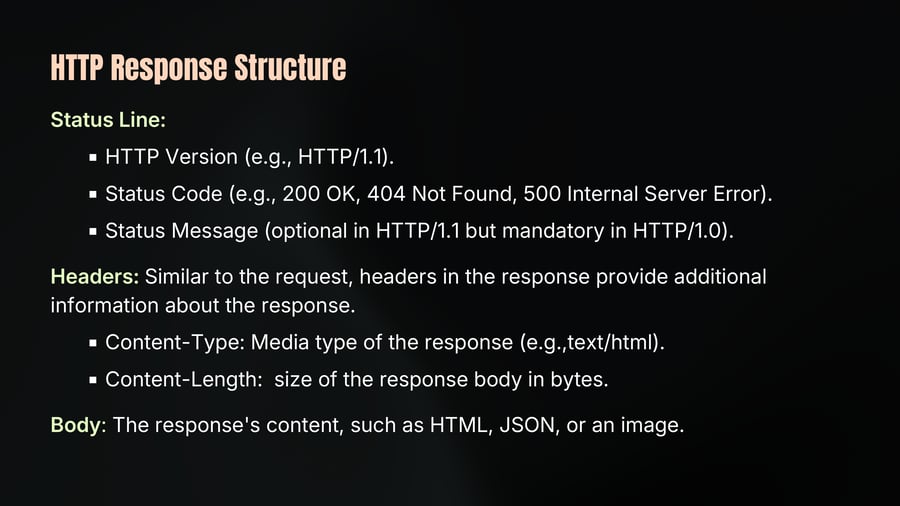
Status Line:
HTTP Version (e.g., HTTP/1.1).
Status Code (e.g., 200 OK, 404 Not Found, 500 Internal Server Error).
Status Message (optional in HTTP/1.1 but mandatory in HTTP/1.0).
Headers: Similar to the request, headers in the response provide additional information about the response.
Content-Type: Media type of the response (e.g.,text/html).
Content-Length: size of the response body in bytes.
Body: The response's content, such as HTML, JSON, or an image.
HTTP Response Structure
35
Notes
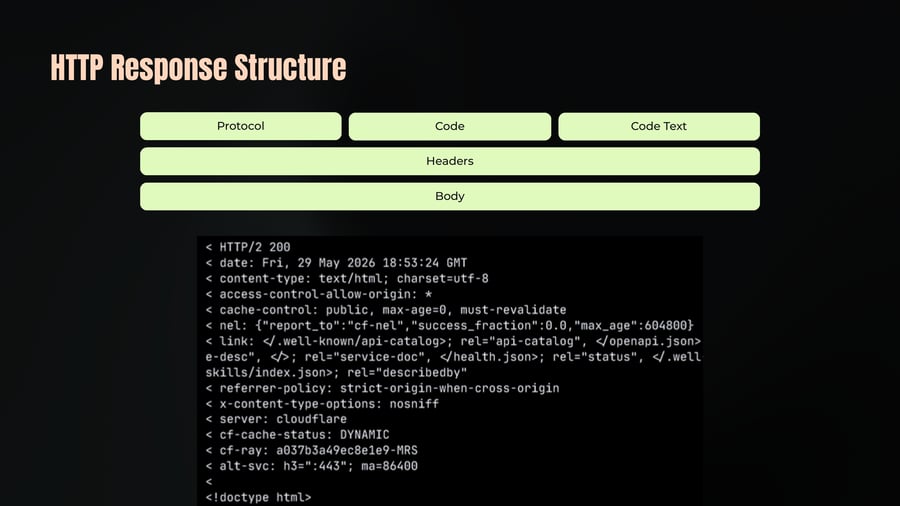
Protocol
Code
Code Text
Headers
Body
< HTTP/2 200
< date: Fri, 29 May 2026 18:53:24 GMT
< content-type: text/html; charset=utf-8
< access-control-allow-origin: *
< cache-control: public, max-age=0, must-revalidate
< nel: {"report_to":"cf-nel","success_fraction":0.0,"max_age":604800}
< link: </.well-known/api-catalog>; rel="api-catalog", </openapi.json>; rel="service-desc", </>; rel="service-doc", </health.json>; rel="status", </.well-known/skills/index.json>; rel="describedby"
< referrer-policy: strict-origin-when-cross-origin
< x-content-type-options: nosniff
< server: cloudflare
< cf-cache-status: DYNAMIC
< cf-ray: a037b3a49ec8e1e9-MRS
< alt-svc: h3=":443"; ma=86400
<
<!doctype html>
HTTP Pipelining
36
Notes
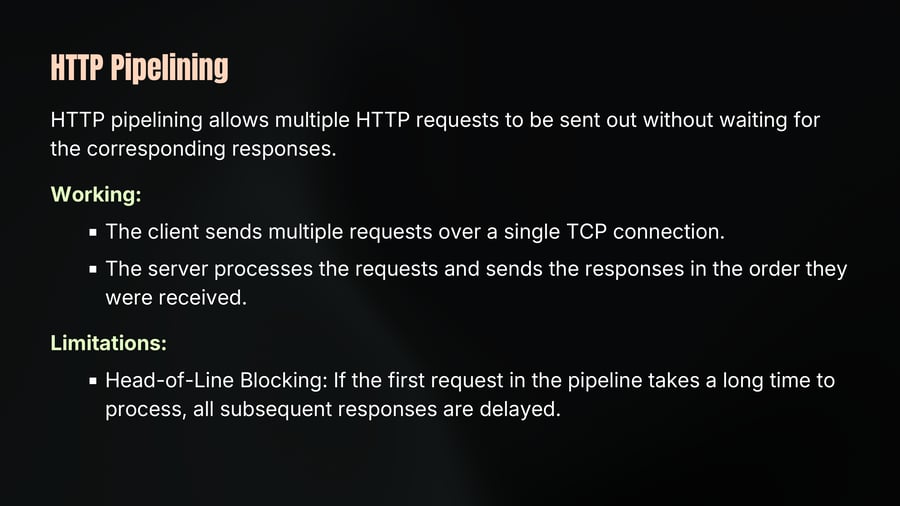
HTTP pipelining allows multiple HTTP requests to be sent out without waiting for the corresponding responses.
Working:
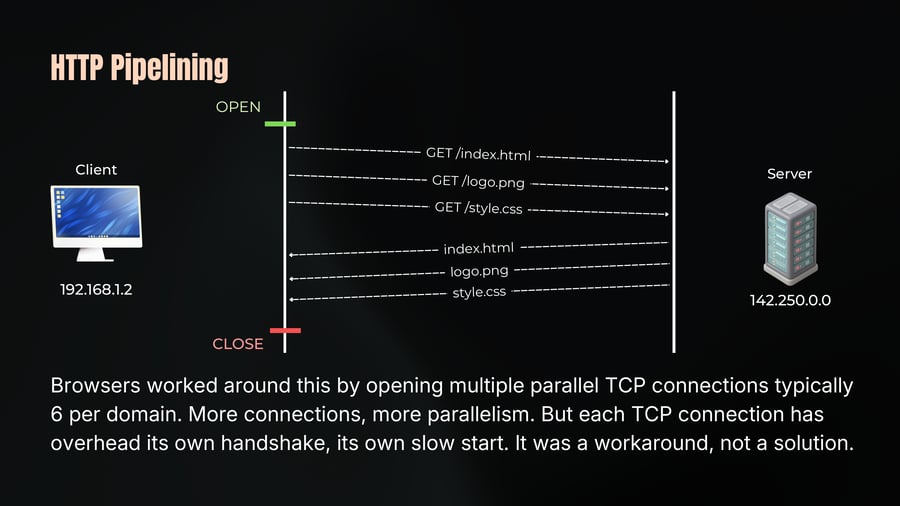
The client sends multiple requests over a single TCP connection.
The server processes the requests and sends the responses in the order they were received.
Limitations:
Head-of-Line Blocking: If the first request in the pipeline takes a long time to process, all subsequent responses are delayed.
HTTP Pipelining
37
Notes
OPEN
Client
Server
GET /index.html
GET /logo.png
GET /style.css
index.html
logo.png
style.css
192.168.1.2
142.250.0.0
CLOSE
Browsers worked around this by opening multiple parallel TCP connections typically 6 per domain. More connections, more parallelism. But each TCP connection has overhead its own handshake, its own slow start. It was a workaround, not a solution.
HTTP /2
38
Notes
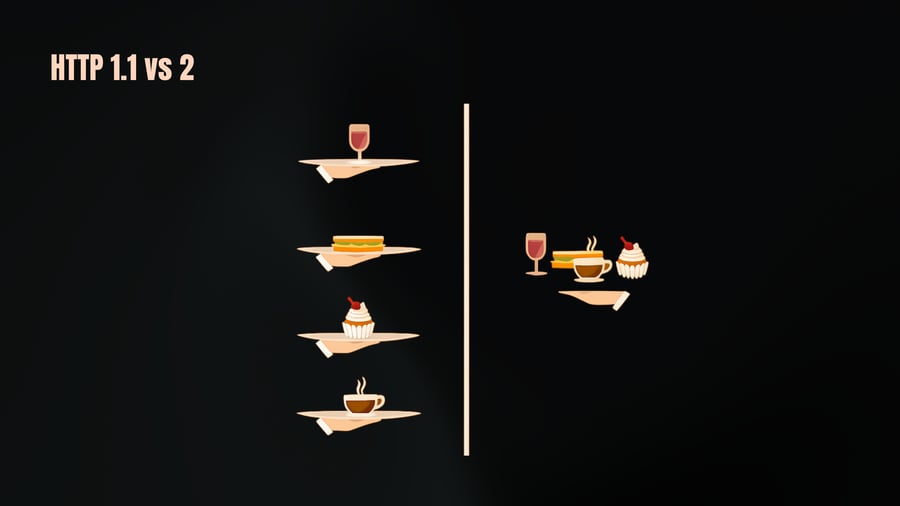
H2 allows multiple requests and responses to be sent concurrently over a single TCP connection.
Each request is tagged with a unique Stream ID, allowing independent handling of multiple requests.
Client and server assign stream IDs (client uses odd numbers, server uses even).
Requests can be processed out of order, but are still subject to TCP’s inherent ordering constraints.
HTTP headers repeat a lot, the same browser version, the same cookies, the same content types sent with every single request in HTTP/1.1. HTTP/2 compresses headers and only sends what changed. Significant bandwidth saving.
HTTP 1.1 vs 2
39
HTTP /2
40
Notes
Client
Server
192.168.1.2
142.250.0.0
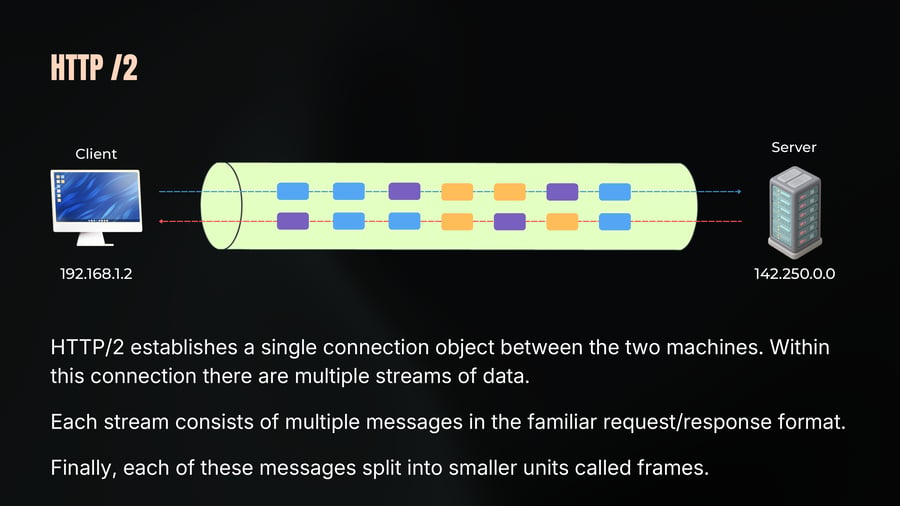
HTTP/2 establishes a single connection object between the two machines. Within this connection there are multiple streams of data.
Each stream consists of multiple messages in the familiar request/response format.
Finally, each of these messages split into smaller units called frames.
HTTP /3
41
Notes
HTTP/3 is the latest version of the HTTP protocol, built on top of the QUIC transport protocol.
In HTTP/2, multiple requests are multiplexed over a single TCP connection.
However, because TCP ensures that data is delivered in order if one packet is lost, all subsequent packets must wait for the missing packet to be retransmitted.
This causes a delay (HOL blocking) in processing other requests.
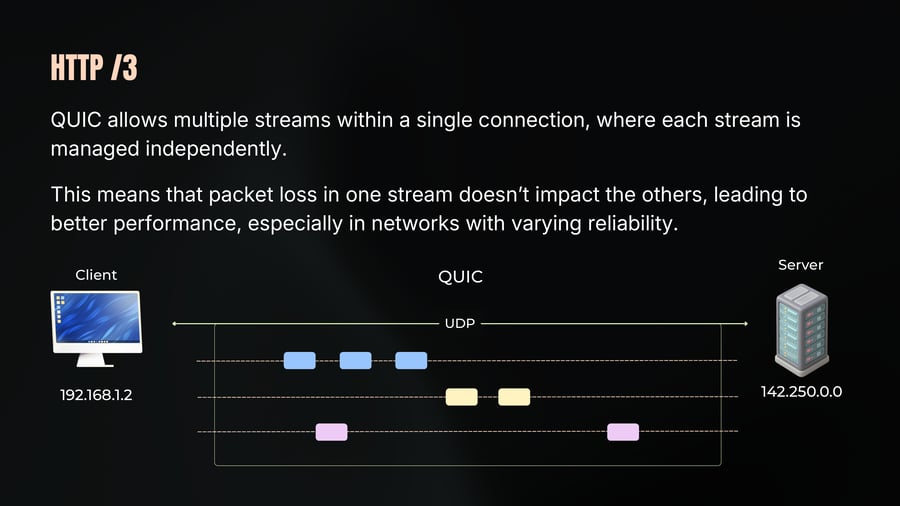
Since QUIC operates over UDP, it avoids the HOL blocking issue. If a packet is lost, only the data stream that the packet belongs to is affected, while other streams can continue without delay.
HTTP /3
42
Notes
QUIC allows multiple streams within a single connection, where each stream is managed independently.
This means that packet loss in one stream doesn’t impact the others, leading to better performance, especially in networks with varying reliability.
HTTP /3
43
Notes
QUIC combines the connection and security handshake into a single step, which reduces the latency typically required to establish a secure connection, making connections faster and more efficient.
In HTTP/2 over TLS you need a TCP handshake first, then a TLS handshake. Two round trips before a single byte of data flows.
QUIC combines the transport and TLS handshakes into one. One round trip or even zero round trips for repeat connections where the client already has session data cached.
HTTP/3 is now supported by all major browsers and is used by Google, Facebook, Cloudflare, and most major CDNs. Adoption is growing rapidly.
HTTP /3
44
Notes
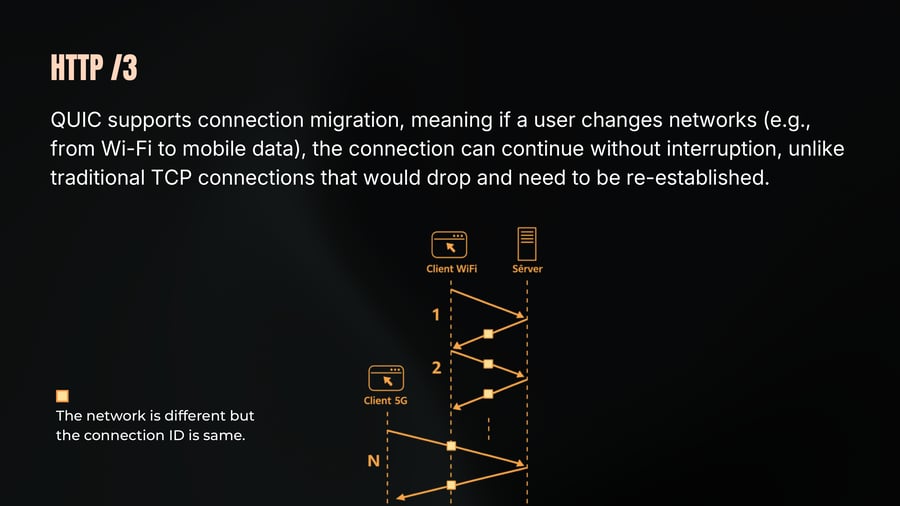
QUIC supports connection migration, meaning if a user changes networks (e.g., from Wi-Fi to mobile data), the connection can continue without interruption, unlike traditional TCP connections that would drop and need to be re-established.
The network is different but the connection ID is same.
HTTP Summary
45
Notes
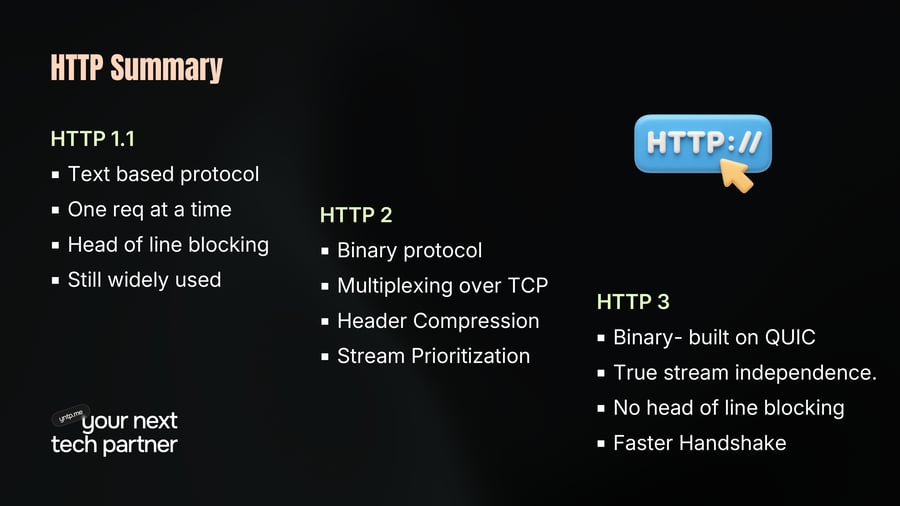
HTTP 1.1
Text based protocol
One req at a time
Head of line blocking
Still widely used
HTTP 2
Binary protocol
Multiplexing over TCP
Header Compression
Stream Prioritization
HTTP 3
Binary- built on QUIC
True stream independence.
No head of line blocking
Faster Handshake
Ways of Communication
46
Notes
Every HTTP version we just covered 1.1, 2, 3 shares one thing in common. The client always speaks first. You send a request. The server responds. The server cannot send you anything unless you asked.
Now imagine you are building WhatsApp. A message arrives for you. How does your browser know?
You would have to keep asking the server every few seconds - "any new messages? That approach is called polling. But it comes with thousands of unnecessary requests. Wasted bandwidth. Added latency.
What you actually want is the server to tap you on the shoulder the moment something happens. That is where WebSocket comes.
Websocket
47
Notes
WebSocket is a communication protocol that provides a full-duplex, persistent connection between a client and server over a single TCP connection.
Full-duplex
both sides can send data at same time, independently, without waiting for other.
Like a phone call both people can speak simultaneously.
Compare this to HTTP which is half-duplex client speaks, server responds, client speaks again.
Persistent connection
once established, the connection stays open.
No need to open and close a connection for each message.
Channel remains live until either side decides to close it could be sec, min, hours
Websocket
48
Notes
Why not just use TCP?
Direct exposure of TCP to the web would be risky due to its low-level nature and the potential for misuse.
WebSockets sit on top of HTTP, providing a controlled way to use TCP for web-based applications while maintaining security.
WebSocket actually starts as an HTTP request. It uses HTTP to establish the connection and then upgrades to the WebSocket protocol. This is why WebSocket works on port 80 and 443 the same ports as HTTP and HTTPS and passes through firewalls without issues.
The WebSocket URL scheme is ws:// for unencrypted and wss:// for encrypted WebSocket over TLS. Always use wss:// in production.
Websocket Working
49
Notes
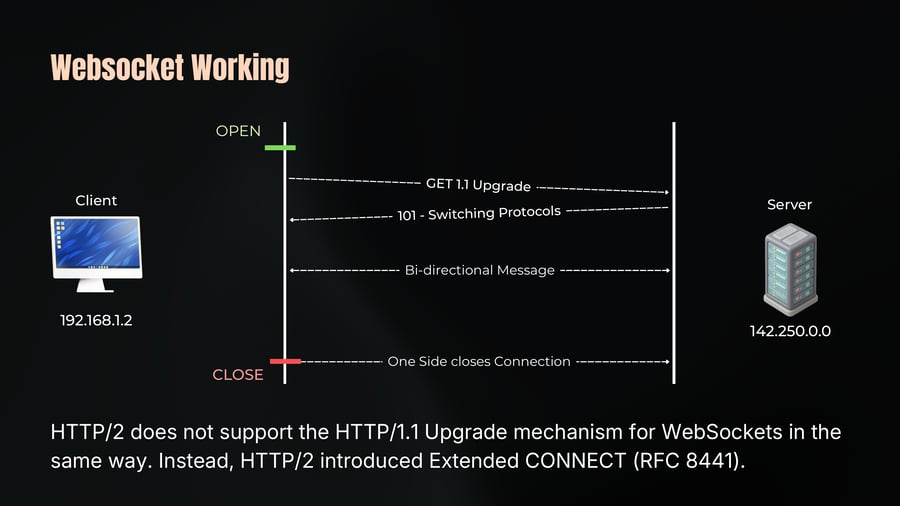
Client sends an HTTP request with a special Upgrade header
Server agrees and responds with HTTP 101 Switching Protocols
The connection is now a WebSocket - HTTP steps aside
From this point no more HTTP request/response. Raw WebSocket frames flow freely in both directions over the same TCP connection.
Either side can send messages at any time
Either side closes the connection with a close frame when done
Websocket Working
50
Notes
OPEN
Client
Server
GET 1.1 Upgrade
101 - Switching Protocols
192.168.1.2
Bi-directional Message
142.250.0.0
One Side closes Connection
CLOSE
HTTP/2 does not support the HTTP/1.1 Upgrade mechanism for WebSockets in the same way. Instead, HTTP/2 introduced Extended CONNECT (RFC 8441).
Websocket Working
51
Notes
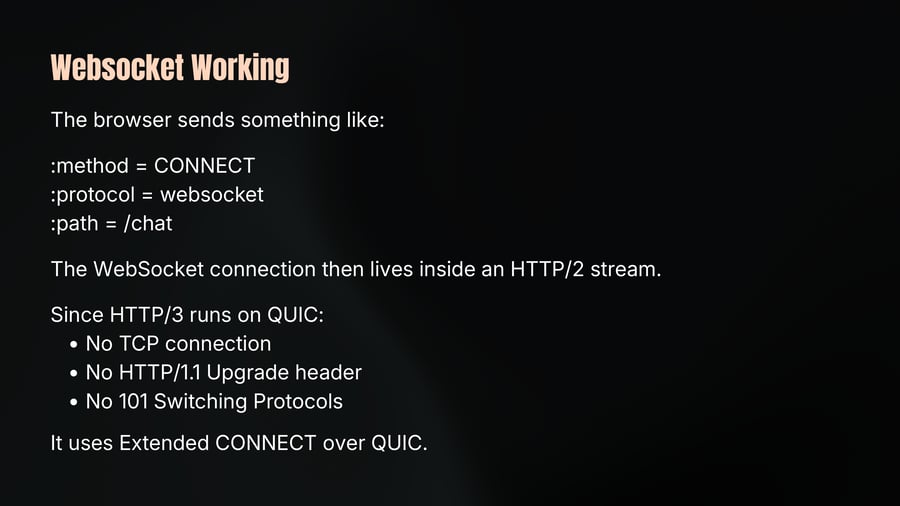
The browser sends something like:
:method = CONNECT
:protocol = websocket
:path = /chat
The WebSocket connection then lives inside an HTTP/2 stream.
Since HTTP/3 runs on QUIC:
No TCP connection
No HTTP/1.1 Upgrade header
No 101 Switching Protocols
It uses Extended CONNECT over QUIC.
Websocket Usecase
52
Notes
WS is right tool whenever you need real-time, bidirectional communication.
Here are the most common examples you will build or work with
Chat Applications
Live Dashboards
Collabourative Editing
Online Gaming
Live Notifications
Websocket Implementation
53
Notes
WebSocket is natively supported in every modern browser. The API is simple
You open a connection with new WebSocket().
You listen for messages with socket.onmessage.
You send messages with socket.send().
You close with socket.close()
The entire WebSocket API in four lines. The protocol does the heavy lifting underneath you just use the events.
On the server side every major framework has WebSocket support. Node.js with the ws library, Socket.IO for even more abstraction, Django Channels for Python, ActionCable for Rails. The choice of library does not change what WebSocket fundamentally does it is always the same protocol underneath.
The Application Layer
54
Notes
What Most Developers Interact with Daily
Domain Name System
DNS Record Types
Recursive vs Iterative Query
SSL and TLS
SNI
HTTP
Websocket
In the next chapter, we’ll understand how we connect with modern infrastructure.