

On this page
- Proxies & Load Balancers
- Forward Proxy
- Purpose of Forward Proxies
- Reverse Proxy
- Purpose of Reverse Proxies
- Layer 4 Load Balancer
- Layer 4 Load Balancer
- Layer 4 Load Balancer Working
- Layer 4 Load Balancer Working
- Layer 4 Load Balancer Working
- Layer 4 Load Balancer Working
- L4 Load Balancer Pros
- L4 Load Balancer Cons
- Layer 7 Load Balancer
- Layer 7 Load Balancer Working
- Layer 7 Load Balancer Working
- Layer 7 Load Balancer Working
- Layer 7 Load Balancer Working
- L7 Load Balancer Pros and Cons
- Proxies & Load Balancers
Proxies & Load Balancers
01

Notes
Chap 7
The Bridge into Modern Infrastructure.
Forward Proxy
02
Notes
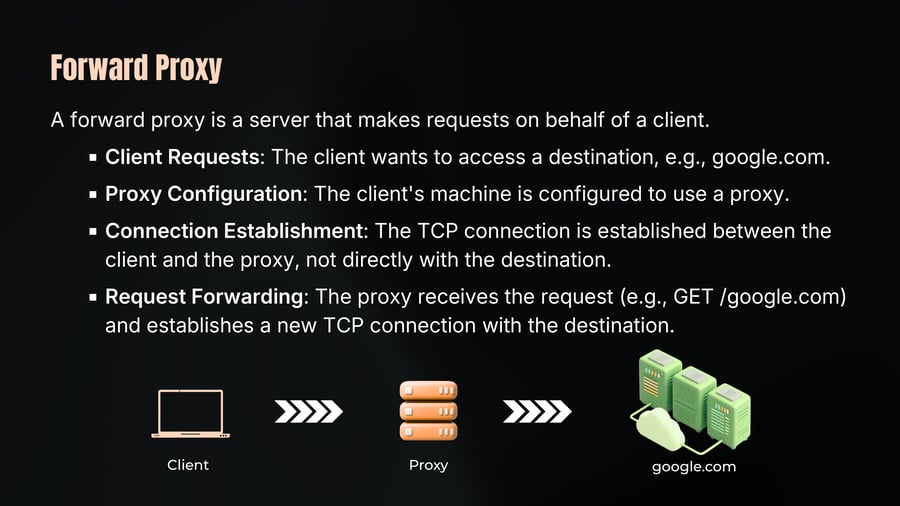
A forward proxy is a server that makes requests on behalf of a client.
Client Requests: The client wants to access a destination, e.g., google.com.
Proxy Configuration: The client's machine is configured to use a proxy.
Connection Establishment: The TCP connection is established between the client and the proxy, not directly with the destination.
Request Forwarding: The proxy receives the request (e.g., GET /google.com) and establishes a new TCP connection with the destination.
Client
Proxy
google.com
Purpose of Forward Proxies
03
Notes
Anonymity: The destination server sees the proxy's IP address, not the client's.
Caching: Proxies can cache responses to serve repeated requests faster.
Logging and Monitoring: Proxies can log and monitor traffic for debugging and analysis.
Blocking: Proxies can block access to certain websites based on policies.
Reverse Proxy
04
Notes
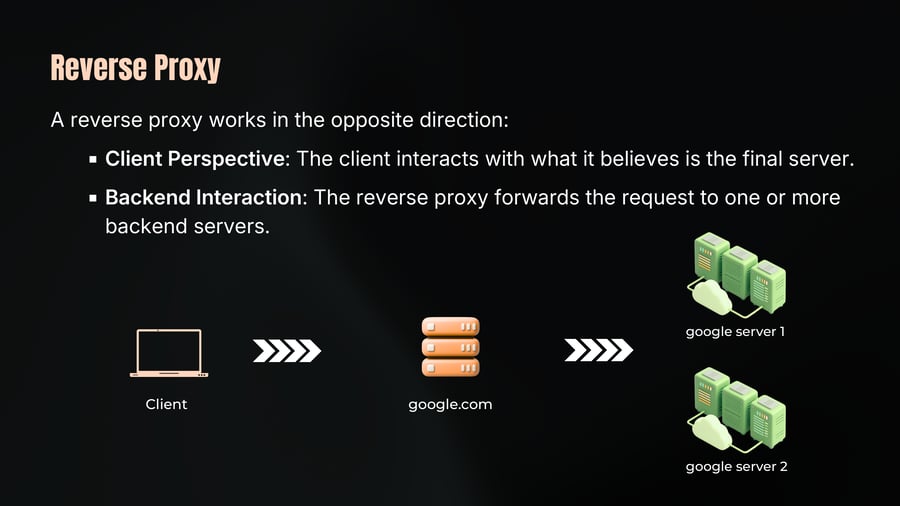
A reverse proxy works in the opposite direction:
Client Perspective: The client interacts with what it believes is the final server.
Backend Interaction: The reverse proxy forwards the request to one or more backend servers.
Purpose of Reverse Proxies
05
Notes
Load Balancing: Distributes client requests across multiple servers.
Caching: Caches content to improve response times.
Security: Hides the details of the backend servers from clients.
API Gateway: Routes requests to appropriate services based on the URL path.
Testing: Routes a portion of traffic to a new feature version for A/B testing.
Practicle Use Cases:
CDN (Content Delivery Network): Acts as a reverse proxy, serving cached content from locations close to the user.
Microservices Architecture: Reverse proxies manage requests between microservices for better scalability and manageability.
Layer 4 Load Balancer
06
Notes
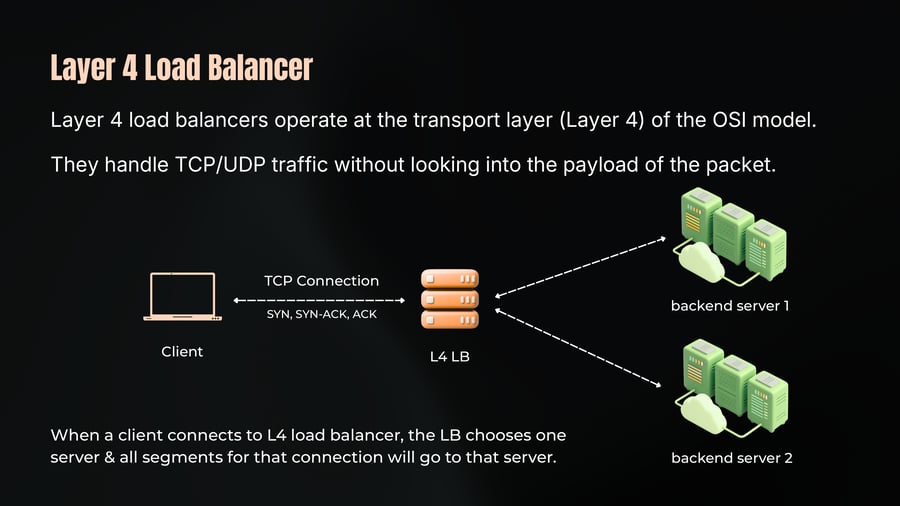
Layer 4 load balancers operate at the transport layer (Layer 4) of the OSI model.
They handle TCP/UDP traffic without looking into the payload of the packet.
TCP Connection
SYN, SYN-ACK, ACK
Client
L4 LB
backend server 1
backend server 2
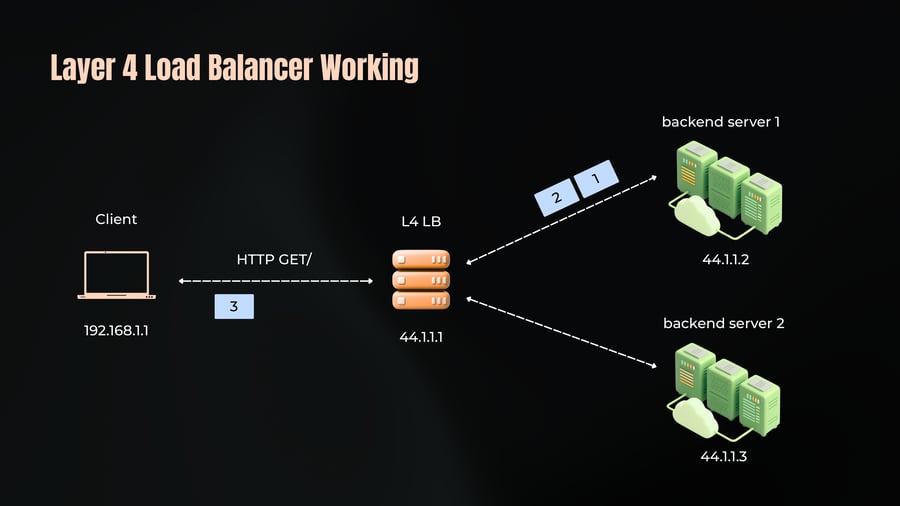
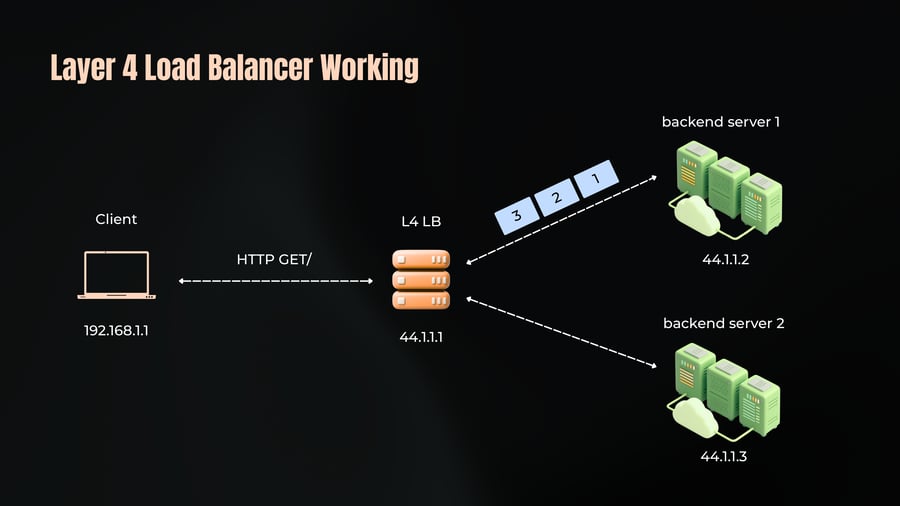
When a client connects to L4 load balancer, the LB chooses one server & all segments for that connection will go to that server.
Layer 4 Load Balancer
07
Notes
Working
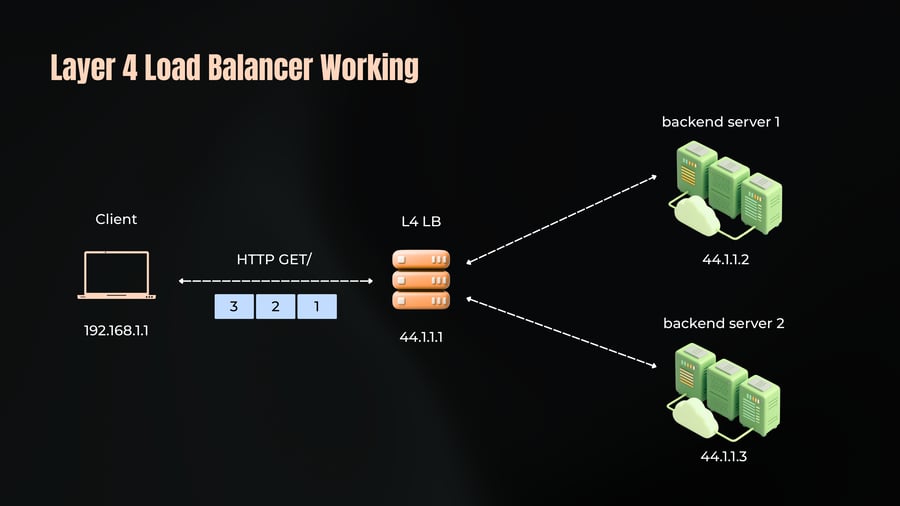
Connection Management: When a client sends a request, the Layer 4 load balancer establishes a TCP connection with the client and selects a backend server based on a predefined algorithm (like round-robin or least connections).
Traffic Routing: The load balancer routes packets based on IP addresses and TCP/UDP port numbers. It doesn't inspect the actual content of the data packets.
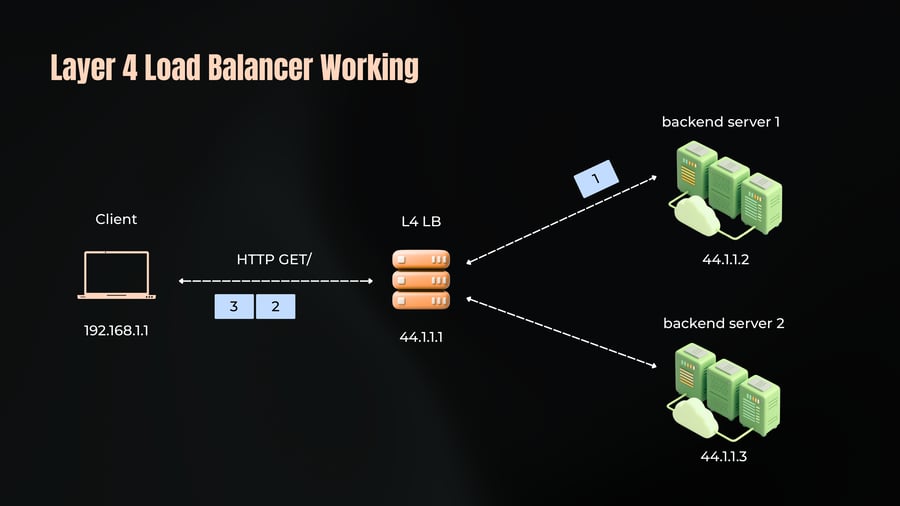
Stateful Connections: The load balancer maintains the state of each connection. Once a connection is established with a backend server, all subsequent packets for that connection are forwarded to the same server
Layer 4 Load Balancer Working
08
Notes
backend server 1
Client
L4 LB
44.1.1.2
HTTP GET/
3
2
1
backend server 2
192.168.1.1
44.1.1.1
44.1.1.3
Layer 4 Load Balancer Working
09
Notes
Client
192.168.1.1
HTTP GET/
3
2
L4 LB
44.1.1.1
1
backend server 1
44.1.1.2
backend server 2
44.1.1.3
Layer 4 Load Balancer Working
10
Notes
Client
HTTP GET/
3
192.168.1.1
L4 LB
44.1.1.1
2
1
backend server 1
44.1.1.2
backend server 2
44.1.1.3
Layer 4 Load Balancer Working
11
Notes
Client
192.168.1.1
HTTP GET/
L4 LB
44.1.1.1
1
2
3
backend server 1
44.1.1.2
backend server 2
44.1.1.3
L4 Load Balancer Pros
12
Notes
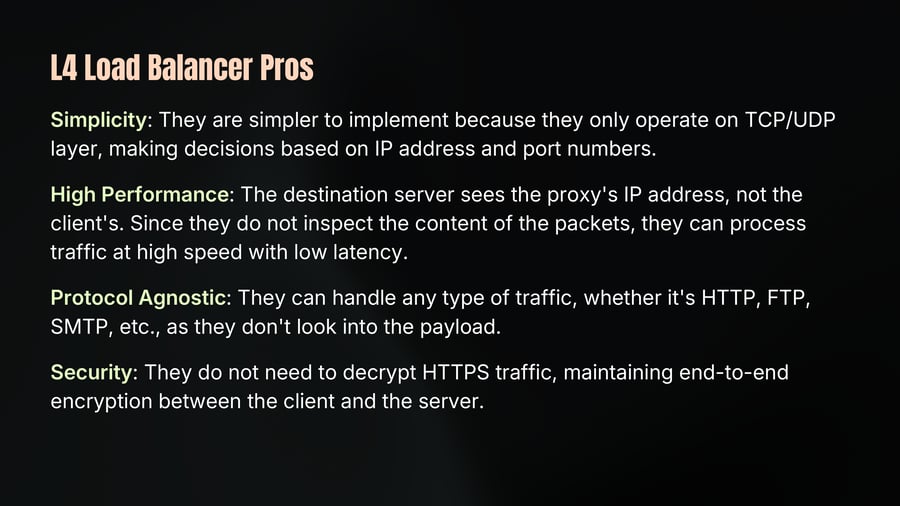
Simplicity: They are simpler to implement because they only operate on TCP/UDP layer, making decisions based on IP address and port numbers.
High Performance: The destination server sees the proxy's IP address, not the client's. Since they do not inspect the content of the packets, they can process traffic at high speed with low latency.
Protocol Agnostic: They can handle any type of traffic, whether it's HTTP, FTP, SMTP, etc., as they don't look into the payload.
Security: They do not need to decrypt HTTPS traffic, maintaining end-to-end encryption between the client and the server.
L4 Load Balancer Cons
13
Notes
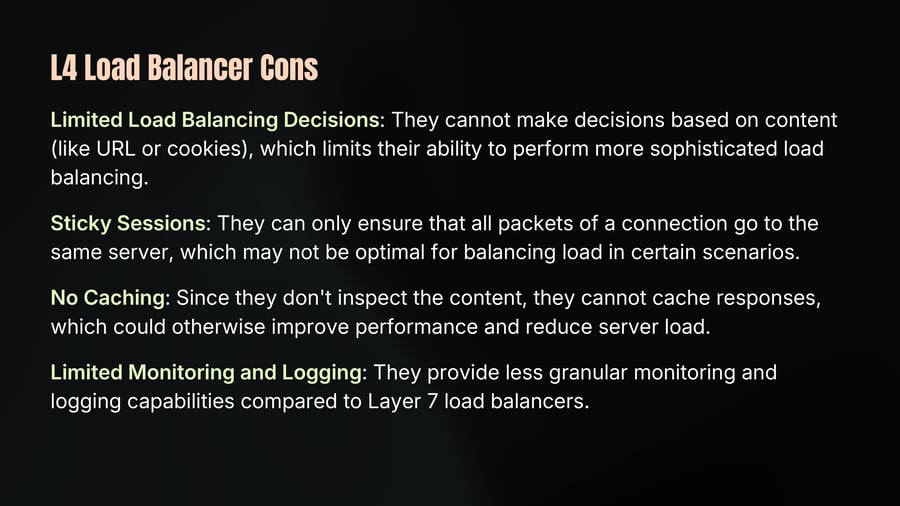
Limited Load Balancing Decisions: They cannot make decisions based on content (like URL or cookies), which limits their ability to perform more sophisticated load balancing.
Sticky Sessions: They can only ensure that all packets of a connection go to the same server, which may not be optimal for balancing load in certain scenarios.
No Caching: Since they don't inspect the content, they cannot cache responses, which could otherwise improve performance and reduce server load.
Limited Monitoring and Logging: They provide less granular monitoring and logging capabilities compared to Layer 7 load balancers.
Layer 7 Load Balancer
14
Notes
When dealing with a Layer 7 load balancer, it operates at the application layer, which is protocol-specific.
It needs to understand and interpret the data being sent to ensure it is properly handled.
Initialization and Connection Management
• Connection Warming: Upon starting, the load balancer establishes connections to backend servers, maintaining them based on configuration to handle incoming traffic efficiently.
• Client Connection: When a client connects load balancer must understand the protocol (e.g., HTTP) & interpret the request. This involves decrypting data if it's encrypted, meaning LB must hold the SSL/TLS certificates & private keys.
Layer 7 Load Balancer Working
15
Notes
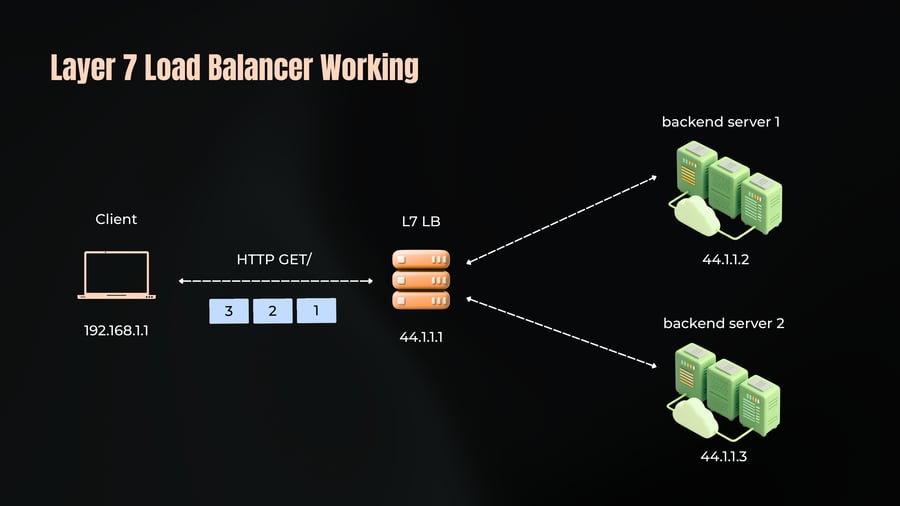
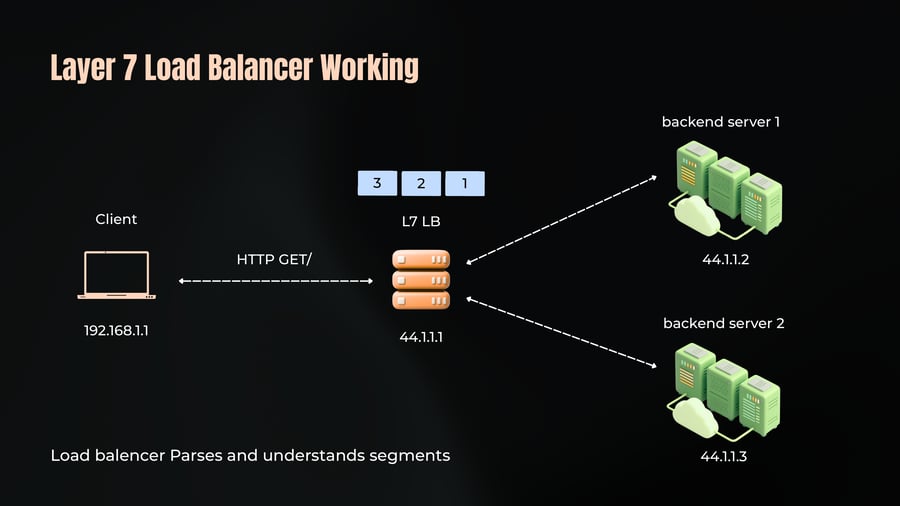
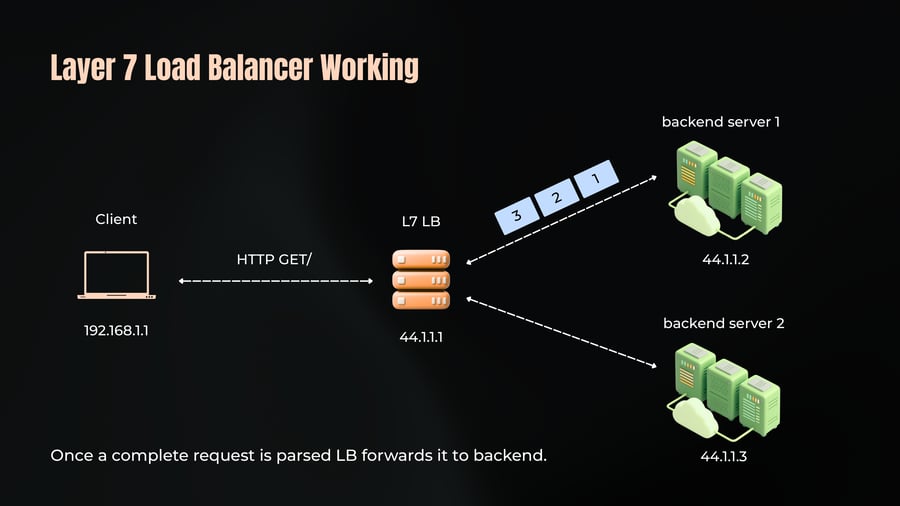
Request Parsing: It reads incoming data, which could be segmented (split into multiple parts). Each segment is buffered until a complete request is assembled.
Request Forwarding: Once a complete request is parsed, the load balancer decides which backend server to forward the request to. It ensures that all segments of a single request are sent to the same backend.
Protocol-Specific Processing: It can perform operations like SSL termination, request buffering, and understanding application-level data.
Caching and Smart Routing: By understanding the request content, it can cache responses, direct traffic based on the request path, and optimize backend usage by routing specific types of requests to designated servers.
Layer 7 Load Balancer Working
16
Notes
backend server 1
Client
L7 LB
HTTP GET/
44.1.1.2
3
2
1
backend server 2
192.168.1.1
44.1.1.1
44.1.1.3
Layer 7 Load Balancer Working
17
Notes
backend server 1
3
2
1
Client
L7 LB
HTTP GET/
44.1.1.2
backend server 2
192.168.1.1
44.1.1.1
Load balencer Parses and understands segments
44.1.1.3
Layer 7 Load Balancer Working
18
Notes
Once a complete request is parsed LB forwards it to backend.
L7 Load Balancer Pros and Cons
19
Notes
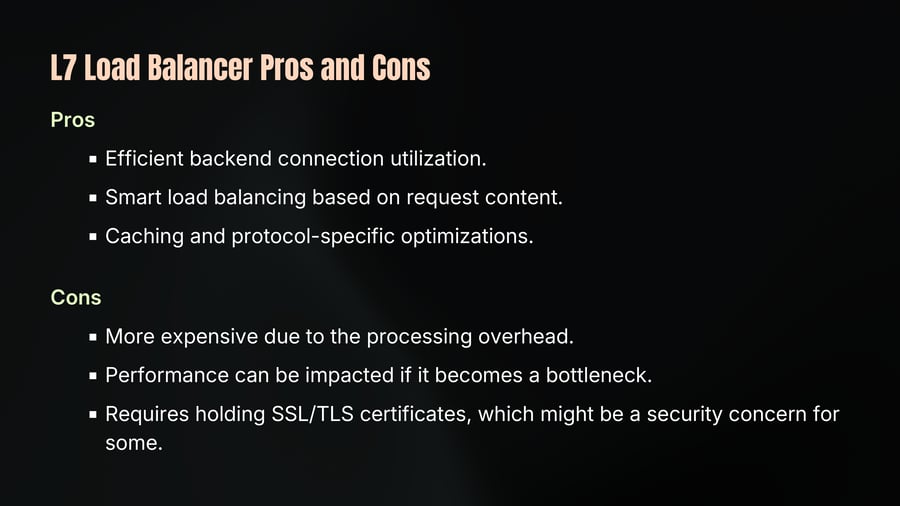
Pros
Efficient backend connection utilization.
Smart load balancing based on request content.
Caching and protocol-specific optimizations.
Cons
More expensive due to the processing overhead.
Performance can be impacted if it becomes a bottleneck.
Requires holding SSL/TLS certificates, which might be a security concern for some.
Proxies & Load Balancers
20
Notes
The Bridge into Modern Infrastructure.
Forward Proxy
Reverse Proxy
Layer 4 Load Balancer
Layer 7 Load Balancer
In the next chapter, we'll explore Applied Networking for DevOps through hands-on cloud networking.