

On this page
Network Devices
01
Notes
Chap 3
The Machines Behind the Network
NIC
02
Notes
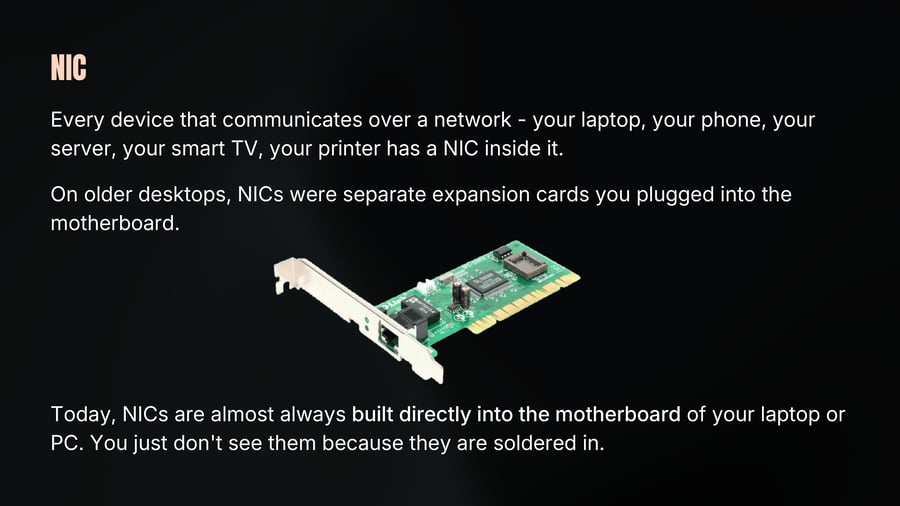
Every device that communicates over a network - your laptop, your phone, your server, your smart TV, your printer has a NIC inside it.
On older desktops, NICs were separate expansion cards you plugged into the motherboard.
Today, NICs are almost always built directly into the motherboard of your laptop or PC. You just don't see them because they are soldered in.
NIC
03
Notes
There are two types of NICs
Wired NIC has an Ethernet port - that rectangular port on the side of your PC where you plug in a LAN cable. It communicates through physical cables.
Wireless NIC also called a Wi-Fi adapter. It communicates through radio waves. No cable needed. This is what connects your laptop or phone to WiFi.
Most modern devices actually have both.
Every NIC in the world has a unique identifier burned into it at the factory. This is called the MAC address - Media Access Control address
When devices communicate within a LAN - switches use MAC addresses to figure out which device to send data to. This is Layer 2 operation - the Data Link layer of the OSI model.
NIC
04
Notes
NIC operates at both Layer 1 - physically sending and receiving signals and Layer 2 - using MAC addresses for local identification.
To see your Mac Address
• In MacOS open terminal and run
ifconfig en0 | grep ether
• In Windows open powershell and run
getmac
A MAC address is a unique hardware identifier for your network device. While it’s not as sensitive as a password, exposing it can still create privacy and security concerns.
Hub
05
Notes
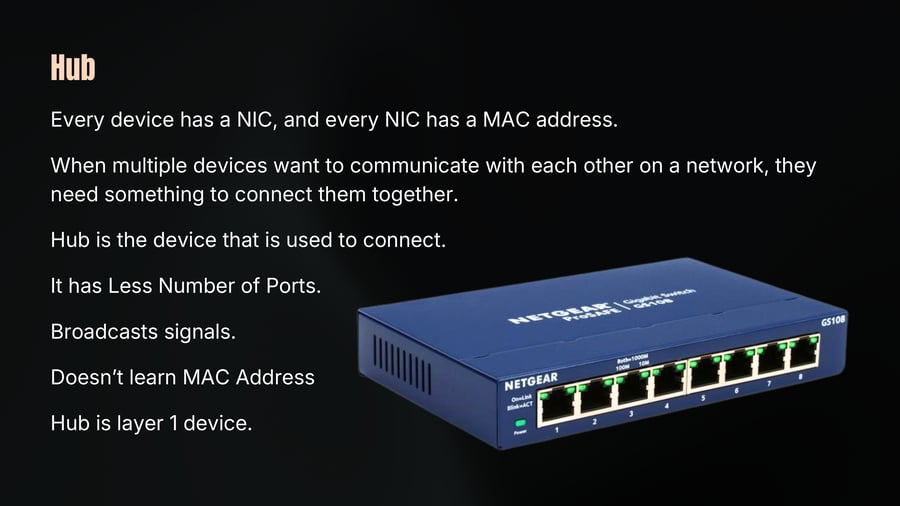
Every device has a NIC, and every NIC has a MAC address.
When multiple devices want to communicate with each other on a network, they need something to connect them together.
Hub is the device that is used to connect.
It has Less Number of Ports.
Broadcasts signals.
Doesn't learn MAC Address
Hub is layer 1 device.
Bridge
06
Notes
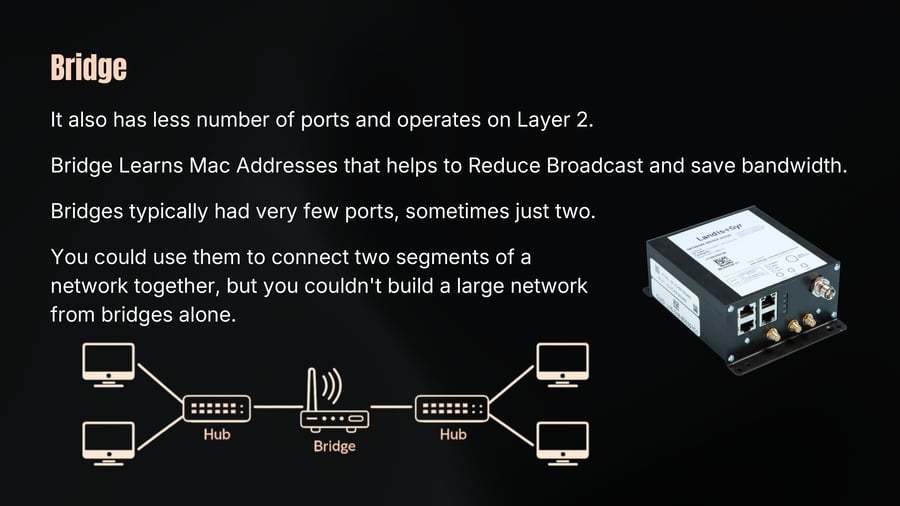
It also has less number of ports and operates on Layer 2.
Bridge Learns Mac Addresses that helps to Reduce Broadcast and save bandwidth.
Bridges typically had very few ports, sometimes just two.
You could use them to connect two segments of a network together, but you couldn't build a large network from bridges alone.
Switch
07
Notes
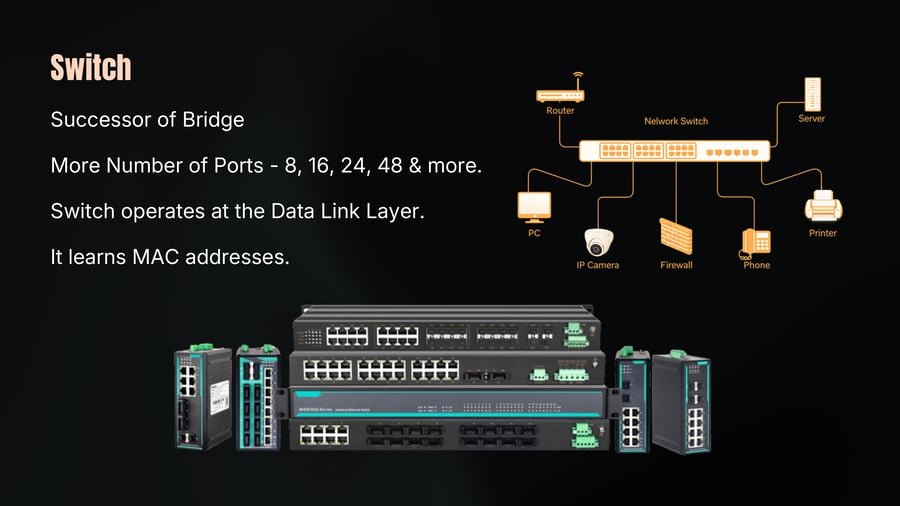
Successor of Bridge
More Number of Ports - 8, 16, 24, 48 & more.
Switch operates at the Data Link Layer.
It learns MAC addresses.
Router
08
Notes
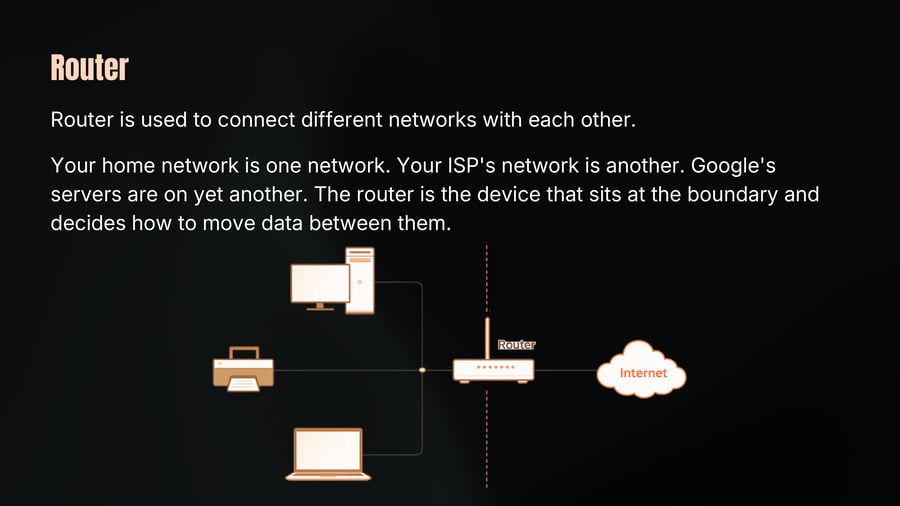
Router is used to connect different networks with each other.
Your home network is one network. Your ISP's network is another. Google's servers are on yet another. The router is the device that sits at the boundary and decides how to move data between them.
Router
09
Notes
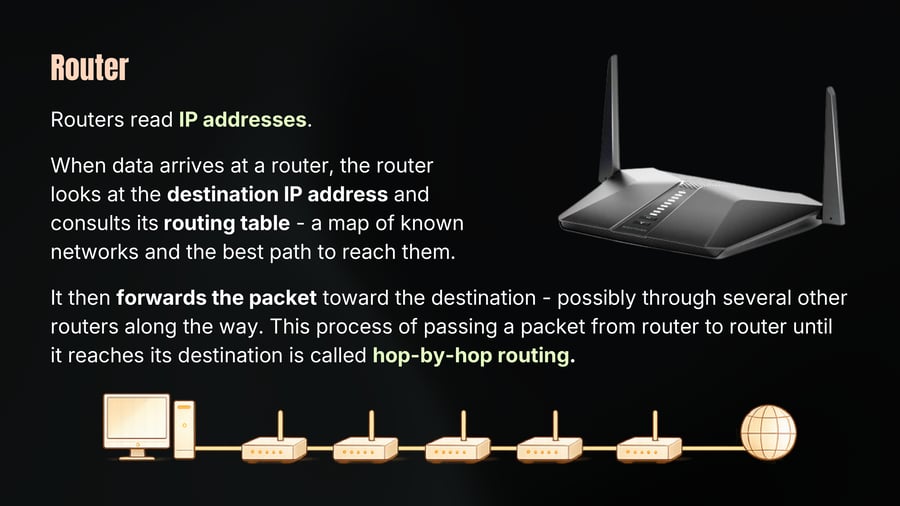
Routers read IP addresses.
When data arrives at a router, the router looks at the destination IP address and consults its routing table - a map of known networks and the best path to reach them.
It then forwards the packet toward the destination - possibly through several other routers along the way. This process of passing a packet from router to router until it reaches its destination is called hop-by-hop routing.
Modem
10
Notes
The word modem comes from Modulator-Demodulator.
Modulation: converting digital data into a signal for transmission
Demodulation: converting that signal back into digital data.
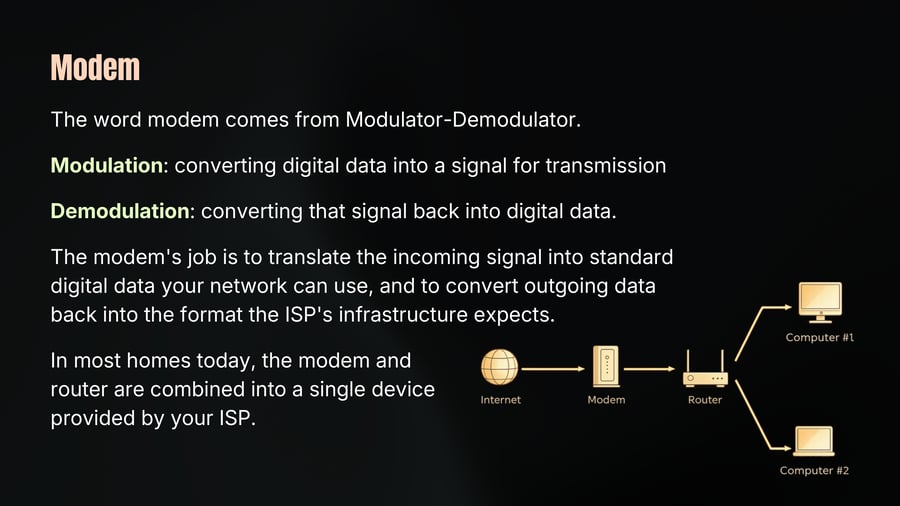
The modem's job is to translate the incoming signal into standard digital data your network can use, and to convert outgoing data back into the format the ISP's infrastructure expects.
In most homes today, the modem and router are combined into a single device provided by your ISP.
Gateway
11
Notes
The term Gateway is one of the most overloaded words in networking - it means different things in different contexts.
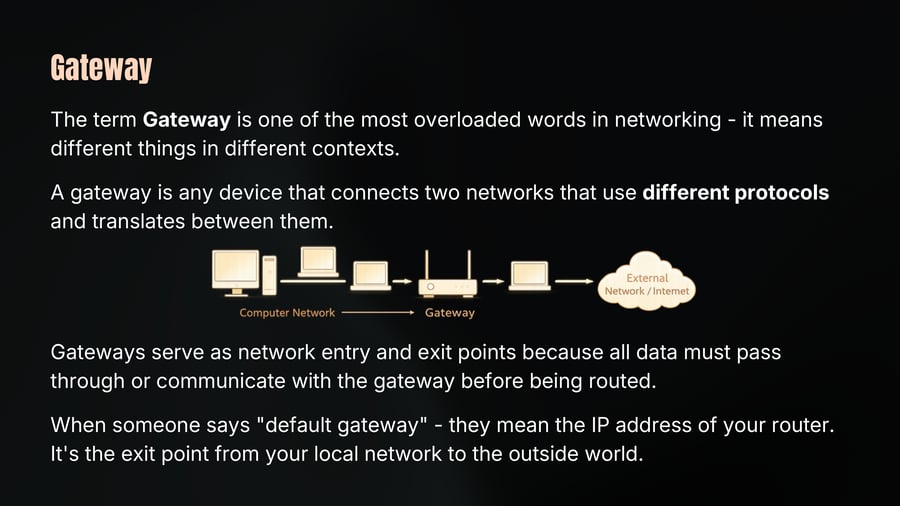
A gateway is any device that connects two networks that use different protocols and translates between them.
Gateways serve as network entry and exit points because all data must pass through or communicate with the gateway before being routed.
When someone says "default gateway" - they mean the IP address of your router. It's the exit point from your local network to the outside world.
ISPs
12
Notes
ISP stands for Internet service provider.
ISPs are classified by tier:
Tier 1 - Massive backbone providers who own the infrastructure that spans countries and oceans. They peer with each other for free. Examples: AT&T, Tata Communications, NTT.
Tier 2 - Regional ISPs who pay Tier 1 providers for access, then sell to smaller ISPs or directly to businesses. Jio, Airtel, BSNL
Tier 3 - Your local ISP. They buy access from Tier 2 and sell it to you as a home or business subscription.
Firewall
13
Firewall
14
Notes
PC
Laptop
SW1
R1
Internet
Attacker
R2
SW2
SRV 1
SRV 2
Firewall
15
Notes
SRV 1
PC
Internet
SW1
R1
FW1
R2
FW2
SW2
Attacker
Laptop
SRV 2
Firewall
16
Notes
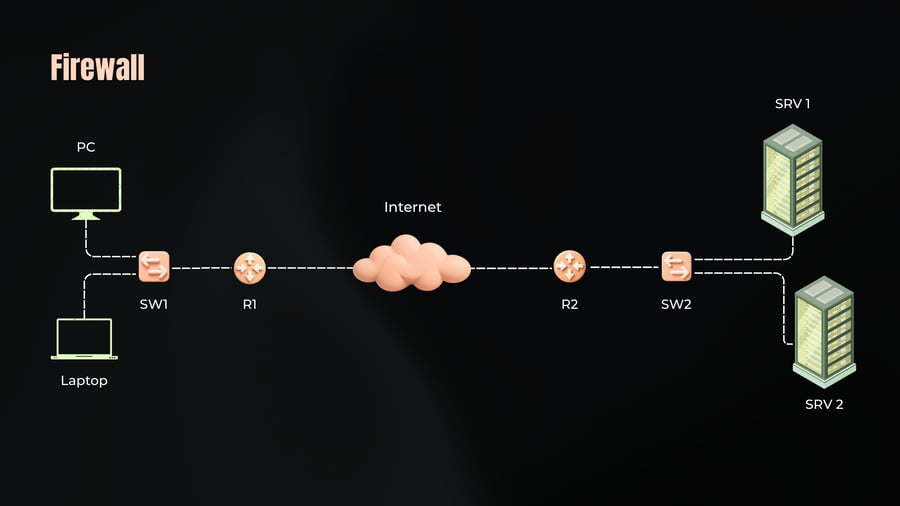
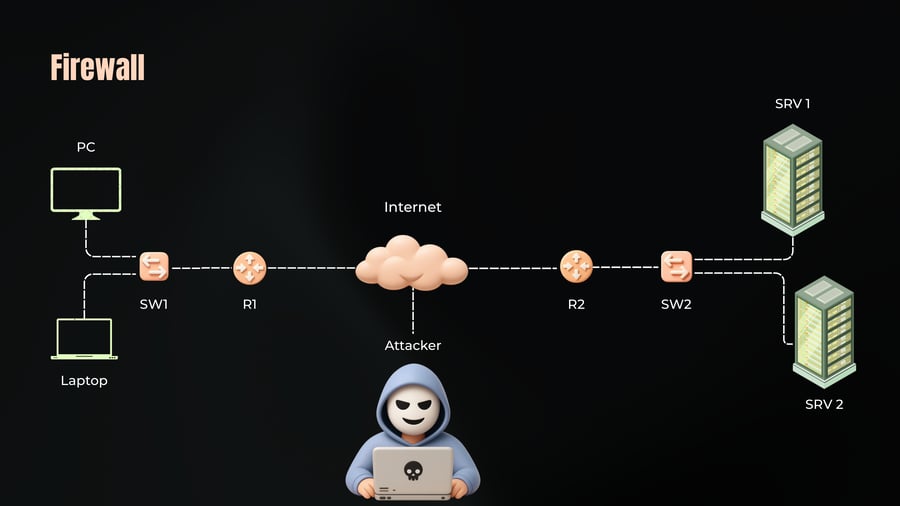
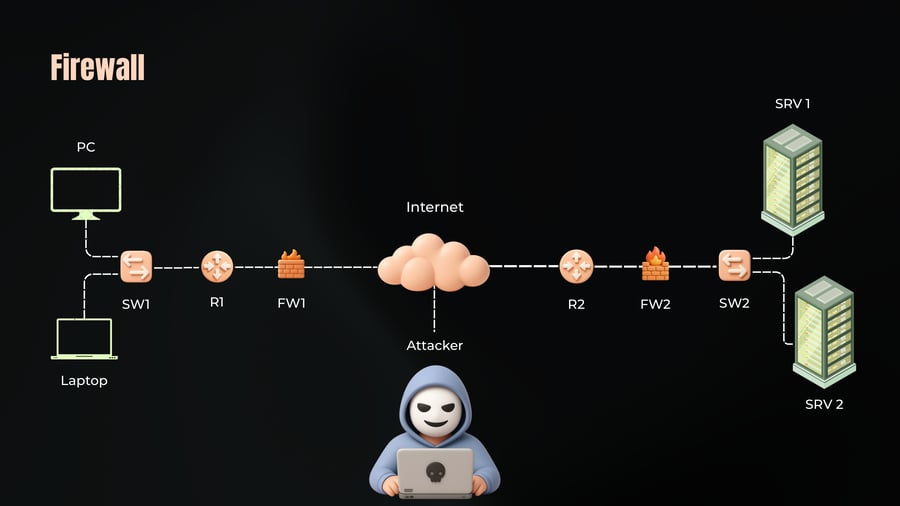
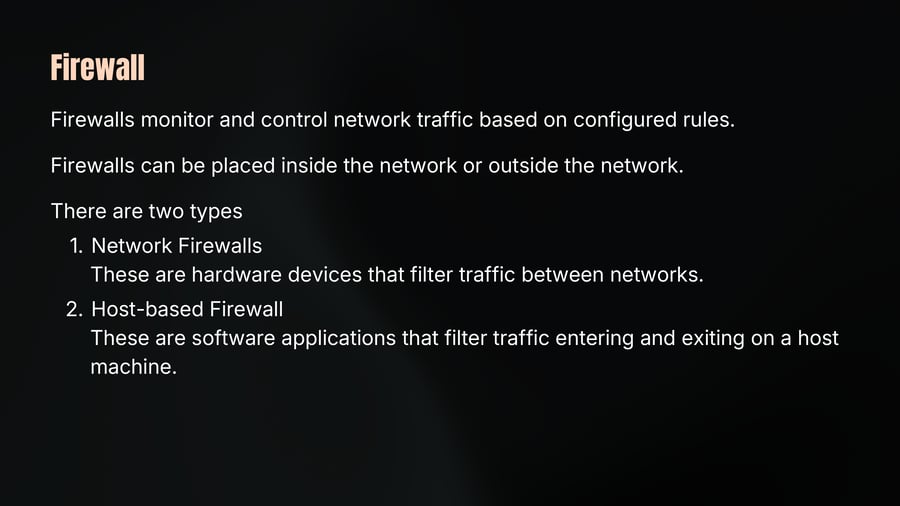
Firewalls monitor and control network traffic based on configured rules.
Firewalls can be placed inside the network or outside the network.
There are two types
1. Network Firewalls
These are hardware devices that filter traffic between networks.
2. Host-based Firewall
These are software applications that filter traffic entering and exiting on a host machine.
Host-to-Host Communication
17
Notes
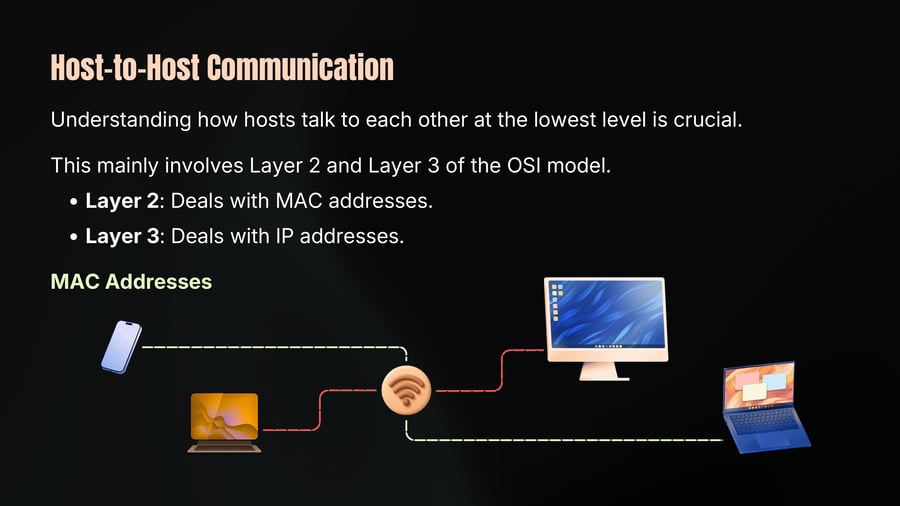
Understanding how hosts talk to each other at the lowest level is crucial.
This mainly involves Layer 2 and Layer 3 of the OSI model.
• Layer 2: Deals with MAC addresses.
• Layer 3: Deals with IP addresses.
MAC Addresses
Host-to-Host Communication
18
Notes
Sending data to everyone on the network wastes resources and poses security risks (e.g., public Wi-Fi sniffing).
IP Addresses
MAC addresses are not enough for efficient and secure communication.
IP addresses help route data across different networks.
The IP Address is built in two parts
One part is to identify the network, and the other is to the host
We use the network portion to eliminate many networks.
The host part is used to find the host.
We still need MAC addresses
Host-to-Host Communication
19
Notes
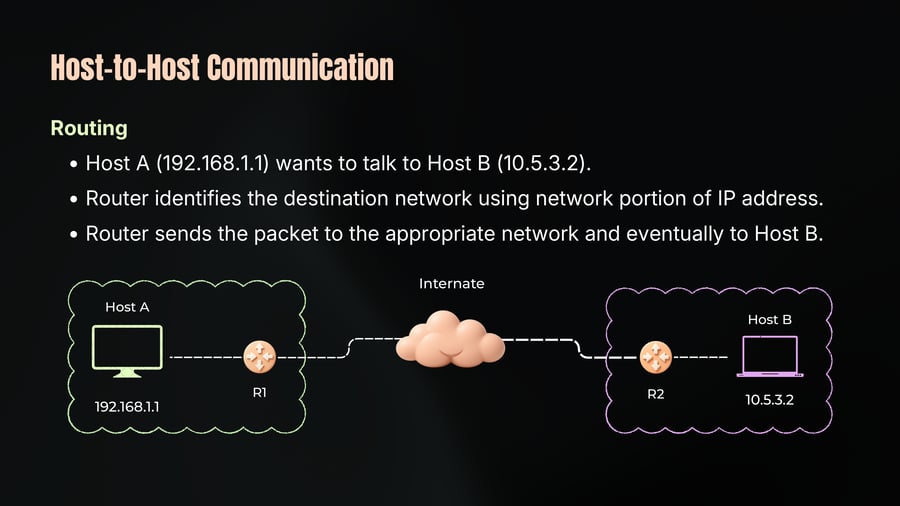
Routing
Host A (192.168.1.1) wants to talk to Host B (10.5.3.2).
Router identifies the destination network using network portion of IP address.
Router sends the packet to the appropriate network and eventually to Host B.
Host-to-Host Communication
20
Notes
Hosts run multiple applications.
Ports distinguish between different applications on the same host.
Standard Ports:
Port 80: HTTP (web traffic)
Port 22: SSH (secure shell)
Port 53: DNS (domain name system)
For Example:
Host A sends an HTTPs request to Host B on Port 443.
Host B's web server listens on Port 443 and processes the request.
Host-to-Host Communication
21
Notes
The Host to Host Communication
Uses MAC addresses for local communication (Layer 2).
Uses IP addresses for routing across networks (Layer 3).
Uses ports to direct data to the correct application on the host.
Understanding these basic concepts is fundamental to networking.
The interplay of MAC addresses, IP addresses, and ports ensures efficient and secure communication between hosts.
Network Devices
22
Notes
The Machines Behind the Network
NIC, Hub
Bridge and Switch
Router, Modem, Gateway
Firewalls, ISPs
Host-to-host Communication.
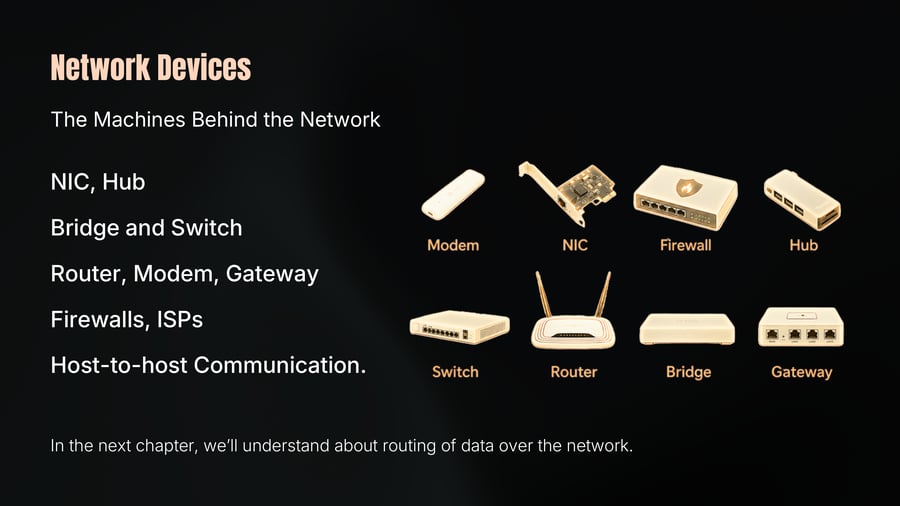
Modem
NIC
Firewall
Hub
Switch
Router
Bridge
Gateway
In the next chapter, we’ll understand about routing of data over the network.