

On this page
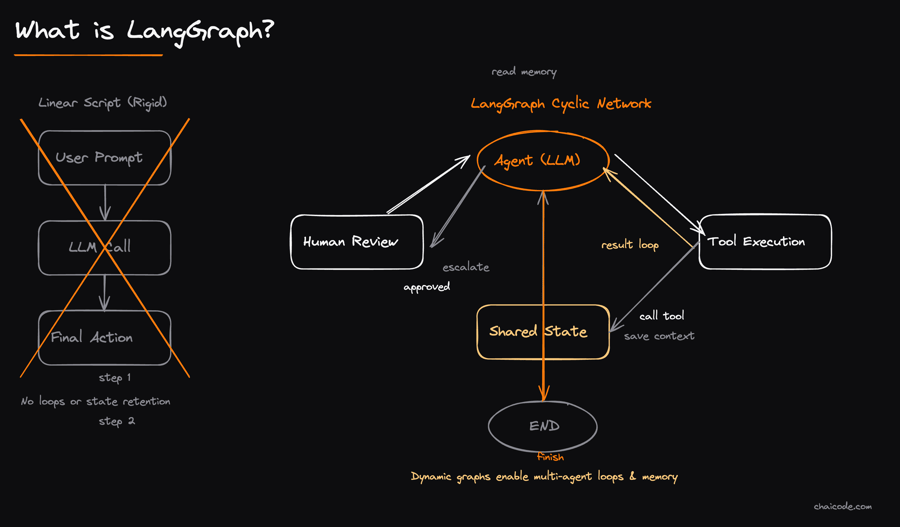
What is LangGraph?
01
Notes
A Python framework built by the LangChain team for creating advanced AI agents. While LangChain gives you the raw tools, LangGraph provides the environment to run them. It uses a graph structure (nodes and connections) instead of a simple straight-line script.
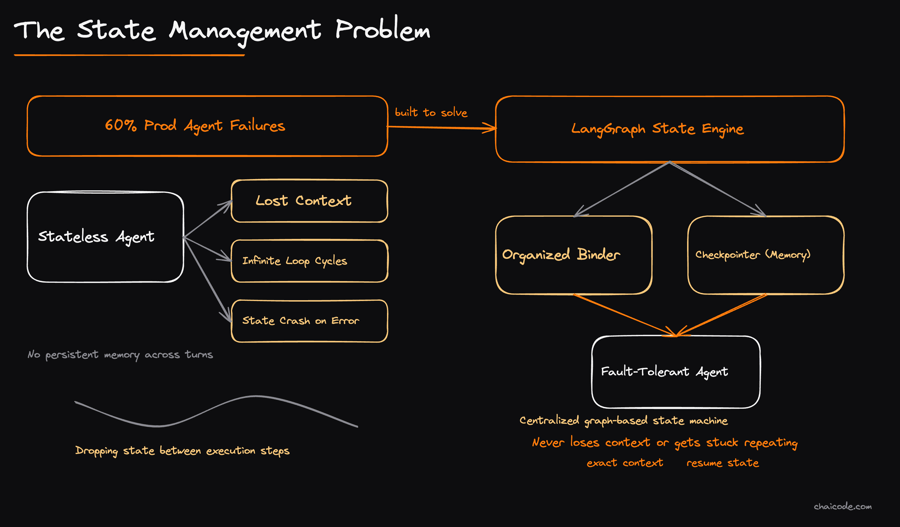
The State Management Problem
02
Notes
Why did LangGraph become so popular? Because 60% of production AI agents fail due to 'state management'. They lose context, get stuck repeating steps, or crash completely. LangGraph was built to fix this exact issue by acting as perfect memory.
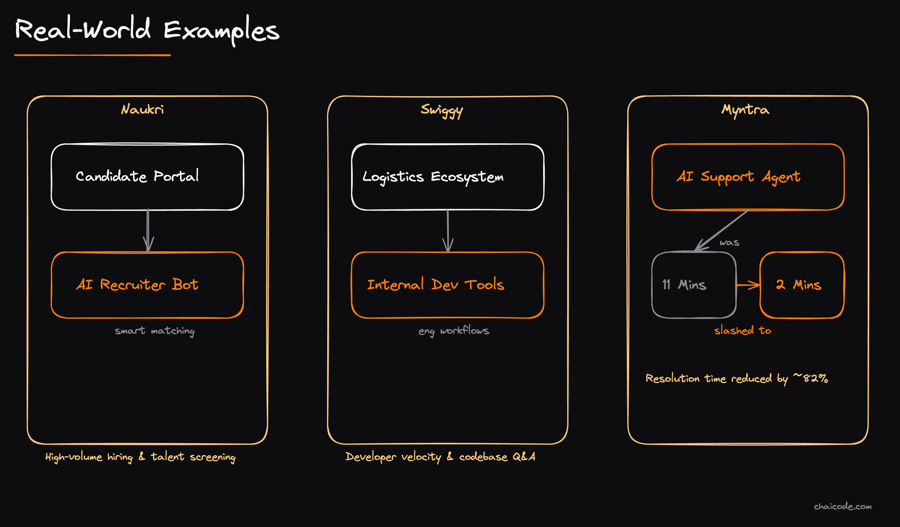
Real-World Examples
03
Notes
Major tech companies are using it at scale: Naukri uses it for an AI recruiter, Swiggy uses it for internal developer tools, and Myntra's AI support agent cut customer resolution time from 11 minutes down to just 2 minutes.
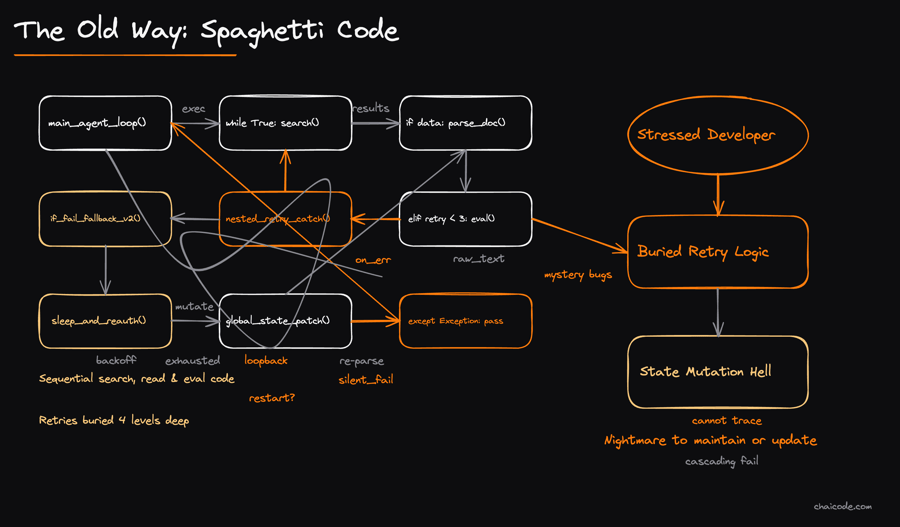
The Old Way: Spaghetti Code
04
Notes
Traditionally, building an agent that searches, reads, and evaluates data means writing nested 'while' loops and messy 'if-else' blocks. If a step fails, the retry logic gets buried deep in the code, making it a nightmare to update months later.
The LangGraph Way
05
Notes
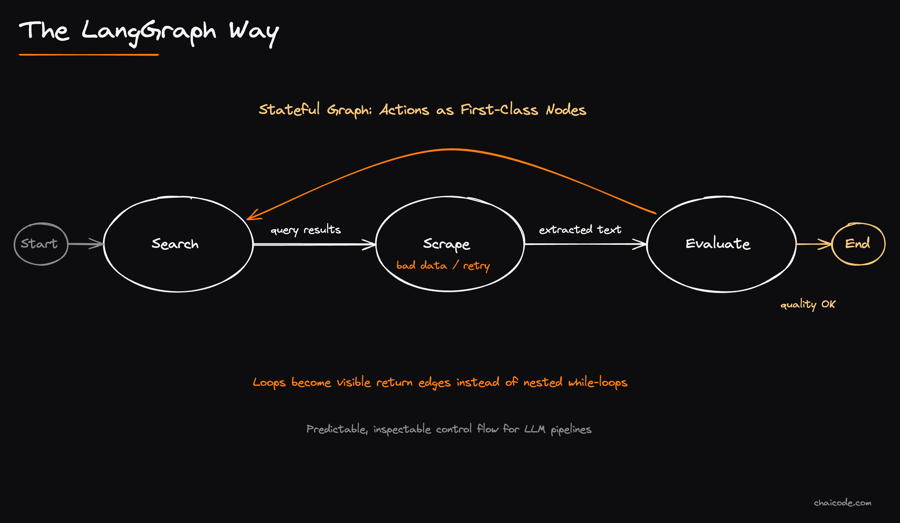
LangGraph turns messy code into a clean, readable flowchart. Every action is a 'Node' (e.g., Search, Scrape, Evaluate). Instead of hiding loops inside functions, you visually connect nodes. If data is bad, you simply draw a path from 'Evaluate' back to 'Search'.
Conditional Edges
06
Notes
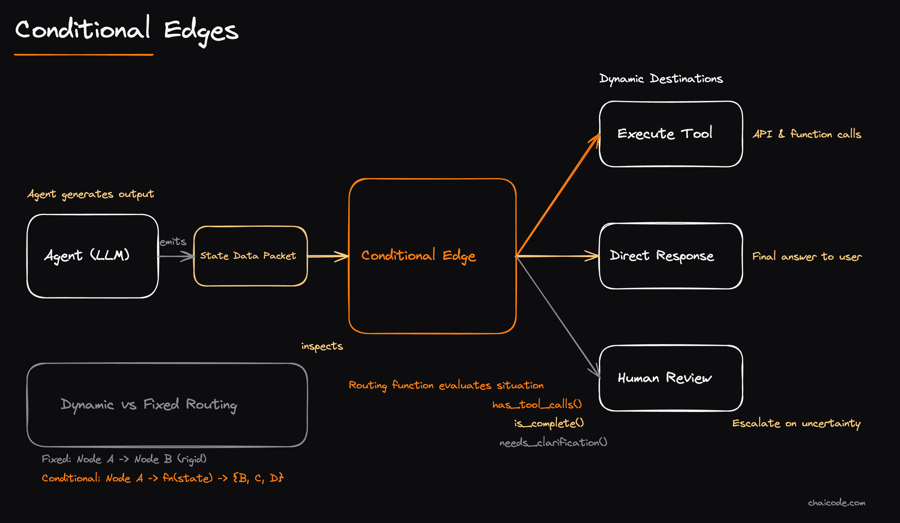
This is LangGraph's secret weapon. Instead of forcing an agent to take one fixed next step, a 'Conditional Edge' uses a small function to look at the current situation and dynamically route the agent to the smartest next step.
Built-in Save Points (Persistence)
07
Notes
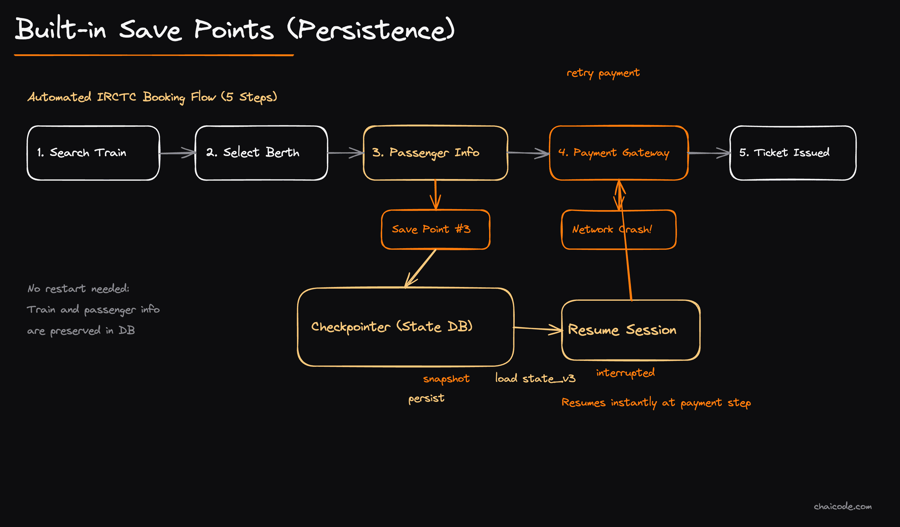
LangGraph automatically saves the agent's progress after every single step using a 'Checkpointer'. If your automated IRCTC booking agent crashes at the payment step, it resumes exactly there without having to search for the train all over again.
When Should You Use It?
08
Notes
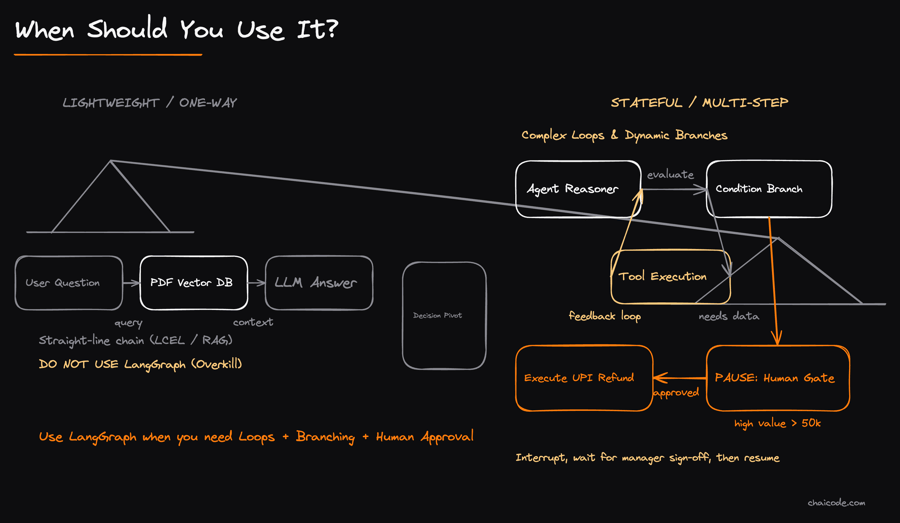
Don't use LangGraph for a simple Q&A bot over a PDF. Use it when your agent needs to loop, branch out based on real conditions, or pause for a human to approve an action (like authorising a high-value UPI refund).
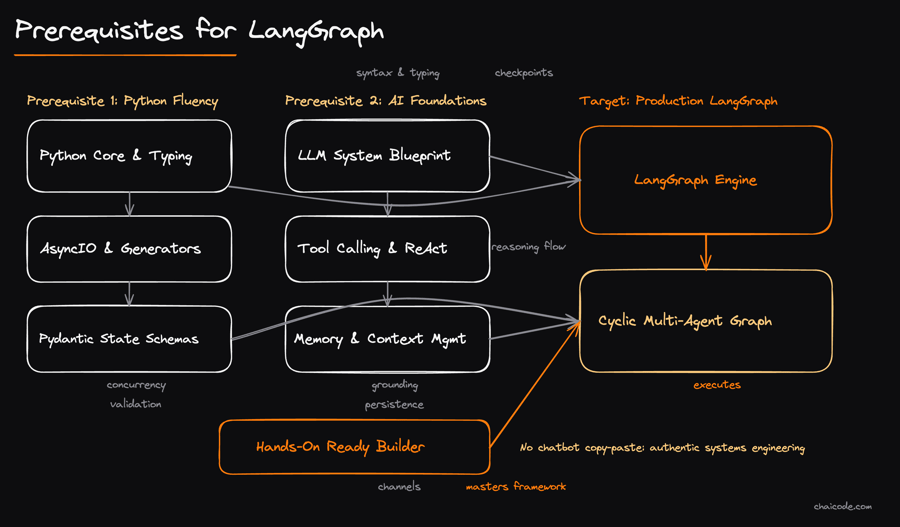
Prerequisites for LangGraph
09
Notes
To build these advanced systems, you can't just rely on AI chatbots to write your code for you. You need a solid, hands-on understanding of Python programming and fundamental AI concepts to truly master this framework.