

On this page
- Welcome
- Meet PM2: Node's Dedicated Manager
- Why Developers Love It
- Zero-Config Launch
- What is DevOps Anyway?
- CI: Continuous Integration Explained
- CD: Delivery vs. Deployment
- GitHub Actions: The Mental Model
- GitHub Actions Vocabulary
- Step Types: 'run' vs 'uses'
- Keep CI and CD in Separate Files
- Chaining CI and CD Workflows
- The CI Pipeline in Action
- Preparing AWS EC2 for Auto-Deploy
- Storing Production Secrets Safely
- The CD Deployment Script
- The Golden Rules of Deployment
Welcome
01
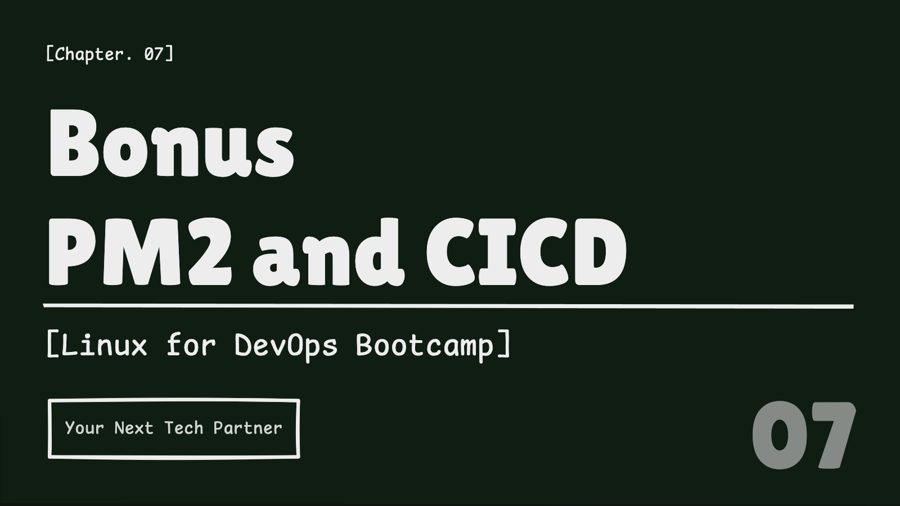
Meet PM2: Node's Dedicated Manager
02
Notes
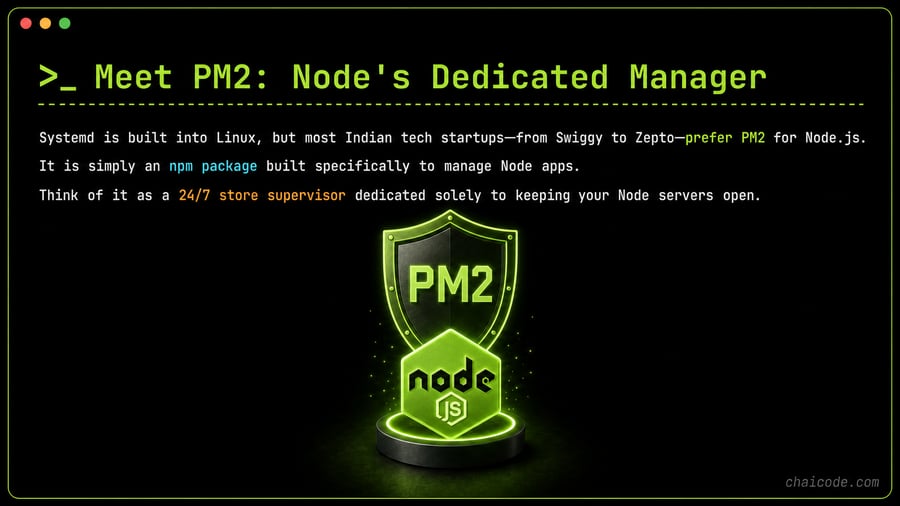
Systemd is built into Linux, but most Indian tech startups—from Swiggy to Zepto—prefer PM2 for Node.js.
It is simply an npm package built specifically to manage Node apps.
Think of it as a 24/7 store supervisor dedicated solely to keeping your Node servers open.
Why Developers Love It
03
Notes
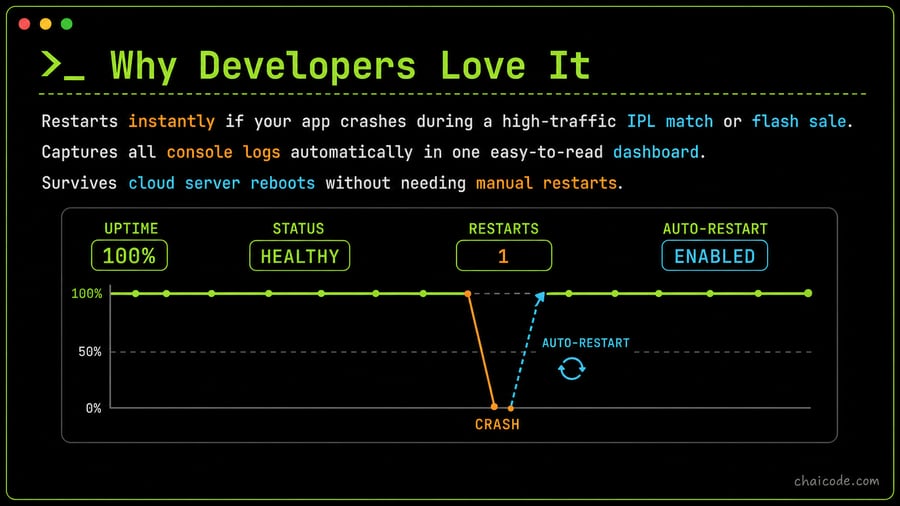
Restarts instantly if your app crashes during a high-traffic IPL match or flash sale.
Captures all console logs automatically in one easy-to-read dashboard.
Survives cloud server reboots without needing manual restarts.
Zero-Config Launch
04
Notes
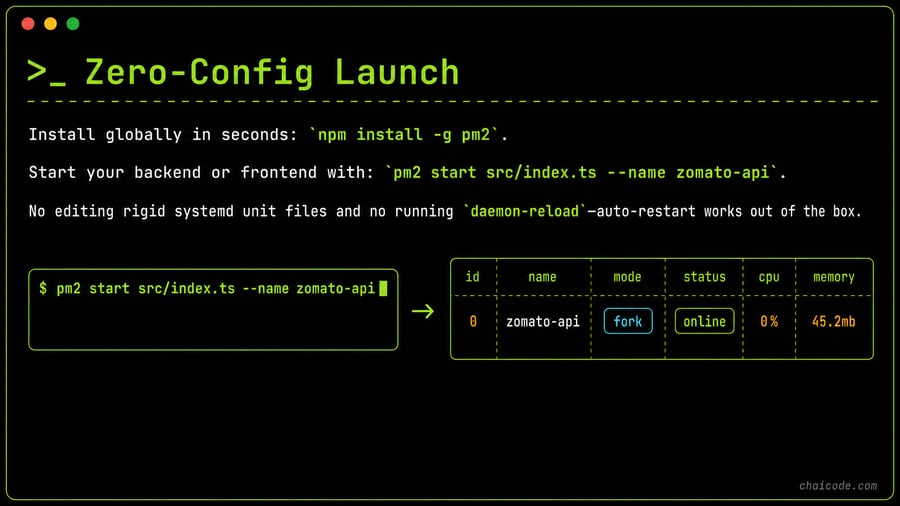
Install globally in seconds: `npm install -g pm2`.
Start your backend or frontend with: `pm2 start src/index.ts --name zomato-api`.
No editing rigid systemd unit files and no running `daemon-reload`—auto-restart works out of the box.
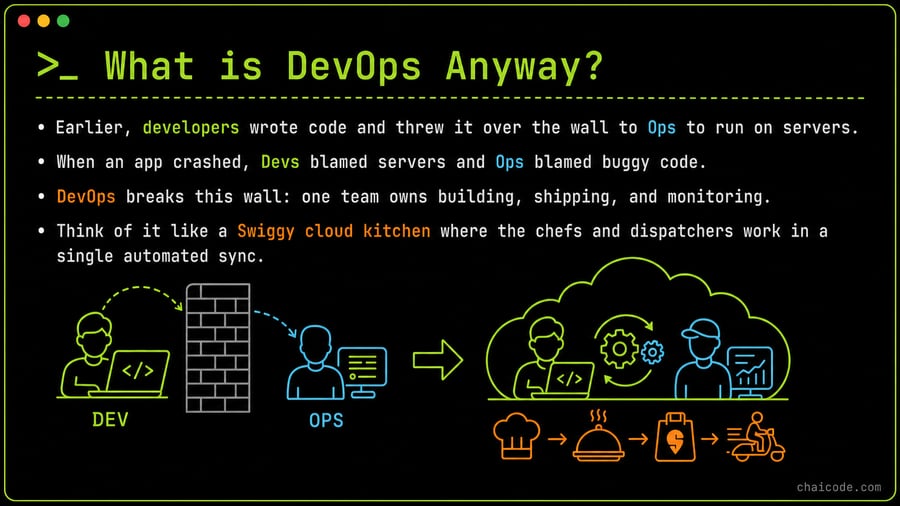
What is DevOps Anyway?
05
Notes
• Earlier, developers wrote code and threw it over the wall to Ops to run on servers.
• When an app crashed, Devs blamed servers and Ops blamed buggy code.
• DevOps breaks this wall: one team owns building, shipping, and monitoring.
• Think of it like a Swiggy cloud kitchen where the chefs and dispatchers work in a single automated sync.
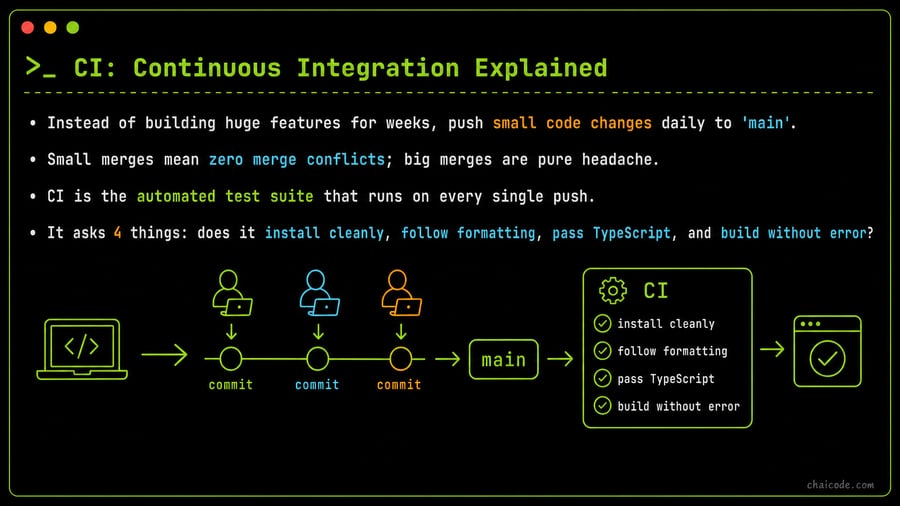
CI: Continuous Integration Explained
06
Notes
• Instead of building huge features for weeks, push small code changes daily to 'main'.
• Small merges mean zero merge conflicts; big merges are pure headache.
• CI is the automated test suite that runs on every single push.
• It asks 4 things: does it install cleanly, follow formatting, pass TypeScript, and build without error?
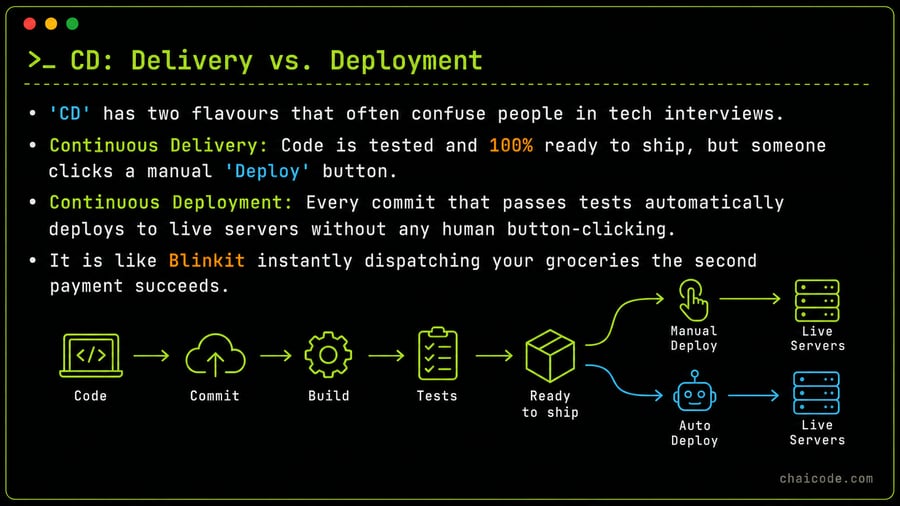
CD: Delivery vs. Deployment
07
Notes
• 'CD' has two flavours that often confuse people in tech interviews.
• Continuous Delivery: Code is tested and 100% ready to ship, but someone clicks a manual 'Deploy' button.
• Continuous Deployment: Every commit that passes tests automatically deploys to live servers without any human button-clicking.
• It is like Blinkit instantly dispatching your groceries the second payment succeeds.
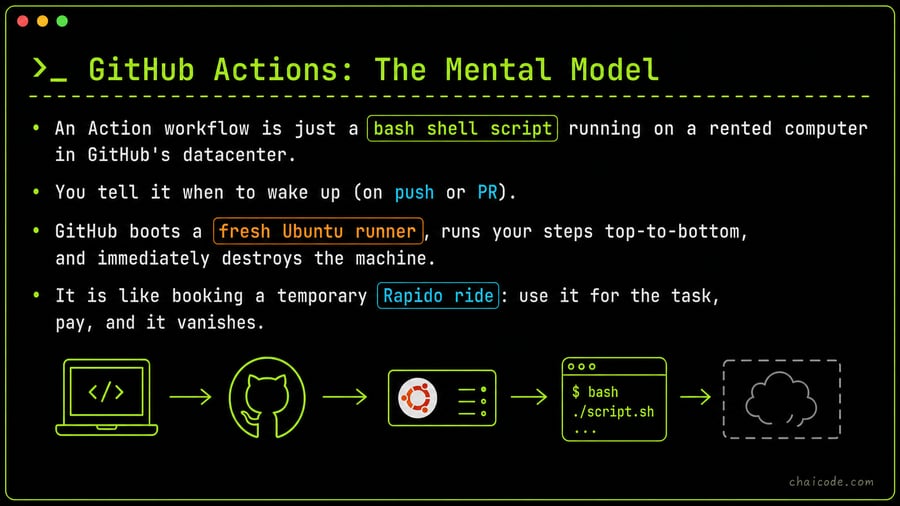
GitHub Actions: The Mental Model
08
Notes
• An Action workflow is just a bash shell script running on a rented computer in GitHub's datacenter.
• You tell it when to wake up (on push or PR).
• GitHub boots a fresh Ubuntu runner, runs your steps top-to-bottom, and immediately destroys the machine.
• It is like booking a temporary Rapido ride: use it for the task, pay, and it vanishes.
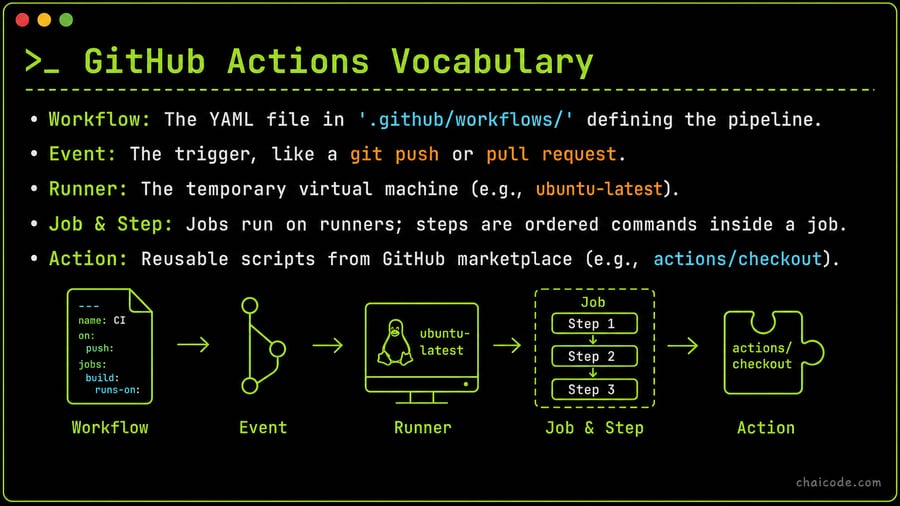
GitHub Actions Vocabulary
09
Notes
• Workflow: The YAML file in '.github/workflows/' defining the pipeline.
• Event: The trigger, like a git push or pull request.
• Runner: The temporary virtual machine (e.g., ubuntu-latest).
• Job & Step: Jobs run on runners; steps are ordered commands inside a job.
• Action: Reusable scripts from GitHub marketplace (e.g., actions/checkout).
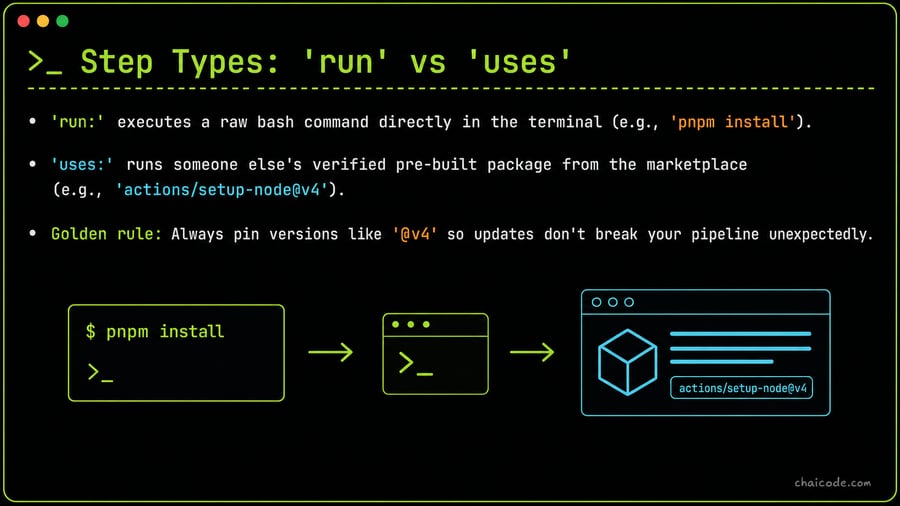
Step Types: 'run' vs 'uses'
10
Notes
• 'run:' executes a raw bash command directly in the terminal (e.g., 'pnpm install').
• 'uses:' runs someone else's verified pre-built package from the marketplace (e.g., 'actions/setup-node@v4').
• Golden rule: Always pin versions like '@v4' so updates don't break your pipeline unexpectedly.
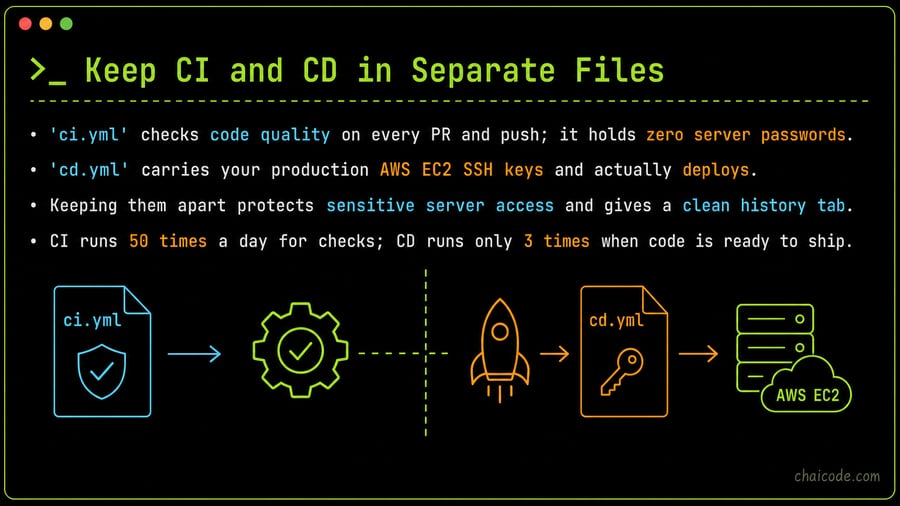
Keep CI and CD in Separate Files
11
Notes
• 'ci.yml' checks code quality on every PR and push; it holds zero server passwords.
• 'cd.yml' carries your production AWS EC2 SSH keys and actually deploys.
• Keeping them apart protects sensitive server access and gives a clean history tab.
• CI runs 50 times a day for checks; CD runs only 3 times when code is ready to ship.
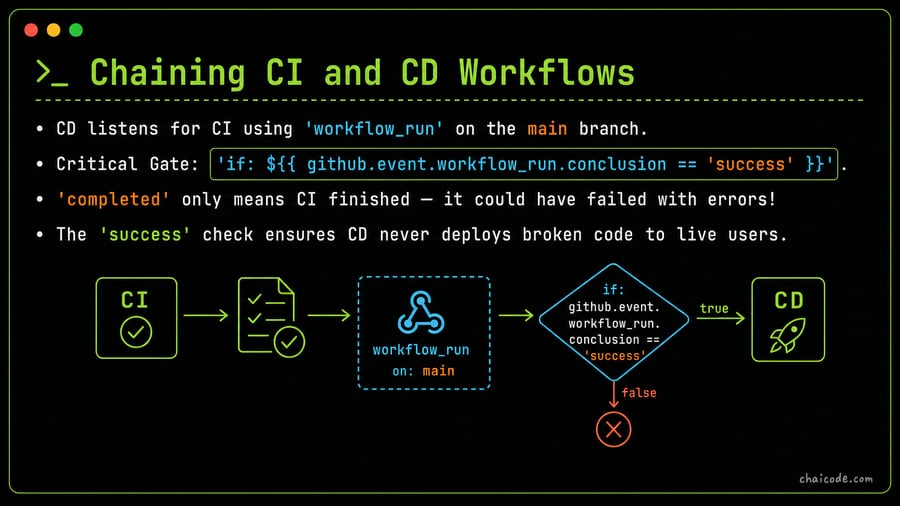
Chaining CI and CD Workflows
12
Notes
• CD listens for CI using 'workflow_run' on the main branch.
• Critical Gate: 'if: ${{ github.event.workflow_run.conclusion == 'success' }}'.
• 'completed' only means CI finished — it could have failed with errors!
• The 'success' check ensures CD never deploys broken code to live users.
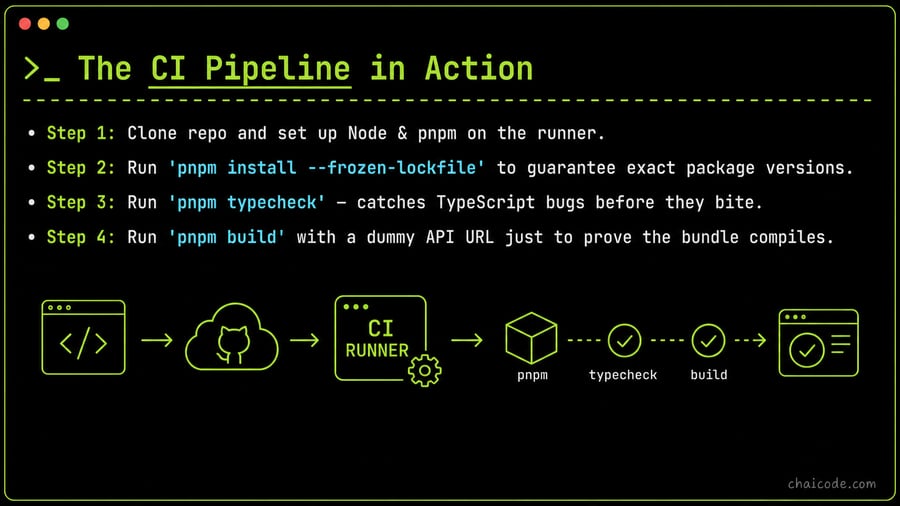
The CI Pipeline in Action
13
Notes
• Step 1: Clone repo and set up Node & pnpm on the runner.
• Step 2: Run 'pnpm install --frozen-lockfile' to guarantee exact package versions.
• Step 3: Run 'pnpm typecheck' — catches TypeScript bugs before they bite.
• Step 4: Run 'pnpm build' with a dummy API URL just to prove the bundle compiles.
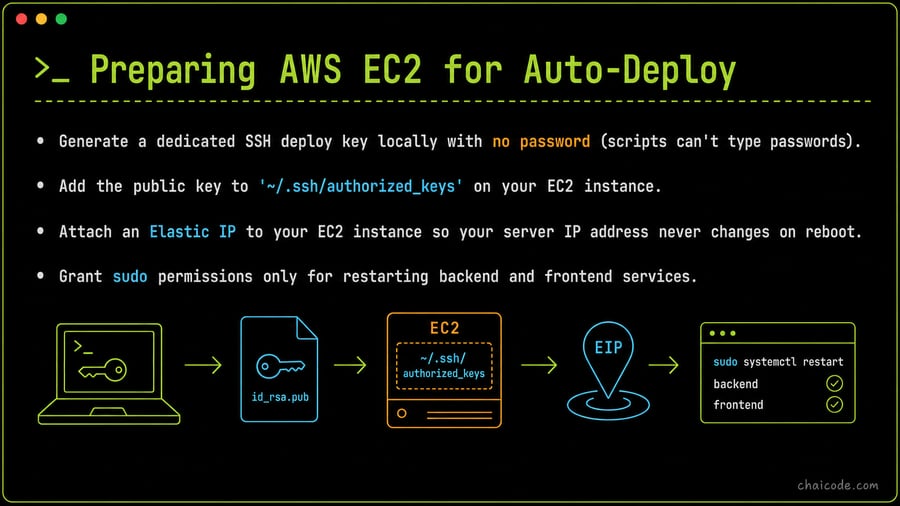
Preparing AWS EC2 for Auto-Deploy
14
Notes
• Generate a dedicated SSH deploy key locally with no password (scripts can't type passwords).
• Add the public key to '~/.ssh/authorized_keys' on your EC2 instance.
• Attach an Elastic IP to your EC2 instance so your server IP address never changes on reboot.
• Grant sudo permissions only for restarting backend and frontend services.
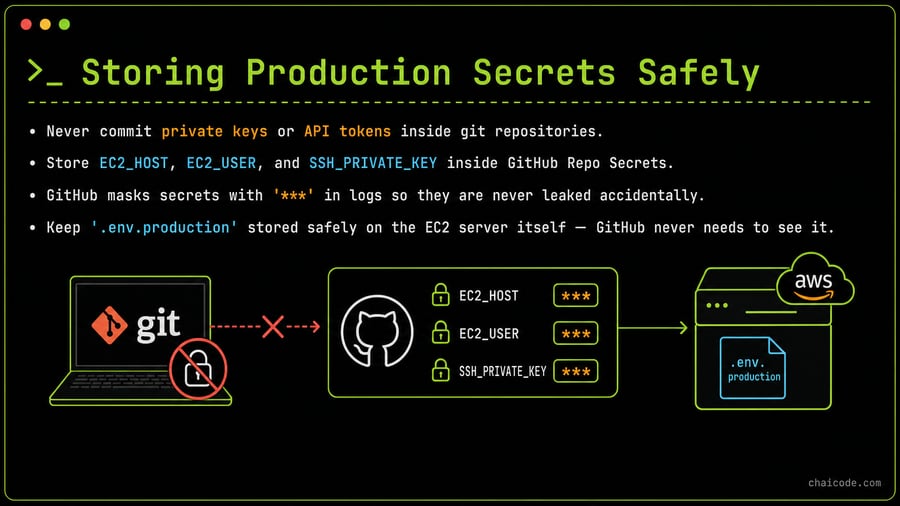
Storing Production Secrets Safely
15
Notes
• Never commit private keys or API tokens inside git repositories.
• Store EC2_HOST, EC2_USER, and SSH_PRIVATE_KEY inside GitHub Repo Secrets.
• GitHub masks secrets with '***' in logs so they are never leaked accidentally.
• Keep '.env.production' stored safely on the EC2 server itself — GitHub never needs to see it.
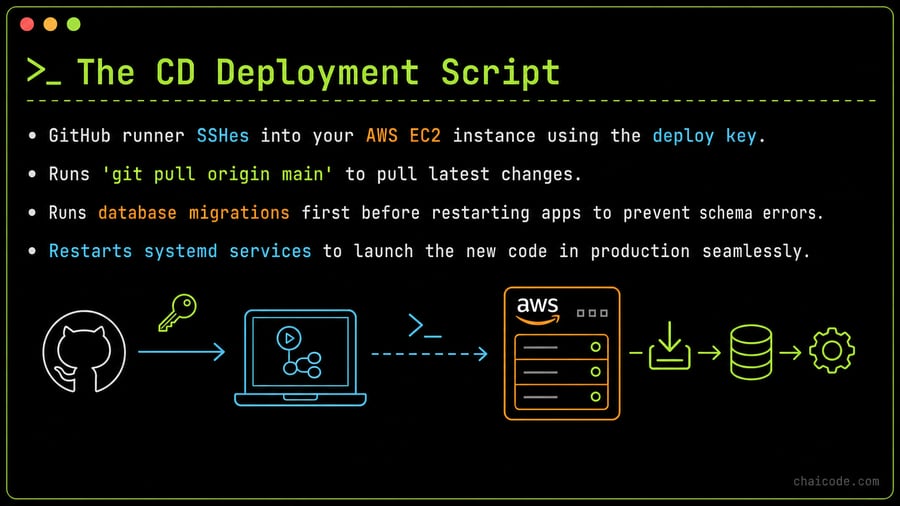
The CD Deployment Script
16
Notes
• GitHub runner SSHes into your AWS EC2 instance using the deploy key.
• Runs 'git pull origin main' to pull latest changes.
• Runs database migrations first before restarting apps to prevent schema errors.
• Restarts systemd services to launch the new code in production seamlessly.
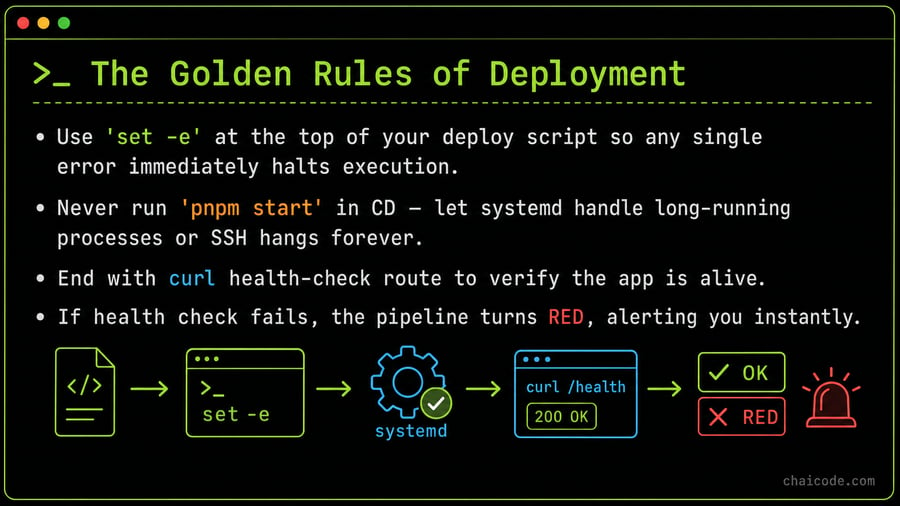
The Golden Rules of Deployment
17
Notes
• Use 'set -e' at the top of your deploy script so any single error immediately halts execution.
• Never run 'pnpm start' in CD — let systemd handle long-running processes or SSH hangs forever.
• End with curl health-check route to verify the app is alive.
• If health check fails, the pipeline turns RED, alerting you instantly.