

On this page
- AI Pitch Deck Builder Overview
- High-Level System Architecture
- Project Setup & Environment Secrets
- Database Schema with Prisma
- Structuring Output with Zod
- AI Agent & Two-Way Guardrails
- Slide Imagery via ImageKit CDN
- Background Orchestration with Inngest
- Clean & Fast API Routes
- Frontend Polling & Slide Carousel
AI Pitch Deck Builder Overview
01
Notes
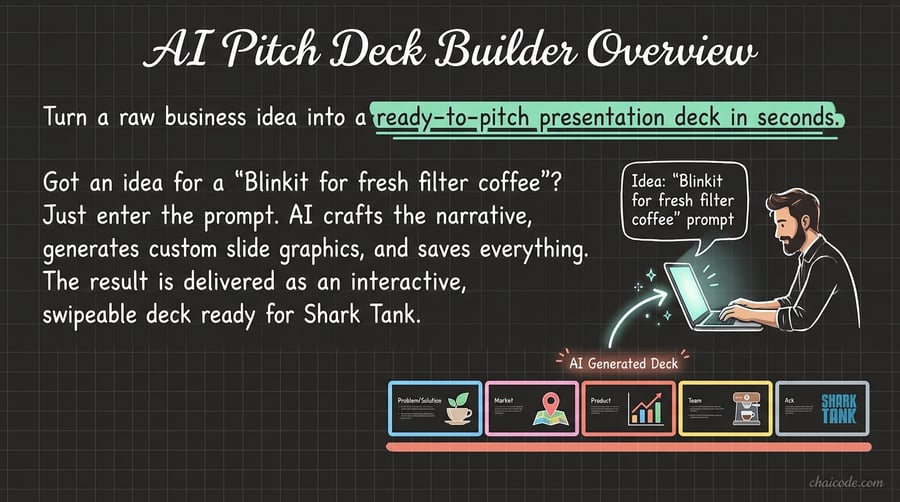
Turn a raw business idea into a ready-to-pitch presentation deck in seconds.
Got an idea for a 'Blinkit for fresh filter coffee'? Just enter the prompt.
AI crafts the narrative, generates custom slide graphics, and saves everything.
The result is delivered as an interactive, swipeable deck ready for Shark Tank.
High-Level System Architecture
02
Notes
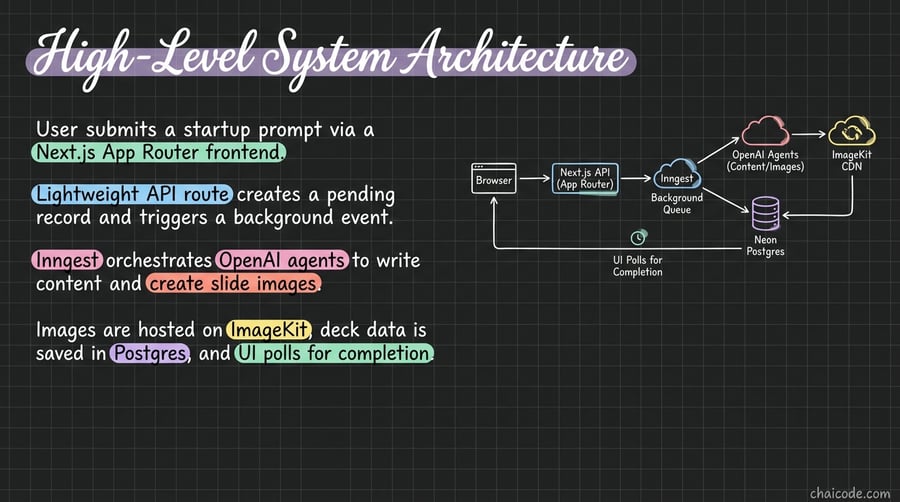
User submits a startup prompt via a Next.js App Router frontend.
Lightweight API route creates a pending record and triggers a background event.
Inngest orchestrates OpenAI agents to write content and create slide images.
Images are hosted on ImageKit, deck data is saved in Postgres, and UI polls for completion.
Project Setup & Environment Secrets
03
Notes
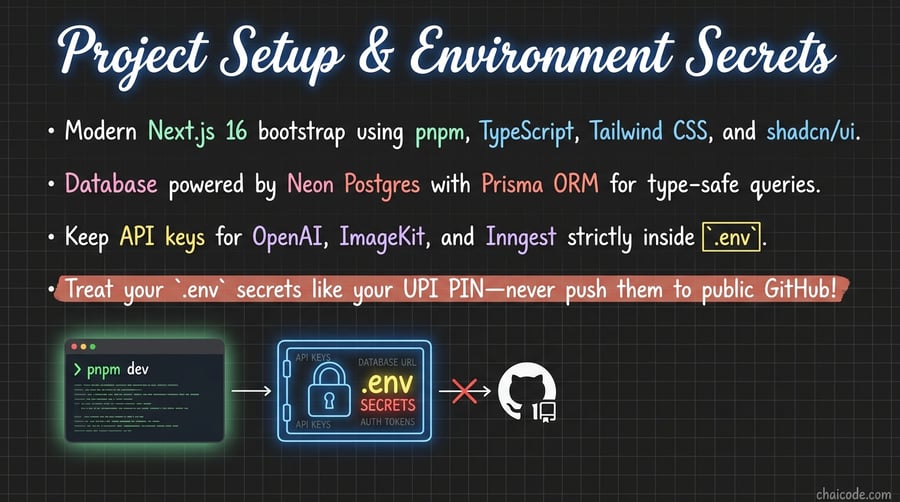
Modern Next.js 16 bootstrap using pnpm, TypeScript, Tailwind CSS, and shadcn/ui.
Database powered by Neon Postgres with Prisma ORM for type-safe queries.
Keep API keys for OpenAI, ImageKit, and Inngest strictly inside `.env`.
Treat your `.env` secrets like your UPI PIN—never push them to public GitHub!
Database Schema with Prisma
04
Notes
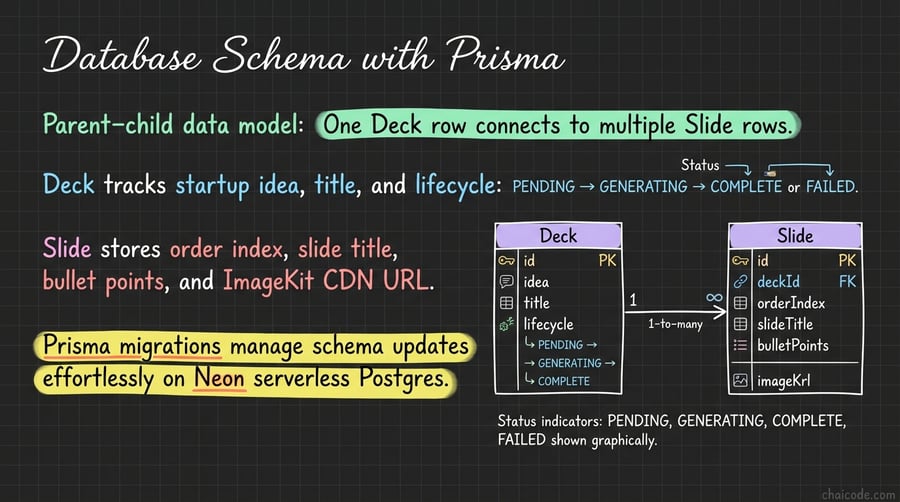
Parent-child data model: One Deck row connects to multiple Slide rows.
Deck tracks startup idea, title, and lifecycle: PENDING → GENERATING → COMPLETE or FAILED.
Slide stores order index, slide title, bullet points, and ImageKit CDN URL.
Prisma migrations manage schema updates effortlessly on Neon serverless Postgres.
Structuring Output with Zod
05
Notes
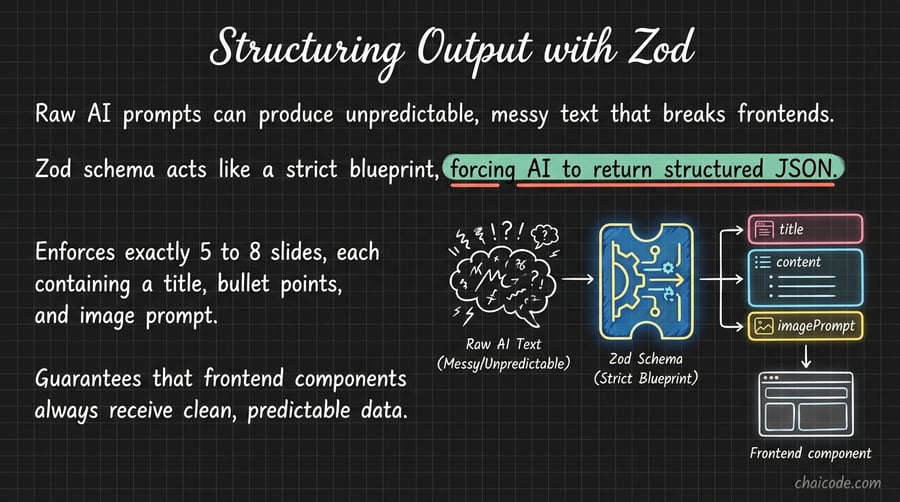
Raw AI prompts can produce unpredictable, messy text that breaks frontends.
Zod schema acts like a strict blueprint, forcing AI to return structured JSON.
Enforces exactly 5 to 8 slides, each containing a title, bullet points, and image prompt.
Guarantees that frontend components always receive clean, predictable data.
AI Agent & Two-Way Guardrails
06
Notes
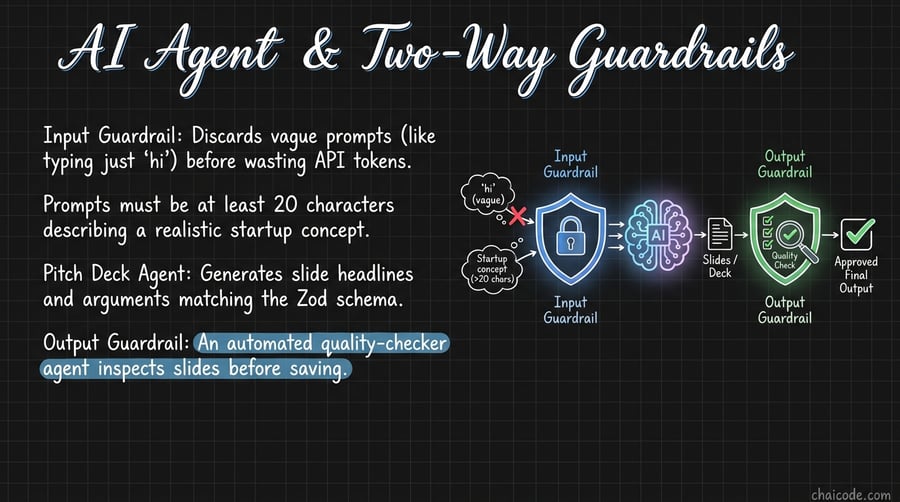
Input Guardrail: Discards vague prompts (like typing just 'hi') before wasting API tokens.
Prompts must be at least 20 characters describing a realistic startup concept.
Pitch Deck Agent: Generates slide headlines and arguments matching the Zod schema.
Output Guardrail: An automated quality-checker agent inspects slides before saving.
Slide Imagery via ImageKit CDN
07
Notes
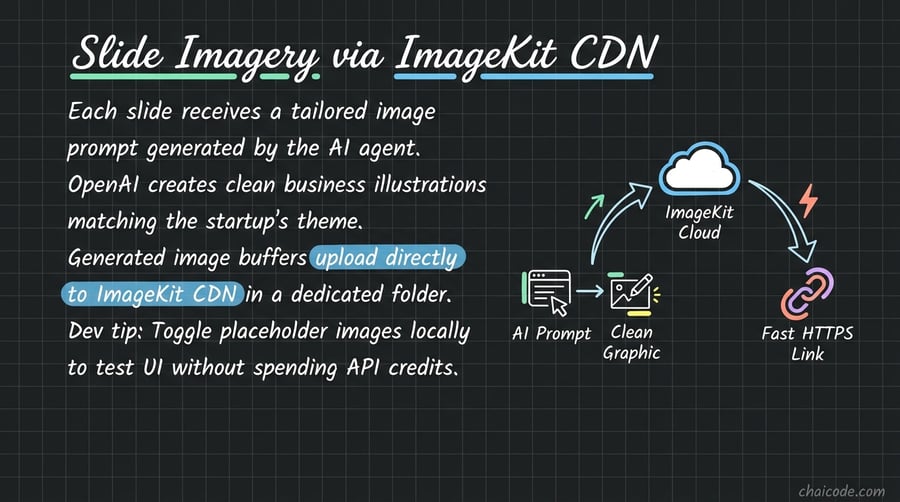
Each slide receives a tailored image prompt generated by the AI agent.
OpenAI creates clean business illustrations matching the startup's theme.
Generated image buffers upload directly to ImageKit CDN in a dedicated folder.
Dev tip: Toggle placeholder images locally to test UI without spending API credits.
Background Orchestration with Inngest
08
Notes
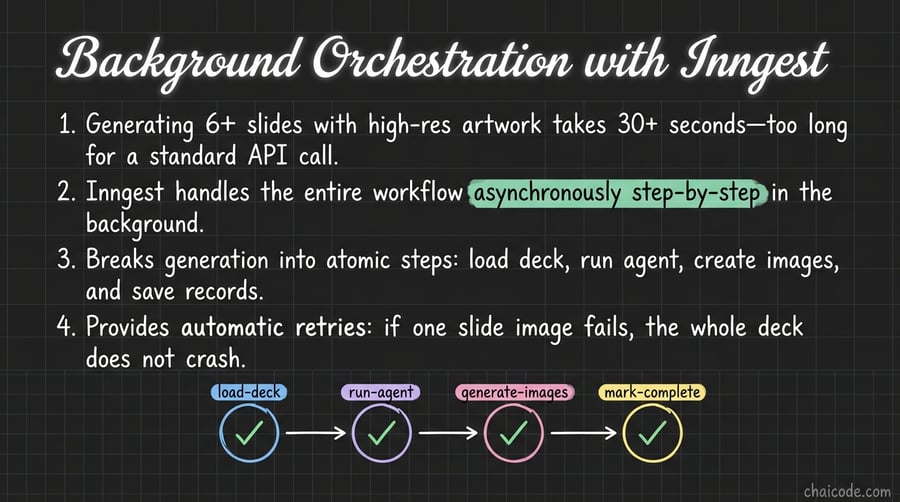
Generating 6+ slides with high-res artwork takes 30+ seconds—too long for a standard API call.
Inngest handles the entire workflow asynchronously step-by-step in the background.
Breaks generation into atomic steps: load deck, run agent, create images, and save records.
Provides automatic retries: if one slide image fails, the whole deck does not crash.
Clean & Fast API Routes
09
Notes
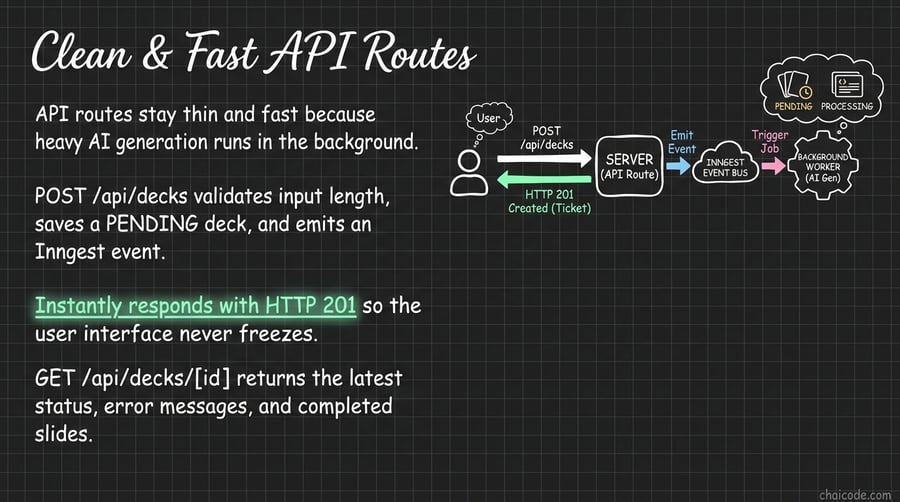
API routes stay thin and fast because heavy AI generation runs in the background.
POST /api/decks validates input length, saves a PENDING deck, and emits an Inngest event.
Instantly responds with HTTP 201 so the user interface never freezes.
GET /api/decks/[id] returns the latest status, error messages, and completed slides.
Frontend Polling & Slide Carousel
10
Notes
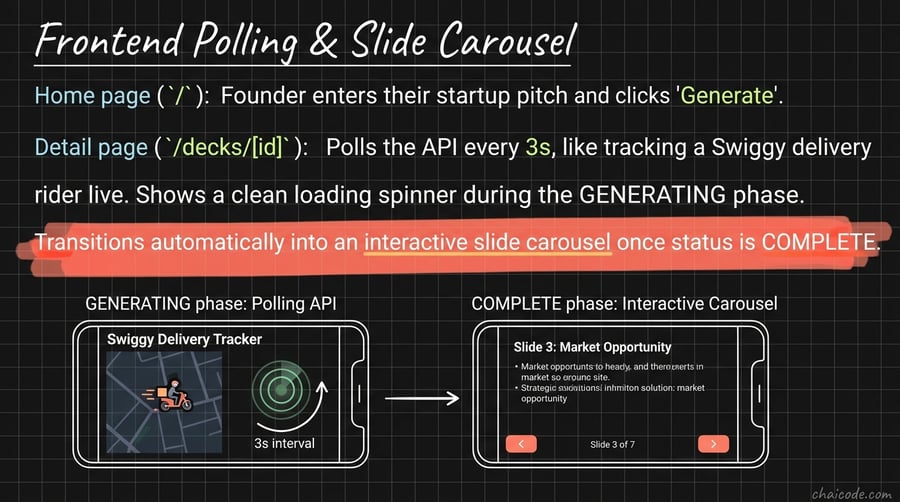
Home page (`/`): Founder enters their startup pitch and clicks 'Generate'.
Detail page (`/decks/[id]`): Polls the API every 3s, like tracking a Swiggy delivery rider live.
Shows a clean loading spinner during the GENERATING phase.
Transitions automatically into an interactive slide carousel once status is COMPLETE.